Free Therapy room scheduling software for shared spaces and conflict-free bookings

Picktime’s therapy room scheduling software helps practice owners, independent therapists, and room managers set room availability, manage bookings, and let practitioners reserve shared therapy spaces online. Each room has its own bookable hours, helping prevent overlapping online reservations for the same space. Recurring bookings make it easy to reserve the same room for regular weekly sessions, while the Picktime calendar shows when every room is booked or available. You can also create invoices for therapy room bookings and track payment status in Picktime.

  • Free forever plan
  • No double bookings
  • No card required
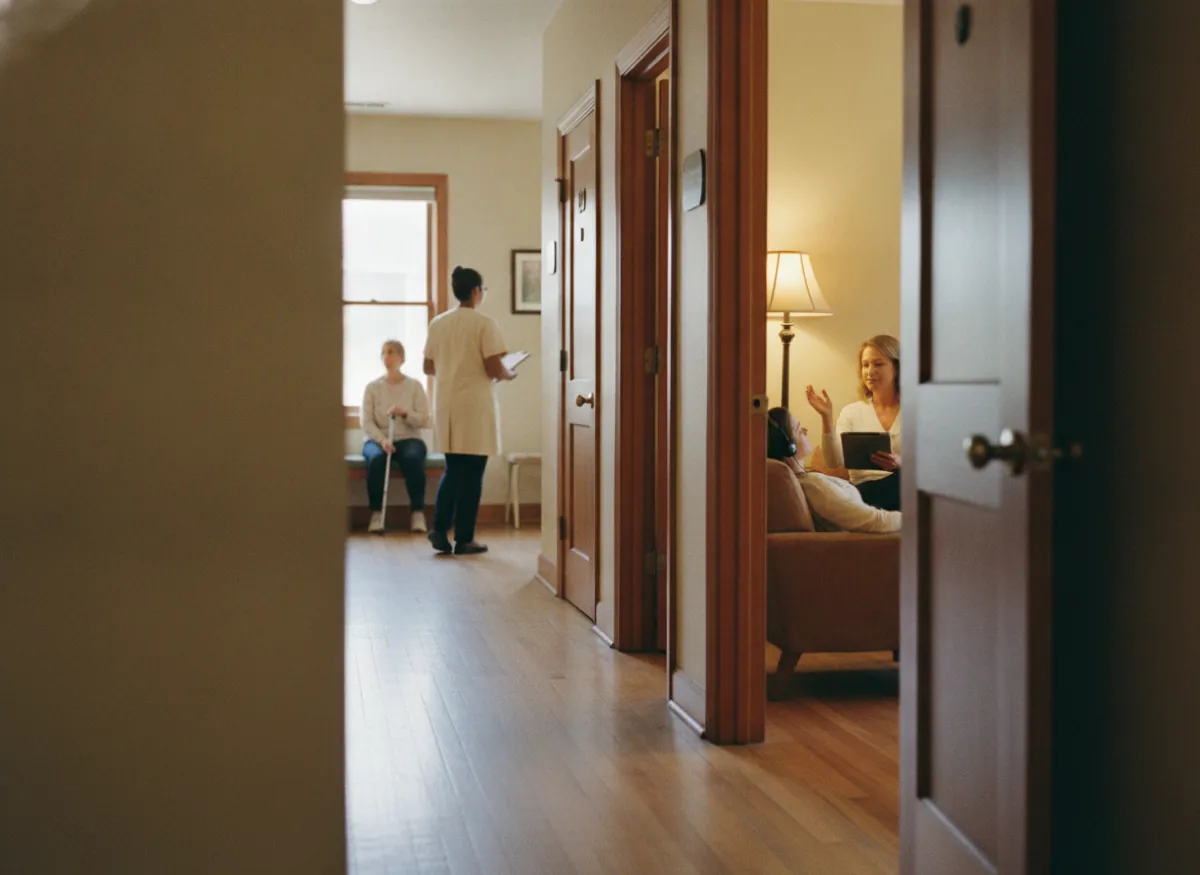
A therapist showing a client into a numbered room off the corridor, two low chairs and a lamp inside

Blu RoomsBook online

Room 3, quiet end1h · First floor$22.00

Room 5, half day4h · Own waiting space$70.00

Room 2, evening1h · Wed 6:00 PMBook

Next free10:00 AM1:00 PMSat 9:00 AM

Booked online

11:04 PM

The office shut at five

Invoice

$308.00

The month’s hours, as a PDF

Room 3, Wed 6:00

Let once

A second booking on it is refused

How it works for you

Manage weekly and one-time therapy room bookings in one place

Shared therapy practices need therapy scheduling software that helps manage regular weekly room bookings alongside occasional reservations from independent practitioners. Picktime’s therapy room scheduling software lets you manage rooms as bookable resources, accept online reservations, create recurring bookings, and send reminders before upcoming room hires. A therapist who needs an extra evening slot can find available room time without asking reception to check the schedule manually.

Manage each therapy room as a resource with its own availability

Add therapy rooms as resources and control when each one can be booked. If Room 3 is already reserved at 6:00 PM, Picktime uses its availability when determining whether the same room can be offered for another booking.

Each therapy room can be managed as its own resource with its own bookable availability.

Room 3 managed as a resource with its own bookable availability: already reserved at 6:00 PM, so the same room is not offered for another booking at 6:00 PM, and still available at 7:00 PM

Let therapists book available rooms from your booking page

Share your online booking page so therapists can find an available room and book it without calling the office. This is particularly useful for self-employed practitioners arranging an extra evening or weekend session when nobody is at reception. The same booking page can stay available outside office hours, so therapists can book open room time when it suits them.

The Blu Rooms booking page listing rooms with open time for an evening or weekend session, and a room booked online outside office hours, when nobody is at reception

Create recurring bookings for regular weekly room use

If a therapist uses the same room every Wednesday at 6:00 PM, recurring bookings let you create the series instead of entering the booking separately every week. The room and time stay reserved across the recurring schedule, making this particularly useful for counsellors, therapists, and supervisors with regular weekly room agreements.

A therapist’s Wednesday 6:00 PM in room 3 created as a weekly series: the first three Wednesdays, November 11, 18 and 25, 2026, shown booked, 35 more after them, and the series ending on Wednesday, July 28, 2027

Send email and SMS reminders before room bookings

Automated email and SMS reminders can be sent before upcoming bookings, so therapists have the room, date, and time in mind before they arrive. Choose how far in advance reminders go out so therapists have time to check their booking details before arriving.

An email reminder and an SMS reminder sent to a therapist before an upcoming booking in room 3 on Wednesday, November 18 at 6:00 PM, carrying the room, date and time, with the reminder timing set by how far in advance you choose
Two therapists, one room

Reduce room booking conflicts with clear resource availability

With Picktime’s counseling scheduling software, practices can organize room reservations around therapist availability, helping ensure that the right space is available for each scheduled session. When a booking requires a room resource, Picktime’s therapy room scheduling software checks resource availability before offering a room online, helping reduce overlapping reservations.

You can set availability around the hours each room can actually be used. If Room 2 is unavailable after 9:00 PM, those times do not need to appear as bookable. Closed dates and booking rules give you more control over when rooms can be offered.

For operators managing more than one property, Picktime supports multiple locations in the same account. Rooms can be organized by location, while one booking page can serve multiple sites. Resource-specific booking links can take therapists directly to a particular therapy room when you want to offer a more focused booking path.

Room 2’s Wednesday evening as a resource: the 5:00 and 6:00 PM bookings in place, an overlapping reservation at 6:00 PM not offered, 7:00 PM open, nothing bookable after 9:00 PM, and a closed date shown closed, with resource availability checked before the room is offered online
Ad hoc hours around the regulars

Show open slots around recurring therapy room bookings

A building filled with regular weekly room bookings can still have useful gaps: Tuesday afternoon in one room, Saturday morning in another, or an hour between two evening sessions.

Picktime’s therapy room booking software helps you manage recurring room reservations while showing the remaining available time slots for therapists who need occasional bookings. A therapist who needs an additional hour, or a supervisor who only visits once a month, can use the booking page to choose from the times that are still open. You can also block a room for maintenance or private use on specific dates without changing its regular weekly availability.

Room 5 blocked for maintenance on Saturday, November 14, 2026 without changing its regular weekly availability; room 2’s Saturday morning shown between recurring bookings with a 10:00 AM slot still open, and that open slot ready to book on the booking page
Wednesday, 5:55 PM

Move a therapy room booking when plans change

It is five minutes before six on a Wednesday, and a counsellor needs to change an upcoming room booking before her client arrives.

Instead of relying on a phone call to the office, admins or the team can reschedule the booking directly in the Picktime calendar.

This is particularly useful for therapy rooms used in the evening, when the office may already be closed and the person managing the building is not at reception.

With drag-and-drop rescheduling on your online calendar, staff can easily move the reservation to an available slot without creating a new booking.

Rescheduling updates keep the booking record current, giving the therapist and the person managing the rooms a clearer record of the revised session time.

Getting started

Get every therapy room ready for online booking

Three therapy rooms added as bookable resources, each with its available hours and organized by location, room 3 bookable until 9:00 PM and room 5 in a second building
01

Add each room as a resource and set its availability

With Picktime’s treatment room scheduling software, you can add each therapy room as a bookable resource, set its available hours, and manage reservations from one calendar. If you manage more than one property, organize the rooms by location so bookings stay connected to the right building.

This gives Picktime the availability it needs before offering a room online.

A recurring booking in room 3 every Wednesday at 6:00 PM, created once for the required period ending July 28, 2027, reserving 38 Wednesdays as one series
02

Create recurring bookings for regular weekly room use

Set up recurring bookings for therapists who use the same room at the same time each week. Instead of re-entering fifty individual bookings, one series can reserve the regular slot for the required period.

Once those standing bookings are in the calendar, the remaining times are the hours you can offer for occasional use.

The booking page link shared with tenants, added to the website and behind a resource-specific QR code, and an invoice generated when a room booking is checked out, shown by payment status
03

Share your booking page and generate invoices

Send tenants your booking page, add a booking link to your website, or share a booking page or resource-specific QR code around the building.

Therapists can use the page to book available room time without contacting the office first.

When you check out a room booking, Picktime can generate an invoice that you can share with the tenant and review by payment status.

That keeps room availability, online booking, and invoicing connected in the same scheduling workflow.

AI Receptionist

Let Picktime’s AI Receptionist handle booking calls during therapy sessions

You are in a session. When you’re in the middle of a therapy session, stopping to answer every call isn’t practical. Picktime’s AI Receptionist can answer incoming calls, check available appointment times, collect caller details, and help clients book appointments without interrupting your session. You can customize the greeting text and add answers to common FAQs about your practice.

After each call, review the call summary and transcript to see what the caller needed. If someone inquires about renting a therapy room, your team can follow up with the relevant details.

This gives clients another way to reach your practice while you stay focused on the person in front of you.

A call coming in at 6:20 PM on a Wednesday while the therapist is in a session, the AI receptionist checking available appointment times, collecting the caller’s details and noting a question about renting a therapy room, with the call summary and transcript saved for the team to follow up
What it costs

Start free. Pay when there are more rooms and more tenants.

The free plan is a plan, not a trial. There is no date at which it stops, no card to add, and nothing that quietly turns off in a fortnight.

Free, and it stays free

What a single house gets without paying

  • Your own booking page, with every room and its hours on it
  • Rooms let once and only once, so two tenants cannot share an hour
  • Hourly and half-day rates set per room
  • Email notifications on every booking and every change

Start free

Calendar, payment, and website integrations

Connect team calendars, room payments, and online booking

Keep team appointments connected with Calendar Sync

Team members can connect Google Calendar, Outlook Calendar, iCloud Calendar, or Microsoft Exchange to Picktime. Two-way Calendar Sync helps keep team appointments connected to supported external calendars when enabled.

For payments, Picktime supports PayPal, Stripe, and Square integrations. You can take payments through the booking workflow when that suits the way you rent your rooms.

Add your Picktime Booking Page link or Booking Widget to a website built with WordPress, Wix, Squarespace, Weebly, Joomla, or Drupal.

Manage therapy room bookings with the Picktime mobile app

Room scheduling does not have to wait until somebody is sitting at the office computer. Business owners and staff can use the Picktime mobile app on iOS or Android to manage scheduling from their phone. Tenants and other customers have a separate Picktime for Customers app, also available on iOS and Android.

They can also open your booking page from their phone, which matters when an independent therapist is looking for an extra room hour after the office has closed.

Why therapy room operators choose Picktime

Picktime’s therapy room scheduling software helps independent therapists, shared counseling practices, and clinic managers keep room bookings organized without relying on separate calendars or lengthy email exchanges. Set up each therapy room as a bookable resource with its own availability and decide which spaces practitioners can reserve online.

Many therapy practices have regular weekly sessions alongside occasional consultations, supervision meetings, and short-term room rentals. Recurring bookings help reserve regular time slots, while your booking page lets therapists find and book the remaining available hours. You can also offer different booking durations and prices for each room, making it easier to manage hourly and longer room hires.

When a booking changes, your team can check the updated schedule in the Online Calendar. Picktime’s therapy appointment scheduling software helps practices coordinate practitioner schedules and treatment room availability. You can link a room resource group to a service so Picktime checks both when managing appointment bookings.

For practices with rooms in different buildings, multiple locations help keep bookings organized by property. Resource-specific booking links make it easier to direct therapists to a particular space without searching through every available room.

Picktime also supports online payments, invoicing, and mobile scheduling for staff. For shared spaces with a tablet display, the Picktime Rooms Display App can show room availability and occupancy status.

Whether you rent therapy rooms by the hour or manage shared treatment spaces across a practice, Picktime helps keep room reservations, practitioner schedules, and booking records connected.

Questions

Therapy room scheduling software: common questions

Is there free software for renting out therapy rooms?

Yes. Picktime’s Free plan supports core room scheduling with up to three resources, two locations, unlimited appointments, an online booking page, and PayPal payments. Starter adds features such as recurring bookings, reminders, two-way calendar sync, and specific booking links, while the Pro plan supports 10 resources and unlimited locations. For the latest plan features and limits, see Picktime pricing.

Does Google have a room scheduling tool?

Yes. Google Workspace lets organizations create rooms and other resources that users can check and book through Google Calendar. Picktime is designed for a broader online booking workflow when you want therapy rooms to be available for tenants or external bookers.

Can a therapist keep the same hour every week?

Yes. Picktime supports recurring bookings, so a regular weekly room booking can be scheduled in advance instead of added manually each time. Recurring bookings are available on the Starter and Pro plans.

Can I invoice tenants for the room hours they book?

Yes. Picktime supports invoices for customer bookings, so you can manage billing for therapy room hires from the same system. Invoice details can be viewed and managed from the invoicing section.

Can tenants book an extra hour themselves?

Yes. When online booking is enabled for a therapy room, tenants can view its available times and make an additional booking themselves. You control which times are available for online booking.

Can I charge different rates for an hour and a half day?

Yes. Picktime supports variable pricing for resources, allowing you to offer different durations and prices for the same therapy room. For example, you can create separate booking options for a shorter session and a longer room hire.

Can I manage therapy rooms in more than one building?

Yes. Add each building as a separate location and assign its therapy rooms to the correct property. You can then manage room availability and bookings across different buildings from the same Picktime account.

Stop letting one room to two people

Free forever for a single house. No card, no trial clock, and every room can be bookable by your tenants tonight.