A recent survey found that managers and directors spend roughly 13 hours a week in meetings, which consumes more than 20% of their time. When any client drops a meeting at the last minute, or someone forgets to join, that effort (and possible revenue) can slip through the cracks. One easy way to maintain that balance is by sending automated meeting reminders to your team and clients, making it easier to follow up, so you don’t have to think twice about it.
Since maintaining a fine balance between work and personal life is important, you must find ways to prioritize it. Without it, it’s hard to feel happy and relaxed in the office, even after work, since work keeps spilling into your personal time. Honestly, balancing work and life is just as important as doing your job well—they need to go hand in hand to keep you happy and healthy.
Luckily, we’ve got a roadmap that’ll help you take the initial steps to achieve a healthy balance between work and life. A quick, automatic reminder before each meeting can make things easier and take a big load off your plate. They’re the key ingredient for busy professionals aiming to achieve work-life balance and deliver an exceptional experience.
We’ll show you how to make a healthy work-life environment for busy professionals.
6 Effective Ways to Balance Work-life with Meeting Reminders
1. Helps Reduce No-Shows and Last Minute Cancellations
One of the vital benefits of sending meeting reminders is that it can reduce the number of no-shows. These no-shows and last-minute cancellations often hinder entire progress, impact team morale, and create unnecessary disorder within the workflow. For any growing business, too many no-shows can jeopardize reputation, bring tension, and make it difficult for everyone to maintain a healthy work-life balance.
Naturally, people believe they’ll remember their appointments, but when the time comes, life gets busy, and human nature tends to cause them to forget.
When you send timely reminders to your clients and team, it helps them add the appointment to their calendars. Therefore, they’re more likely to show up on time and not miss it.
2. Gives Both Parties Time to Prepare
When your team members are informed but still not prepared, isn’t it an oops moment? That one moment slows down the entire meeting. As a result, your valuable time gets wasted on repeating information, vague goals, or trying to get everyone up to speed.
A well-crafted automated reminder, 1 hour before the meeting, gives participants enough time to gather their thoughts, review the agenda, and join the meeting prepared. It’s a subtle yet meaningful way to gain trust and respect with your team and clients.
Having an easy-to-use, customizable reminder email template with Picktime makes it easy to send automated, professional emails without drafting one from scratch each time.
3. Minimize friction across Remote Teams
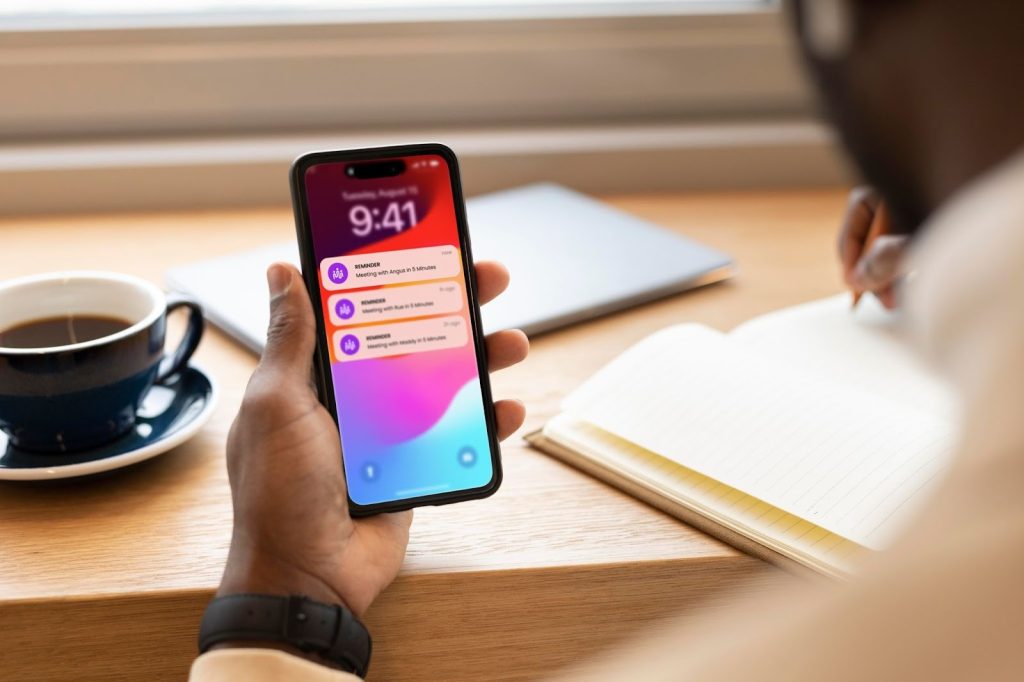
You might have a remote team, and sending timely meeting reminders helps your entire team stay informed and synced. Meeting reminders make life easier for everyone on the team. Leaders can set quick reminders, whether it’s “Your meeting starts in an hour, make sure you’re ready to go,” or “Don’t forget our weekly update, “so people stay in sync regardless of their location. These alerts appear on phones or laptops in real time, helping teammates tackle the most urgent tasks first and preventing missed deadlines or forgotten duties.
While you send reminders, you can customize each email alert. Send a gentle reminder about an individual’s looming deadline, flag a change in the project schedule, or remind someone to wrap up unfinished work. Everyone in your organization keeps track of their own calendar, yet the whole team moves toward the same goals.
4. Encourage Better Productivity
When any meeting is scheduled, you must jump into your next appointment, and eventually, your details can fade. Sending automated meeting reminders 1 hour and 30 minutes before the meeting helps everyone remember and arrive on time. It gives you a quick recap while they are still top of their mind. It captures the key takeaways, what you agreed on, who’s responsible, and the deadline for each next step.
The goal is to keep everyone on the same page, so nobody needs to rely on records or pressure on memories. Team members get the space to make clear decisions, take ownership of tasks, and set deadlines before the next wave of work rolls in. With these quick follow-ups, teams receive faster responses, better accountability, and steady productivity, turning meetings into real progress.
5. Builds a More Professional Experience for Clients
Clients judge you by the little details. If a meeting starts late because someone can’t find the link, or worse, forgets entirely, it feels disorganized and dents their confidence in you.
With a well-timed email reminder, you can include the meeting link, a quick agenda, and a one-click reschedule option that tells clients. This shows you value your team’s and customers’ time, building a thoughtful and reliable image.
For instance, a freelance designer sends out a branded reminder 24 hours before each design review. The email reads, “Can’t wait to show you the latest mock-ups tomorrow! Here’s the Zoom link and a peek at what we’ll cover.” There’s also a polite note: “Need to reschedule? Click here.”
Clients recognize that their needs are well managed, meetings start punctually, and this elevated professionalism quickly becomes the standard they expect from your service.
6. Supports Work-life Balance by Reducing Mental Burnout
When you are constantly trying to remember what’s next, it can take a toll on your mental well-being. As a busy professional, it adds to your mental load, making it harder to stay focused during the day or fully relax when the work is done.
If you sync your calendar with your Picktime account, your team will receive confirmation and reminders, which are featured with the “Add to Calendar” button. Your team can click to sync their assigned booking details, and you’ll get time-to-time notifications.
All meeting reminders on Picktime are automated and fully customizable. Once it’s configured, everything runs automatically in the background. These reminders create a structured schedule without micromanaging your time, whether you’re working remotely or in the office.
Why Is Sending Meeting Reminders Your Blueprint for Success?
As a professional, you want the effort you and your team put in to really pay off. In that case, you can remind your clients and team members about their upcoming meetings. A quick nudge and meeting reminders beforehand can go a long way in keeping it fresh in their minds.
Whether you’re running a beauty salon, managing an HR department, or working as a freelancer, reducing no-shows and last-minute cancellations is key. It helps you build better relationships and keeps your schedule on track.
More and more professionals have started using meeting reminders, but the real question is: how effectively are they doing it? Are you still sending manual reminders that get buried in busy inboxes? Or using a third-party tool that makes your email look like spam?
But don’t worry; we’ve got your back. Using Picktime’s appointment scheduling software to send meeting reminders means you no longer have to deal with the hassle of sending them manually. You can customize reminder timings, edit the message content, and send automated email or SMS notifications, without lifting a finger each time.
Conclusion
We understand that most of your team members are juggling numerous responsibilities: work, family, deadlines, and an overstuffed calendar. Work-life management improves mental health, enhances productivity, and reduces burnout. Now you’ve discovered how sending a meeting reminder can make a huge difference in your work-life balance.
Instead of anticipating, people remember the meeting and have to deal with the stress when they don’t take that small step to remind them. These reminders are not only quick and automatic but also help everyone stay on track without feeling overwhelmed or interrupted.
Give Picktime a try and start sending timely meeting reminders that help your team and clients stay in sync. It makes easier for everyone to plan their day without any last-minute surprises, so your meetings stay on track, and everyone shows up prepared.