One booking, end to end
No more chasing after unpaid invoices
Make getting paid part of the booking, not another task on your list. You can collect deposits or full payments upfront and make your business profitable.
Treatment · 60 min · $95

Take bookings, payments, reminders, and more. Built to scale for every business, from solopreneurs to multi-location businesses, you can manage everything from one scheduling system.
All-in-one platform to simplify every booking
Manage appointments, classes with capacity limits, staff schedules, rooms, and equipment in one calendar. A booking system built around your unique scheduling needs.
24/7 Online Bookings
Track who actually turned up, session by session.
Let clients choose their preferred times
Schedule remote meetings across the world
Review each class booking request and approve only what fits
Manage sessions, availability, and let customers book their spots online.
Review each booking request and approve only what fits
Print or download your daily agenda
Add important questions and mark them mandatory
Check when a room, piece of equipment, or team member is free before making a booking.
Keep rooms organized and prevent double bookings
Fill last-minute openings automatically with students
Rotate tasks evenly
Set how many people can book each class.
Capture customer info in advance
Give customers reasons to keep coming back
A tablet outside the meeting room. A much simpler way to manage meeting spaces and desks.
Package your sessions, get paid upfront
Manage shared equipment and make sure it’s available when customers or staff need it
Define working hours and availability for each resource based on how your business operates.
That is the difference between a scheduling link and a booking system. A link finds a time in someone’s diary. A booking system runs the operation behind it: capacity, resources, staff, payment and follow-up.
Most businesses need more than one, and find out after the software is set up. A salon books treatments and rents chairs. Two tools means two calendars that disagree by Thursday.
From the first booking to repeat visits, Picktime makes scheduling simple. Customers can easily choose a service, find a time that works, and book an appointment with a smooth, personalized experience.
Bookings can come in even when you’re not around. Clients can schedule a time online, while Picktime AI Receptionist handles unlimited calls, finds an available slot, and books instantly.
Three ways inone calendar
Nora HayesBooking page · 11:42pmSelf-booked
Tom BeckettRang instead · answered and bookedBy phone
Sam OrtizAsked at the desk · added by MayaAdded by you
One booking type should not need five different tools. Set up your reminders, confirmations, waitlists, capacity, and staff schedules once, then let Picktime do the rest.
Why 10:45 is bookableTuesday
Practitioner
Room 2
Bookable
Reminder scheduledBefore the appointment, on your scheduleAutomatic
Reduce no-shows with deposits, a percentage, or the full amount. Your time is worth protecting
Treatment · 60 min$95
$23.75
25% deposit taken at booking to hold the slot · balance due on the day
Picktime’s cut of itClient pays, your processor, your bank0%
Keep every booking and client detail in one place, whether appointments come through online booking or an AI receptionist
Nora Hayesclient since Mar 2025
14 visitsLast in 22 AugOn the record
Intake and consentSigned once, kept against the clientOn file
Attendance11 of 12 sessions this termMarked
Use discounts to make that first booking easier, and class packs to give customers a reason to book the next one too. Whether you are trying to attract new clients or reward your regulars, you can create offers that help build loyalty and keep your calendar busy.
Quiet midweekNovember
WINTER1515% off midweek treatmentsLive
Nora’s class pack7 of 10 used3 left
RebookedSame client, same page, nothing re-enteredDone
Give your clients an effortless booking experience. Let them book whenever it suits them, lunch breaks, midnight, or the weekend. Your online booking system stays open when you are not.
No site builder, no hosting fee, nothing to maintain. Choose a template, add your logo, brand colors, services, and prices, and your Picktime booking page does the work of a website that takes bookings too. Already have a site? Embed your booking page there instead, and share the link in your bio or in a text.
Set up your availability, booking rules, and connect your calendars. Choose how far ahead someone can book. Change availability and your page follows. Your booking page shows only times you are actually free. Keep bookings organized and clients happy.
Clients reschedule or cancel from their confirmation email, within the window you set, so a change of plans doesn't become a phone call. And if you'd rather check first, Picktime lets you approve every booking before it reaches your calendar.
Every call you miss is one who books somewhere else. Keep doing what you do best while every call gets answered. Your AI receptionist answers every one, books appointments, and handles reschedules without you.
Busy with a client, out on-site, or tied up on another call? Your AI Receptionist answers customers and helps them book on the spot. Fewer calls turn into lost opportunities; more appointments fill your calendar,
You don’t have to remember every detail. Read full call transcripts and quick summaries anytime, then add notes before your client walks in.
Your AI Receptionist checks your real-time availability, books the right slot, and adds it to your Picktime calendar, which stays in sync with the calendar you already use.
When a customer needs extra help, your AI Receptionist can transfer the call to your team so the conversation keeps moving without starting over.
Can I book a treatment on Thursday?
0:04Thursday has 14:00 or 16:30 free.
0:09Two o’clock, please.
0:21Booked. Can I take a name and mobile number?
0:26Booking created
Reminder scheduled
Most calls to a business like yours are someone wanting an appointment. The rest still need to reach you, and they do.
Checks real availability, offers only slots that are free, takes a name and mobile, and confirms the booking.
A price question, a complaint, a supplier. Transcribed and waiting for you, with the number to call back.
The caller is told a person is coming, and the call is transferred to you.
Whether you teach music, coach a team, or run a department's team, manage bookings, Payments, attendance, and roster from one place.
Create a one-time or recurring class, set the capacity, assign an instructor, and you’re ready to take bookings. Add buffer time, block off unavailable hours, and build custom availability so your schedule matches how your week actually runs.
Share your booking link through email, text, your website, or social profiles and let attendees book themselves. Running virtual classes? Add video meeting links to booking notifications so joining is just as easy as booking.
Set the maximum number of attendees, and Picktime stops taking bookings once the class is full. If someone cancels at the last moment, the slot becomes available again; Picktime's waitlist can automatically assign the open slot. The next person gets a chance to book without chasing anyone down.
Ask for everything you need during booking, from skill level and age to emergency contacts, consent, or important notes. The information stays with the client profile, so you don’t have to keep asking for the same details every time they book.
Bundle multiple sessions into a package and let customers pay upfront. It gives them a reason to keep coming back, brings revenue in earlier, and you set exactly how long each pack stays valid.
Open the class and mark each attendee as arrived, confirmed, pending, or a no-show. Attendance stays connected to each client; you can spot regulars, follow up on missed sessions, and see who may be dropping off.
Three screens, scroll sideways
Give each studio or equipment its own availability and booking rules. Let clients book directly without members' involvement.
If a service needs both a team member and a room, court, or piece of equipment, Picktime checks both schedules first. Customers only see times when everything they need is available.
No more guessing which room is free. Picktime Room Display shows live room availability with simple color indicators. Green means available. Red means occupied.
A room no one shows up for shouldn’t be empty. Set a grace period for late arrivals, and Picktime puts it back on board when no one arrives.
Each branch keeps its own hours, staff, resources, and booking page, so clients can simply choose the location that works best for them. Need to reschedule a team member to another branch for the day? Just update the schedule without rebuilding anything. Manage everything from one dashboard.
Explore resource scheduling Renting space to practitioners? →
Taking a deposit or full payment during booking is one of the best ways to secure your revenue.
Make getting paid part of the booking, not another task on your list. You can collect deposits or full payments upfront and make your business profitable.
Treatment · 60 min · $95
You decide how you want to get paid. Collect a deposit to lock in the booking or take the full amount upfront. Either way, you spend less time chasing payments and dealing with last-minute no-shows.
Set the rules once and let your booking system handle the rest. Choose how close to the appointment clients can cancel or reschedule. Your calendar stays protected without you having to explain the policy every time.
Need an invoice for your records or a customer? Once the appointment is done, you can easily create invoices, download or print them whenever you need. With the booking and payment information already included, everything's easy to find when you need it.
Every invoice comes off a booking and carries the appointment it belongs to, so it can be sent, chased and marked paid without leaving Picktime.
Booking Page, Payments, Rosters, Rooms, Multiple Locations, and Reports. Features that keep your business running as it grows. Start with what you need, enable more as you go.
Booking
Classes and groups
Client-Facing
Money
Team and resources
Give your team members the power to manage client appointments, meetings, and room bookings on the go through free iOS and Android apps. Get the mobile apps
Get the most out of your business by connecting your existing tools. Supercharge your business with powerful integrations, including calendars, video conferencing tools, advanced payment processors, CRM, email marketing apps, and much more.

The Google stack
Two-way Calendar sync, Meet links on every online booking, Contacts kept in step, and Analytics on the booking page.

The Microsoft stack
Outlook, Office 365 and Exchange syncing both ways, with Teams meeting links generated as the booking is confirmed.
Connect from your dashboard; no dedicated page yet
See all integrations And an AI receptionist for the calls you miss →
They run in the browser, save nothing and ask for nothing. Build the schedule, export it, and come back to the booking system when you want the schedule to fill itself.
Schedule maker
Lay out a week of shifts or classes, check it for clashes, and export it as a file you can print, share or hand to whoever covers the desk.
Build a schedule → UTCTimezone converter
Find the hours that actually overlap across several cities, without doing the arithmetic yourself or getting it wrong by an hour twice a year.
Find a time → TERMClass timetable maker
Set out a term of classes across rooms and tutors, spot where the same room is booked twice, and export the timetable when it holds together.
Lay out a term →Whether you run a salon, coworking space, home service business, or driving school, Picktime adapts to the way you run your business.

Beauty and wellness
Your clients decide late and book on their phone.

Fitness and sport
A set number of places, and the one that comes back.

Education and tutoring
A timetable that runs to term dates.

Classes and workshops
One room, one evening, and the same faces each week.

Rooms, spaces and equipment
The question is how often it is in use, not who booked it.

Professional services
Few bookings, each one worth a great deal.

Events and creative work
One date, one job, and a lot of detail behind it.
Public and community
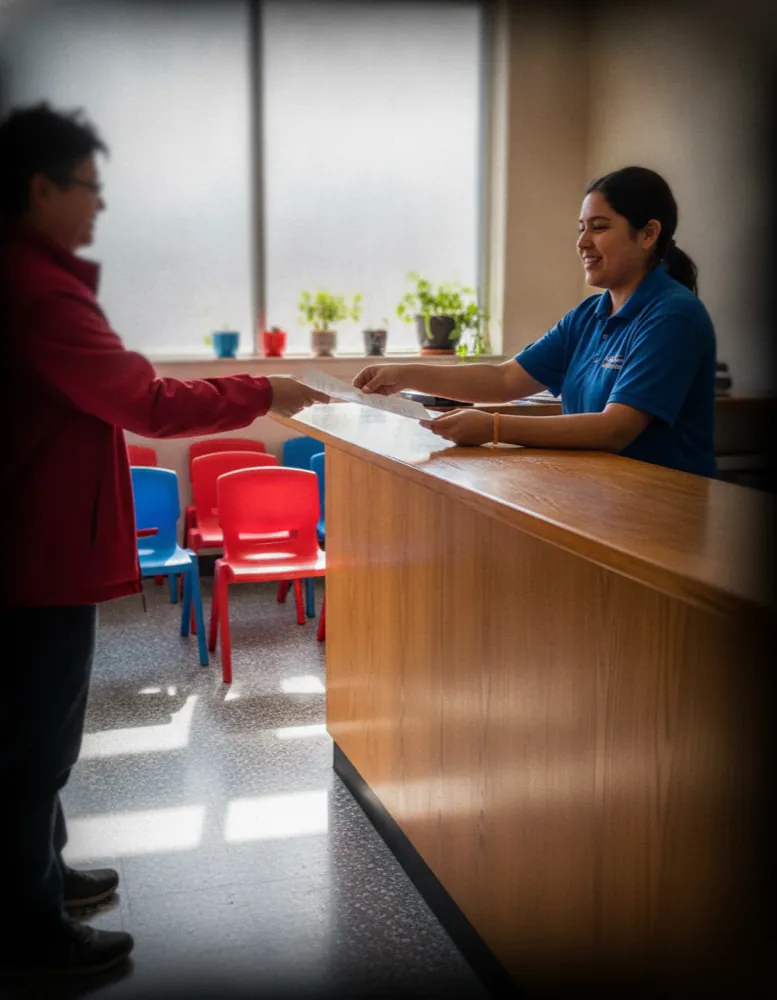
An appointment instead of a queue at the counter.
Built for you if
Your business is based on appointments, classes, rooms, and more.
You handle more than one type of booking and want everything together in one calendar.
You have a team or multiple locations and want to see if Picktime works for you without paying per seat.
You want to collect payment upfront, in full or as a deposit, through Stripe, PayPal, or Square.
You’re ready to move on from paper diaries, spreadsheets, or a phone that keeps ringing during appointments.
Where it may not be the best fit
Field service businesses. If your day is built around technicians travelling between jobs, arrival windows, routing, and dispatch, Picktime may not be the best fit. We’re built around booking time and services, not managing routes.
For most other businesses, it comes down to the features you need and how you work. Our comparison pages and scheduling software roundups make those differences easier to see.
Switching from a paper diary, a spreadsheet or another booking tool? See how Picktime compares
Trusted by businesses in 100+ countries
See why hundreds of businesses choose Picktime and keep coming back. From solo professionals to growing teams, our booking system takes care of the scheduling busywork for your business.
Paid at booking
$75deposit · Stripe
0% taken by Picktime
Reminder sent
10:00 AMtomorrow
 Cut & finish with Maya R.
Clients book themselves now. I have not taken a booking call in months.
Booked while closed
23:14last night

 Your whole team, one calendarShared out round robin
Great free scheduling tool. The ability to book directly from Google Maps and to start charging for appointments! It is crazy how many free features Picktime gives you. I also like how I can manage multiple accounts for my staff.
The perfect tool to book appointments in organizations. Easy to use and integrable with Facebook. It allows to book appointments with multiple locations/people. It simplifies all the process and sync it with your calendar.
Great free software. I have had a great overall experience with Picktime. It has been great to have a link I can send to my customers for them to follow and schedule an appointment. I love that this is free!

 4.8

 4.8
Most scheduling tools start charging as soon as you add more people or use the features you actually need. Picktime works differently. You can stay on the free plan until your business grows and you’re ready for more.
There’s no trial countdown and no pressure to upgrade. You get the tools to start taking bookings online, managing classes and resources, and accepting PayPal payments from day one.
Yes, and it is not a trial: there is no end date and no card at any point. The free plan gives you your own booking page, a live calendar clients book into themselves, classes, resources and PayPal payments. What the paid plans add is scale and automation: more people and places, two-way calendar sync, reminders, and Stripe or Square. Support is the same either way.
Yes. Picktime offers free appointment scheduling software with unlimited appointments, an online booking page, email notifications, PayPal payments, and iOS and Android mobile apps. The Free plan supports up to three team members, two locations, two classes, and three resources. Additional features are available on paid plans. For current prices and plan details, see Picktime pricing.
Picktime is an all-in-one appointment scheduling software designed for businesses of different sizes and industries. It brings online bookings, team schedules, classes, rooms, equipment, payments, and customer management into one platform. Whether you're a freelancer, a small business, or a growing company with multiple locations, Picktime helps you manage bookings and expand your scheduling setup as your business grows.
No. Picktime provides a customizable booking page with a unique link you can share with customers. They can view your services, check availability, and book appointments online without a separate business website. If you already have a website, you can add a Book Now button or Booking Widget.
Customers can open your Picktime booking page, select a service, choose an available date and time, enter their details, and confirm their appointment. They don't need to download an app or create an account unless your business enables the “login required” for bookings.
Yes. Picktime lets you personalize your booking page with multiple templates, business logo, brand colors, banner image, and service details. You can also display business information, booking policies, and instructions to help customers understand your services before making an appointment.
Yes. Picktime's Team Management features let you set individual working hours, assign services, and manage staff appointments across multiple locations. You can view and organize bookings from one account, with team member and location limits depending on your plan.
Yes. Picktime allows you to collect a deposit or full payment when customers book appointments online. The Free plan supports PayPal, while Starter and Pro also support Stripe and Square. You can manage appointment and payment information through your Picktime account.
Yes. Picktime can automatically send email and SMS reminders before scheduled appointments. You can choose when reminders are sent to help customers remember their bookings. Email and SMS reminders are available on Starter and Pro, while the Free plan includes email booking notifications. SMS usage is subject to available credits.
Picktime is designed for businesses to set up online appointment scheduling without coding. Create an account, add your services and team members, configure working hours, and share your booking page link. Customers can then start booking the available appointments you offer.
Yes. Picktime offers mobile apps for both iOS and Android, allowing you to view your calendar, check upcoming bookings, and create or update appointments from your phone. The mobile apps are also included in Picktime's Free plan.
Have more questions? Talk to us
Schedule appointments free, starting today
Free forever, no card required. Set it up in the time it takes to answer the booking messages waiting for you.


