Key Takeaways:
- The real problem isn’t your team. It’s your traditional scheduling approach. Missed calls, double bookings, and no-shows are signs of a slow scheduling process, not a people problem. The right software fixes this problem at its root.
- And effective scheduling software does the heavy lifting automatically. It’s the easiest to 24/7 online bookings, automated reminders, team scheduling, and, in fact, the best tool to remove manual work entirely.
- Almost every service industry benefits. Healthcare, beauty, professional services, education, and real estate all face the same core scheduling challenges, and all see measurable improvement with the right tool in place.
- No-show rates drop when reminders go out. A simple automated text sent 24 hours before an appointment reduces no-shows by up to 29%, with zero effort from your team.
- Picktime brings everything under one roof. Online booking, a mobile app, team scheduling, two-way calendar sync, and an AI receptionist, in one place, so your team can focus on clients, not managing calendars.
When you run your business, your clients have multiple wishes to fulfill. Some want to reschedule, some want to cancel, or some just want to know about available slots. It happens every day across thousands of service businesses. If you are facing missed calls, double bookings, and no-shows, they can threaten your business growth. If any of that sounds familiar, the problem is not your staff or your workflow. It’s the system you’re using to manage bookings.
An appointment scheduling software like Picktime does more than just scheduling. More businesses are stopping the use of manual scheduling and switching to advanced tools that can handle the heavy lifting automatically. This guide covers what smart scheduling software actually does, which features matter, which industries benefit most, and how to pick the right scheduling tool for your business.
Table of Contents
What Is Appointment Scheduling Software?
Unlike traditional scheduling approaches, appointment scheduling software manages all your repetitive tasks in one place. With the right online scheduling software, business owners can make their daily operation workflow easier. Without relying on manual scheduling or hiring a big team, its appointment scheduling capabilities help businesses manage everything from start to end. It gives clients a way to book on their own terms while giving you full control over your schedule from one place. From managing client queries and bookings to sending reminders, it gives complete control over your business.
👉 Pro Tip: Picktime is one of the best scheduling software platforms for businesses looking to manage bookings, team schedules, reminders, and customer communication in one place. It offers all advanced features by default and makes scheduling more seamless than ever.
What a Good Appointment Scheduling Tool Actually Does
1. 24/7 Online Booking
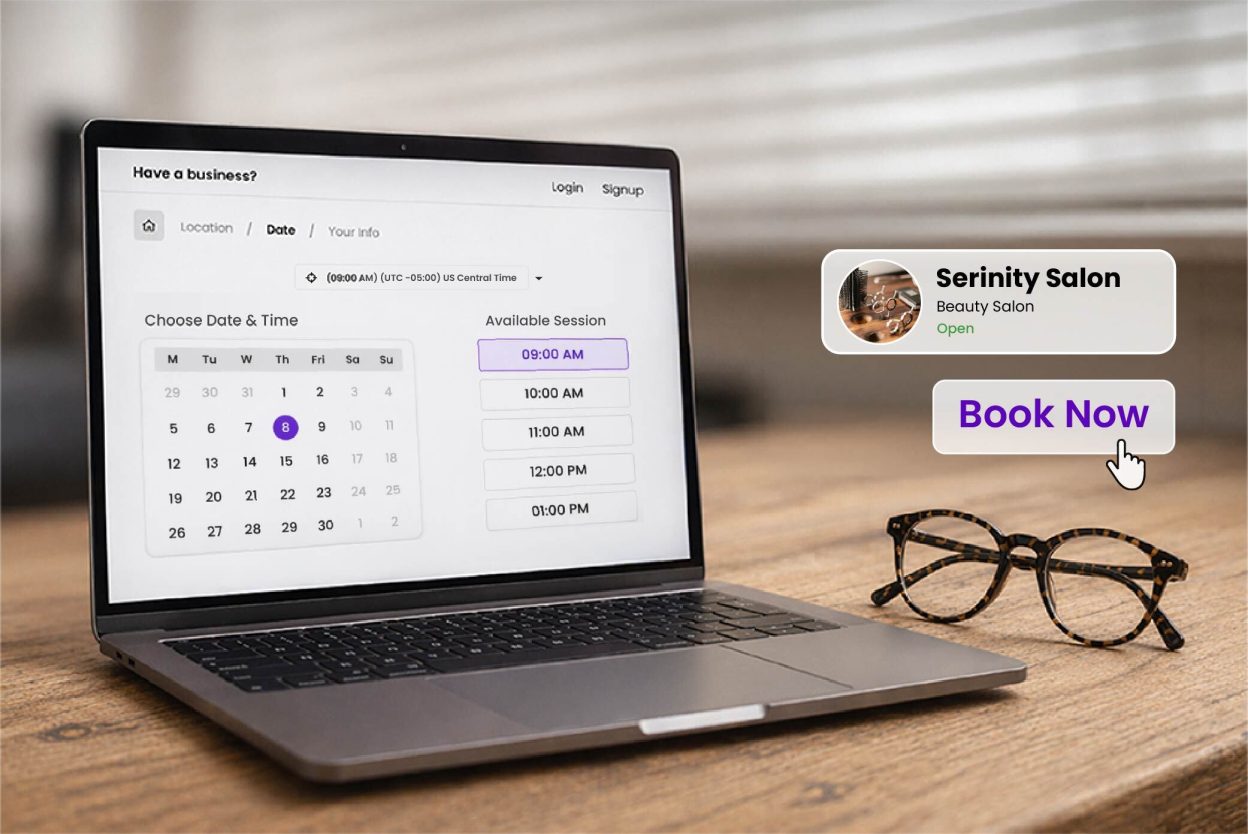
Your clients are not always free during business hours. The good news? They don’t have to be available during business hours. When using an appointment scheduling software, it gives an online booking page for each business. The booking page includes your business’s availability, team members, locations, pricing, and more. When your client won’t call or text, you know all these things, and you start the day with confirmed appointments already on the calendar.
2. A Mobile App Your Team Can Use Anywhere
A scheduling tool that only works on a desktop is not built for how real teams operate. Teamwork across locations, checking their schedules between appointments, and staying on the move throughout the day. A solid mobile app means your team has everything they need, wherever they are. For clients, mobile booking is just as important. People book when they are ready. If they have to wait until they are at a computer, most of them won’t follow through.
3. Buffer Time Between Appointments
This is the feature most businesses skip, then wonder why their days feel chaotic. Buffer time settings automatically add a gap between appointments. Ten minutes, fifteen, twenty, whatever your operation actually needs. Your team gets a moment to finish up, reset, and prepare. Your schedule stops running behind by noon every single day.
4. Team Scheduling Across Multiple Providers
If more than one person on your team takes appointments, a shared calendar is not going to cut it. Team scheduling lets you manage each provider’s availability separately, assign the right clients to the right people, and prevent conflicts before they happen. This matters for clinics, salons, coaching practices, real estate offices, and any business where more than one person’s time is on the line.
5. Automated Reminders That Reduce No-Shows
A reminder sent 24 hours before an appointment reduces no-show rates by up to 29%. That number holds consistently across industries. The message does not require so much information. A simple text with the appointment time, location, and a reschedule link does the job. The real value is that it goes out automatically, without anyone on your team lifting a finger.
6. A Client App That Makes Booking Easy
The best scheduling app gives its clients the best possible way to book appointments. Not just a booking form, but a place to manage upcoming appointments, check previous bookings, and rebook without calling in. When booking feels easy, clients keep coming back. Not because of loyalty programs or promotions, simply because working with you was effortless.
Which Industries Benefit Most from Appointment Scheduling Software?
Healthcare and Wellness
Clinics, therapists, chiropractors, and wellness centers deal with high appointment volumes. When bookings go wrong, the consequences are serious. Scheduling software helps manage patient flow, reduce wait times, and give providers breathing room between sessions. Automated reminders are critical here because a single missed appointment can set back a patient’s care plan. Online booking also takes the pressure off front-desk staff, so they can focus on the people already in the room.
Beauty and Personal Services
Salons, barbershops, spas, and fitness studios manage multiple staff members and services at the same time. Team scheduling keeps each stylist or trainer’s availability accurate so double bookings and wasted chair time stop happening. The client app is a big advantage here. Clients who can reschedule on their own are far less likely to just disappear. Automated reminders keep appointment books full, and the mobile app lets staff check upcoming sessions without hunting down a laptop.
Professional Services
Lawyers, accountants, consultants, and coaches bill by the hour. Every missed or disorganized appointment hits their bottom line directly. An online booking page works seamlessly with your synced calendar, without your team members missing any scheduled appointments. Using the round-robin scheduling feature helps distribute new bookings evenly across advisors, so no one gets heavier shifts while others sit idle.
Education and Tutoring
Whether you run a tutoring center or work one-on-one with students, scheduling software removes unnecessary steps from the process. Sending automated reminders helps your customers remember their appointment, so tutors spend their time teaching instead of waiting. A simplified booking system lets parents and students schedule sessions in the evenings or on weekends, when they are actually thinking about it. For centers managing multiple tutors across subjects, team scheduling makes sure each session goes to the right person.
Real Estate
Agents and property managers often do site visits across multiple locations. A mobile-friendly online scheduling tool helps everyone to keep track of their schedules. Since our software easily syncs with personal calendars, real estate agents can maintain a healthy work-life balance. Agents can easily block time for personal commitments, and that is automatically visible in your online calendar.
Why Picktime Works for All of These
We built Picktime specifically for businesses that are looking for online appointment scheduling. It reduces missed bookings, double entries, prevents no-shows, and last-minute cancellations. Picktime brings your entire appointment scheduling features in one place. It ensures that clients book with ease. As a result, your team focuses on the actual work, which involves dealing with your client’s problems.
Here’s what that looks like:
24/7 Online Booking:
Clients can see your real-time availability and book at any hour from any device. You wake up to confirmed appointments already waiting.
Round-the-Clock Front Desk Receptionist:
With Picktime’s AI receptionist, you will never miss any appointment. It instantly responds to customers’ calls, books appointments, and gives complete transcripts for each call.
Picktime Mobile App: Picktime provides a mobile scheduling app to help your team manage their calendar, upcoming appointments, and client details anytime, anywhere. Wherever your business leads, you can manage your business with the same enthusiasm.
Customers App: Customers can now easily book, reschedule, or cancel appointments on their own. With the Picktime for Customer app, it’s easy for your customers to edit their profile, check their previous appointments, scan history, and more on the go.
Buffer Time: Set automatic buffer time between sessions, so your team can reset, prepare, and stay on schedule throughout the day.
Roster Management: Set individual availability for each team member across different hours, services, and locations. Picktime handles the rest.
Round Robin Assignment: Incoming appointments are distributed automatically across your team. Workloads stay balanced without anyone having to step in.
Automatic Timezone Conversion: No matter where your client or team member stays, Picktime’s booking software automatically detects your client’s time zone. When they are booking your services, the online booking page turns your time slots according to your client’s time zone.
Multiple Location Access: Whether you have a location or multiple business locations, Picktime helps you manage several business locations under one account.
Two-Way Calendar Sync: Picktime connects with Google Calendar and Outlook in both directions. Bookings show up on your external calendar. Blocks you add there reflect in Picktime. Your availability is always accurate.
Whether you’re a solo practitioner with a packed client list or a growing team spread across locations, Picktime appointment scheduling software changes the dynamic of your online appointment scheduling. Picktime scheduling software also gives you the structure to grow without the admin work that usually comes with it.
Get started with Picktime for free and experience a smarter way to manage bookings, classes, and your daily schedule.
FAQ’s
1. What is appointment scheduling software?
Appointment scheduling software is a tool that lets clients book, reschedule, or cancel appointments online. It manages your team’s availability, sends automated reminders, syncs with personal calendars, and keeps your day-to-day operations running smoothly. Tools like Picktime handle everything from the first booking to post-appointment follow-ups automatically.
2. What is buffer time, and why does it matter?
Buffer time is an automatic gap added between appointments, typically 10 to 20 minutes. It gives your team time to wrap up, clean up, prepare for the next client, or simply take a breath. Without buffer time, schedules run behind by midday. Picktime lets you set custom buffer durations per service or team member so your day stays on track.
3. Which industries benefit most from scheduling software?
Picktime’s Scheduling software benefits any service business that runs on appointments. Healthcare providers, wellness centers, salons, spas, barbershops, fitness studios, law firms, med spas, car rental companies, and real estate agencies all see major gains. Any business managing multiple team members, locations, or high appointment volumes will benefit significantly.
4. Can clients reschedule or cancel on their own?
Yes. The Picktime client app gives customers full control over their own bookings. They can reschedule, cancel, or rebook without calling your front desk. Automated reminder messages also include a direct reschedule link, so clients can make changes with one tap when they receive their reminder.
5. How much does Picktime cost? Is there a free plan?
Picktime offers a free plan to get started, no credit card required. You can begin using core scheduling features at no cost and upgrade as your business grows. Visit Picktime’s pricing page for current plan details and to find the option that fits your team size and booking volume.