Key Takeaways:
- Equipment rental companies need a clear billing process that connects bookings, invoices, payments, and reports.
- Manual invoicing can slow down cash flow, increase errors, and create extra work for team members.
- Equipment rental software helps rental businesses collect payments, send invoices, and track rental activity more efficiently.
- Picktime helps equipment agencies manage online bookings, deposits, invoices, payment status, and reports from one connected platform.
As an equipment rental company owner, you’re already managing multiple phone calls, bookings, team schedules, and more. However, keeping track of payment records or generating invoices from different apps can become difficult. Your team members provide rental equipment one by one, chase clients for payments, and send invoices manually. When you and your team members have to go through multiple steps, the administrative side of the business quickly impacts your day-to-day operations.
To simplify your equipment rental company, you need to manage key areas more efficiently, especially your payment and invoice processes. This is especially crucial for equipment rental companies that manage multiple rental items, locations, and team members.
This is especially true for equipment agencies that manage multiple rental items, locations, staff members, and customer types. To simplify the payment and booking process, more businesses are switching to equipment rental software. With the right rental equipment software, it’s easier to manage scheduling, payments, billing, and reports in one place. In this blog, we’ll discuss why manual invoicing and payments cause problems and what a simplified process looks like.
Table of Contents
Where Manual Invoicing Starts Costing Rental Businesses Time and Money
Many equipment rental companies handle their payment tracking and invoicing using manual scheduling methods. When your business is small, the process might feel easier. But as the equipment rental companies grow, administrative tasks can slow down your entire scheduling process. Manual rental invoicing and payments can create challenges, like:
Not Keeping a Steady Track Of Invoices
When you don’t have a centralized platform to keep all your invoices, it becomes difficult to know which customers have already paid for their rental equipment, which payments are still pending, and which invoices need follow-up. These small disruptions can affect cash flow and make it overwhelming to handle rental inventories, team members, and daily expenses.
Manual Billing Increases The Chance Of Mistakes
With old-school scheduling methods, there is more room for business admins to miss important details. Even a small detail missed on the invoice update can affect your revenue and the work invested in the rental. Connecting billing and payments with scheduling helps your team manage bookings, invoices, and customer payments from one place.
Payment Tracking Becomes Difficult
Without an advanced system, payment management becomes messy because customers pay in different ways. When customers do not pay any deposit up front, they may reserve equipment without being fully committed. This can lead to no-shows and late cancellations, as well as awkward conversations, missed appointments, and unnecessary delays.
Administrative Work Takes Time Away From Rentals
Creating invoices, checking payment status, sending reminders, updating spreadsheets, and following up with customers takes time. These tasks may seem small on their own, but they can add up quickly during a busy rental day.
For equipment rental businesses, team members’ time is better spent managing equipment availability, preparing rentals, helping customers, and handling returns. Equipment rental software can reduce repetitive admin work by keeping bookings, payments, invoices, and customer details connected. This gives your team a cleaner workflow and helps the business run more smoothly.
What an Efficient Billing and Payment Process Should Look Like
A reliable billing process should be easy for team members to manage and simple for customers to understand. Equipment rental companies should not rely on scattered notes, separate apps, or someone remembering every payment detail. A seamless workflow that combines payment and billing, so your team can reduce manual admin work and focus on the jobs that need their attention most.
Connect Invoices With Rental Bookings
Every invoice should connect directly to the rental appointment or booking. That includes the customer name, equipment type, rental date, return time, service cost, and payment status. Implement equipment rental software to reduce complex, repetitive tasks in your customer invoicing process. As a result, your team members do not have to search through different tools to understand bookings. By using the process, you can not only save valuable time but also reduce human errors.
Collect Deposits Before Confirming Reservations
Asking for deposits is crucial for demanding and long rental periods. Rather than calling or chasing clients for payments, you can encourage clients to pay at the time of booking. It reduces last-minute cancellations and makes customers more committed to the booking. For example, if someone reserves equipment for events for the whole weekend, adding a deposit at the time of booking helps you secure your business from losing booked rental slots.
Make Payment Status Easy To Check
Staff should be able to see whether a customer has paid in full, paid a deposit, or still has a pending balance. This is important at pickup, delivery, return, and invoice follow-up. When payment status is unclear, staff may delay service, ask the wrong questions, or miss unpaid balances. A connected equipment rental scheduling tool helps keep payment information easier to manage.
Send Invoices As Soon As Rentals Are Complete
Invoices should go out soon after the rental is closed and any final charges are added. This keeps the transaction fresh for both the customer and your team. If there are late return fees, damage costs, or extra usage charges, they should be added before sending the final invoice. Faster invoicing helps customers process payments sooner and keeps cash flow healthier.
Benefits of Automating Payments and Billing with Equipment Rental Software
Automating billing does not mean your rental business becomes less personal. It means the routine work becomes more reliable. Customers still get clear communication, and your team still controls the rental process.
Save Staff Time
Team members should not spend hours creating invoices, checking payment status, or sending follow-up messages by hand. These tasks take attention away from customers, equipment preparation, and daily operations. Using equipment rental software, you can reduce repetitive admin work by centralizing booking and billing details in an organized dashboard. This increases productivity, reduces payment processing errors, and saves more time for managers.
Improve Cash Flow
When invoices go out faster and payment records are easier to track, businesses can collect money more efficiently. This matters for rental companies because cash flow supports equipment maintenance, staffing, inventory upgrades, and daily operating costs. Even a small improvement in billing speed can make a noticeable difference over time.
Reduce Missed Charges
Rental businesses often deal with add-ons and changes. A customer may extend a rental, add accessories, request delivery, or return equipment late. If these changes are not recorded properly, revenue can easily slip away. A simplified billing process helps your team add important charges before the invoice is finalized.
Create a Better Customer Experience
Customers want clear pricing, easy payment options, and professional communication. When you don’t have to chase invoices, a smoother billing process can build trust and avoid misunderstanding. Clients need to know how much you value your clients and their experience. It also makes customers more likely to book again because the rental experience feels organized from start to finish.
How Picktime Helps Equipment Rental Companies Manage Billing and Payments
Picktime is the best scheduling software for equipment rental companies, which manages bookings, payments, invoices, and customer records in one place. Rather than managing payments and invoices in separate tools, your team can keep everything in one place. From the time a customer schedules a rental item to the moment the booking is completed, Picktime helps keep the billing process more organized and easier to track.
Collect Advance Or Full Payments During Booking
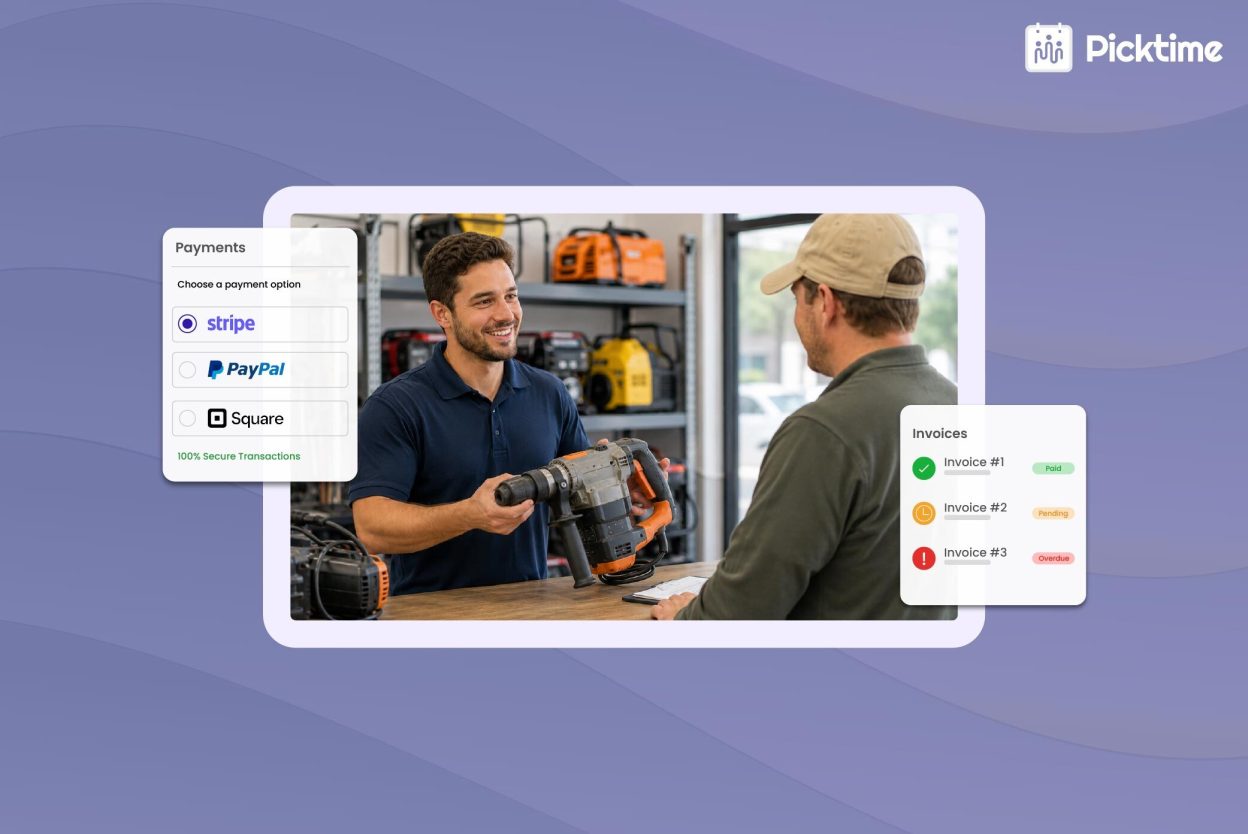
Picktime’s equipment rental software supports an easy payment collection process. Collecting an advance deposit or full payment during booking helps you protect reserved equipment and reduce last-minute cancellations. Need a deposit to reserve certain equipment? Simply choose whether to charge a fixed fee or a percentage of the total booking amount. You can accept payments however you want by connecting your Picktime account with Stripe, PayPal, and Square. When customers pay an advance, it means they are more likely to take bookings seriously and give your business control over reserved rental slots.
Keep All Payment Details In One Place
Payment tracking becomes much easier when every update is saved in one place. With Picktime, your team can keep track of whether a customer paid online, by card, in cash, or digital payment methods. This helps staff quickly understand which payments are completed, which invoices are pending, and which customers still need payment-related follow-up. Instead of checking different records or asking team members for updates, your staff can review payment details directly in Picktime.
Generate Invoices for Equipment Rentals
Picktime’s equipment rental software also helps business admins generate invoices for equipment rental bookings. Since the invoice is connected to the appointment or rental service, your team does not have to create every invoice from scratch. This makes it easier to keep billing details accurate, especially when your business handles multiple rentals, team members, or locations. You can also update invoices when payment details change, which helps your team keep records clean and current.
Create Professional Invoices With Your Business Logo
Invoices should look clear and professional when they reach customers. With Picktime, your invoices can carry your rental company logo, making them look more professional when shared with customers. This small detail helps create a more personalized customer experience. In addition, it also makes your billing process feel more consistent and trustworthy.
Track Invoices Without Extra Manual Work
Picktime makes invoices easier to track because your booking, customer, payment, and invoice details stay connected. Your team can quickly check which invoices are paid, which ones are pending, and which customers need a reminder. For equipment rental companies, this helps reduce confusion during busy pickup and return hours. Employees can answer customer questions faster, update payment status clearly, and avoid searching through spreadsheets, emails, or paper records.
Conclusion
Manual invoicing may work for a while, but it often becomes harder to manage as rental bookings increase. With the steps discussed in this article, you can enhance your payment and billing process for rental companies. By simplifying scheduling, payment, and billing, the rental scheduling software uses automation to manage daily operations. When all jobs are handled together, your team can spend less time chasing details and more time running the business.
With the right equipment rental software, your billing process becomes cleaner, faster, and easier to manage from booking to final payment. Picktime offers reliable payment integrations and invoicing tracking to meet your unique scheduling needs.
Start using these actionable strategies now and empower business admins to manage equipment rental payments and invoices. Get started with Picktime and find the right pricing plan for your equipment rental business.
FAQ’s
1. Why do equipment rental companies need scheduling software?
Equipment rental companies need billing software to manage deposits, rental charges, late fees, add-ons, and final payments more clearly. When billing is handled manually, it becomes easier to miss charges or lose track of payment updates. An equipment rental scheduling software like Picktime helps keep bookings, invoices, and payment details organized in one place.
2. How does equipment rental software help improve cash flow?
Equipment rental software helps improve cash flow by making it easier to collect advance payments, send invoices on time, and track pending balances. With Picktime, equipment rental businesses can ask for full payment or deposits during booking, so payments start earlier and follow-ups become easier to manage.
3. Can Picktime help equipment rental businesses accept payments?
Yes. Picktime helps equipment rental businesses accept online payments through integrations such as Stripe, PayPal, and Square. Businesses can collect a full payment or a partial deposit while customers book equipment. This helps secure rental slots and reduces the chances of unpaid or unserious bookings.
4. How does Picktime make invoice tracking easier for equipment rentals?
Picktime makes invoice tracking easier by keeping booking, payment, and customer details connected. Business admins can generate invoices for equipment rentals, add their business logo, and update the payment method, whether the customer paid online, by card, or in cash.