Key Takeaways
- Financial advisors lose valuable time when client meetings are handled through calls, emails, spreadsheets, and manual calendar updates.
- Online booking makes it easier for new prospects to take action right away, instead of waiting for someone to reply with available times.
- Automated reminders, booking forms, calendar sync, and virtual meeting options help financial firms create a smoother client meeting process without adding more admin work.
- Picktime lets financial advisors list services, manage team availability, send reminders, collect client details, and organize meetings from one place.
Whether you manage a solo financial advisory practice or handle a team of ten consultants, you shouldn’t be drowning in DMs and calls for daily scheduling. A new prospect asks for your earliest consultation slot, and another client needs a virtual session for a demo. On the other hand, your team of financial advisors is constantly checking calendars, emails, sending reminders, and trying not to miss any deadlines.
For financial services, client meetings are a regular part of the job. However, managing them manually can take much more time than expected. Missed calls or DMs can pile up and lead to scheduling mistakes, including double bookings and overbooked bookings. A delayed response can also cause a prospect to choose another advisor.
This is why financial advisor scheduling software has become crucial for firms that want their client meeting bookings easier. Rather than calling back and forth to find a mutual time slot, advisors offer an online booking page that displays available meeting time slots. When clients choose their preferred slots on their own, it reduces the admin work that slows down the day.
In this blog, why financial advisors miss client bookings and how scheduling software can automate client meetings, save time, and improve the booking process.
Table of Contents
Why Do Financial Advisors Face Problems with Client Meetings
If you run a financial advisory firm, one missed call can convert into a bigger problem than it seems. Many advisors and consultants lose time every week while checking team schedules and calendars, replying to emails, and confirming appointment times.
Picture a solo finance advisory firm with four consultants, and your Monday starts with a packed calendar. Clients send emails to book, reschedule appointments, or request visual appointments. Every client meeting request takes time to handle, and every time your front desk is busy with walk-ins and checking other consultants’ appointments. One Tuesday, two clients booked the same sessions at the same time, and neither one was happy about the wait. And the reality is simple:
- Slow replies can cost your firm a new client relationship
- Traditional scheduling takes so much time you could spend on clients
- Scheduling mistakes can drain revenue you already counted on
- Without any structured schedule, your consultant’s schedules can overlap
- When clients find your booking process is not updated, your reputation is on the line with two clients at once
How to Simplify Client Meetings and Save Time
To grow your financial advisory practice, you need to provide exceptional services to your clients. Because the study shows that 73% of customers expect companies to understand their unique needs and expectations. That’s why firms should start using financial advisor scheduling software to handle the scheduling side of your practice on its own. Here’s how you can streamline client meetings:
List Your Services Clearly
Financial advisors rarely offer one type of meeting. Different clients have different types of needs; a current client may need a retirement planning review. Another client may need help with investment questions, estate planning preparation, or annual portfolio updates.
When services are listed on a booking page, clients can choose the right meeting without asking your team for basic details. You can set different durations, prices where needed, staff members, and meeting instructions for each service.
For example, a discovery call might be 20 minutes, but a financial planning session may need 60 minutes. Before a session, you may need important documents, so you can add booking questions before the appointment is confirmed. Picktime, financial advisory scheduling software, lets financial service firms list services on a branded booking page. As a result, clients book the right appointment type with less confusion.
Save Time and Modernize the Booking Process
Many clients prefer booking online for their services. They schedule healthcare visits, coaching sessions, property tours, and business calls without calling the front desk. Financial services should not make booking harder than the advice itself.
A modern booking process gives clients access to available slots without waiting for a reply. They can book during lunch, after work, or outside office hours. Your team does not need to stop client work to send available slot options manually.
This matters for prospects when someone is comparing advisors and may not wait two days for a callback. If your booking page is easy to use, they can take action right away. For existing clients, online scheduling reduces friction when they need to reschedule a consultation, book a follow-up, or choose a virtual meeting.
Organize Every Schedule in One Place
Managers need visibility into advisor availability, client meetings, internal reviews, and available slots. Without one shared scheduling system, teams often rely on separate calendars and manual updates. A team member may book a client during a blocked period, or an advisor may forget to update availability. On the other hand, a manager may not see which team member has capacity for new consultations.
Financial advisor scheduling software brings schedules into one organized place. Each advisor can manage availability, set their working hours, and update any changes if permission is given. Picktime helps teams manage multiple advisors, locations, services, and calendars from one system, which is useful for client managers, consultants, coaches, and support staff.
Offer Easy Virtual Consultations
Many financial conversations no longer need an office visit. A prospect may prefer a quick video consultation, or a client may want to discuss retirement planning from home. Otherwise, a business owner may need a short meeting between appointments.
Virtual consultations make financial advice easier to access, but they still need structure. If any part is missing, the meeting can start late or fail. Financial advisor scheduling software can connect with virtual meeting apps, so advisors can offer online consultations as part of the booking process. Each client automatically gets meeting links along with their booking confirmation and reminders, making the virtual scheduling process much easier.
Increase Client Engagement
A client who misses a meeting may be busy, traveling, or managing work and family priorities. Reminders help keep the appointment visible. Automated email and SMS reminders reduce the need for manual follow-ups. Your team does not need to call every client before an appointment, and clients receive timely updates with meeting details, so they arrive prepared.
Booking forms can support engagement too. Before a financial planning consultation, you can ask clients to share meeting goals, preferred topics, or preparation details. For a retirement review, you might ask whether income, investments, taxes, or savings goals should be discussed. This gives advisors better context before the meeting begins.
Automate Your Workflow with Connected Integrations
When a client books an appointment, several other steps may follow. Your team may need to update the calendar manually, send a video meeting link, collect a payment or deposit for paid consultations, and save client details for future reference.
Connected integrations help reduce manual work between tools. When tools are connected, two-way calendar sync keeps availability current, and CRM connections can help teams manage client relationships with less duplicate entry. This is one reason many firms search for the best financial advisor software. A system that is able to connect scheduling with the way their financial office already runs.
Pro Tip: Picktime’s financial scheduling software supports calendar sync, online payments, reminders, booking forms, team scheduling, and more.
How Picktime Supports Financial Advisors With Client Meetings
Many financial advisors are facing scheduling problems before a meeting actually starts. Coordinating every administrative task without the right system seems difficult. Firms that have adopted the financial advisor scheduling software have seen plenty of improvements. This is where Picktime’s financial advisors practice management software sifts and transforms how you manage your workflow.
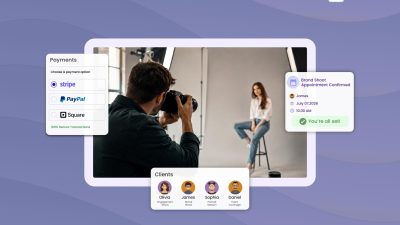
Picktime makes the client meeting booking process much easier by allowing them to self-schedule their slots via secure dedicated booking URLs and QR codes. Without manually searching for advisors and consultants’ schedules, it gives a unified view of available slots, consultants, locations, and more. You can use online booking forms to gather all crucial information before the meeting even starts. It gathers all important details, like the client’s name, email ID, contact No, and purpose of visit.
Whether clients find business on the website or Google Business Profile, an embedded booking widget can help your clients take action the right way. Picktime offers seamless integration with third-party apps you already use. From remote client meetings to project demo sessions, Picktime helps you keep every appointment organized, even after the work has started. No more spreadsheets, no more sticky notes on your monitor, and no more double-checking three different calendars before you confirm a time with a client.
The best part is that the setup does not take long. Create your own booking page and personalize it based on your scheduling requirements. One booking page link shared with your client list gets appointments running on autopilot from day one.
With Picktime, here’s how it works:
✅ Share your booking link ✅ Clients pick an open slot ✅ Picktime send automated reminders and confirmations
Conclusion: Fewer Empty Slots, More Client Time
Financial advisors work in a relationship-driven business. Every missed call, delayed booking, or confusing reschedule can affect how clients view your firm. Better scheduling software helps protect admins’ time, create a better client experience, and keep the team organized.
Financial services scheduling software gives your firm a practical way to automate client meetings without losing the personal touch. Clients can book with less effort, advisors can manage their calendars with more confidence, and managers can see how meetings move across the firm.
Give clients a simpler way to schedule financial consultations. Try Picktime financial advisor scheduling software today.
FAQ’s
1. What is financial advisor scheduling software?
Financial advisor scheduling software helps advisors, consultants, and financial service teams manage client appointments online. Instead of booking every meeting through calls or emails, clients can choose an available time from your booking page. With Picktime, you can manage services, advisors, reminders, calendars, and client details from one place.
2. How does Picktime help financial advisors save time?
Picktime reduces the manual work behind client scheduling. You can share one booking page link, let clients pick open slots, send automatic confirmations, and remind clients before their meetings. This means your team spends less time replying to scheduling emails and more time preparing for client conversations.
3. Can clients book different types of financial meetings through Picktime?
Yes. Picktime lets you list different meeting types on your booking page, such as discovery calls, retirement planning reviews, investment consultations, annual reviews, or virtual sessions. Each service can have its own duration, staff member, availability, and booking details.
4. Does Picktime support virtual consultations for financial advisors?
Yes. Picktime can help financial advisors offer virtual consultations by connecting online meeting options with the booking process. Clients can book a virtual session, receive meeting details, and get reminders before the appointment, which makes online consultations easier to manage.