Key Takeaways:
- A clear policy protects revenue and staff time without sounding harsh.
- Notice periods, fees, and exceptions should match your services.
- Clients should see the policy before booking and in confirmation messages.
- Online scheduling software makes schedule changes easier to manage.
Today’s clients are always busy, and cancellations are inevitable. To prevent last-minute cancellations and ghost bookings, you need an effective cancellation policy. It can impact and cost your business no matter what the reason for cancellation is. From the outside, every business seems profitable until a huge number of clients don’t show up.
When customers don’t find a clear reason or an easy way to rebook, they don’t schedule their appointments. This affects your business reputation and wastes the time of your team members invested in preparing for each appointment. Setting a clear policy to secure each appointment helps you find ways to figure out your next move when plans suddenly change. In this blog, we’ll walk you through how to set up a clear policy for cancellation in easy steps. By following these steps, you can easily protect your scheduled bookings and make scheduling much easier.
Table of Contents
Why Cancellation Policies Are Needed in the First Place
Appointment cancellation policies are especially important for service- and appointment-based businesses. Businesses that depend on appointments, including healthcare industries, salons, spas, and consultant firms. It sets clear expectations regarding cancellations, fees, circumstances, and gives clarity for both businesses and clients.
Late cancellations impact more than money. For example, your team members may have already started preparing a room, reviewed client notes, and set up equipment. When suddenly team members face these scheduling gaps, they can disrupt the entire structured schedule. It also limits the number of clients your business can serve.
When you set a clear cancellation policy, it reduces the chances of confusion. It represents the time period they have, whether a fee applies, or how they can reschedule. At the same time, your team has one process to follow, which saves time and makes difficult conversations easier to manage.
How to Set Up an Effective Cancellation Policy: What to Include
Let’s explore how to craft clear cancellation guidelines by following these steps.
- Choose a reasonable notice period: Decide how early clients should cancel or reschedule. A salon, tutoring service, or fitness studio may request 24 hours. A specialist consultation, large group session, or long appointment may require 48 hours. With online scheduling software like Picktime, you can set a time period till when clients can reschedule and cancel their appointments.
- Match the deadline to your service: Think about appointment length, preparation time, staffing needs, and how easily an opening can be filled. A two-hour service may need a longer notice period than a 20-minute consultation.
- Decide what happens after the deadline: Policies give clarity about what happens if someone cancels appointments last-minute. You can include a flat amount or a percentage of the service fee, or ask for an advance amount while booking an appointment.
- Set rules for missed appointments. Explain how your business handles clients who do not arrive and provide no notice. A no-show may carry a different fee from a late cancellation. With an online booking page, you can easily showcase your cancellation and rescheduling rules, so everyone can easily check those details before booking.
- Offer rescheduling options: If a client wants to reschedule appointments, it’s your responsibility to ensure clients can easily reschedule appointments. With online appointment scheduling software, you can easily add rescheduling links to your appointment confirmation and reminder texts.
- Explain how clients can make changes. Provide clear cancellation and rescheduling instructions. Clients should not need to call several times or search through your website to find the correct process.
How Picktime Can Help
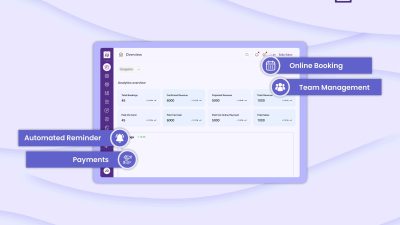
Picktime is all-in-one scheduling software for businesses designed to make scheduling easier, including setting rescheduling and cancellation guidelines. With its online booking page, you can easily communicate your cancellation policies by adding them on the “Welcome Page”. Whenever clients visit your booking page, the page will pop up, enabling clients to scrutinize every guideline before booking. If you have terms and conditions related to your services, you can add them on your booking page through Picktime.
The clear guidelines help clients understand your online booking process. You can also set how long they are allowed to reschedule or cancel appointments. By adding rescheduling and cancellation links to email notifications, you provide clients flexibility and convenience. With online scheduling software, your policy becomes part of the booking process. Clients receive consistent information, and open slots can become available for another booking sooner.
Protect Your Schedule Without Pushing Clients Away
A cancellation policy for appointments should balance business protection with client care. Set a practical notice period, explain fees clearly, allow fair exceptions, and make schedule changes easy to complete online. The strongest policy is one your clients can find, understand, and follow. Clear communication prevents surprises, gives team members a consistent process, and protects appointment revenue without damaging client relationships. Picktime can help you apply these rules through online booking, schedule controls, reminders, and automated client communication.
Start using Picktime to make cancellations and rescheduling easier for clients while giving your team a clearer way to manage every appointment.
FAQ’s
1. How much notice should a cancellation policy require?
Most businesses ask clients to cancel at least 24 or 48 hours before their appointment. The right notice period depends on the length of the service, preparation time, and how quickly your team can fill an open slot.
2. Should a business charge a cancellation fee?
A cancellation fee can help cover part of the income lost from late changes. Keep the fee reasonable, explain it clearly before clients book, and follow any local rules related to payments and refunds.
3. Where can businesses share their cancellation policy with Picktime?
Businesses can add their cancellation policy to the booking process and repeat the main details in confirmation or reminder messages. This helps clients see the rules before their appointment and reduces confusion later.
4. Can clients reschedule their appointments through Picktime?
Yes. Picktime allows businesses to give clients a simpler way to reschedule appointments instead of canceling completely. This helps businesses keep the booking and gives clients more flexibility when their plans change.