Key Takeaways:
- HubSpot keeps contact history, sales activity, and deal progress in one place.
- Small teams can reduce spreadsheet work and missed follow-ups.
- Picktime supports online booking, reminders, and calendar sync.
- CRM and scheduling tools handle different parts of the client process.
Often, small businesses juggle multiple data sources, client contacts, notes, and personal calendars. In the beginning, your business has less appointment volume, and it’s easy to manage with manual scheduling processes. But as your business grows, it’s difficult to manage every task with so many responsibilities.
That’s where the HubSpot CRM for small businesses makes the difference. Offering plenty of features and integrations, HubSpot is a reliable choice for solo entrepreneurs. Business owners who are looking for easier ways to manage customer records and sales activity can complete every task in one platform. It is designed to meet the unique scheduling needs of small teams, growing companies, and larger organizations seeking a clearer sales process.
Table of Contents
What Is HubSpot CRM for Small Businesses?
HubSpot is a customer relationship management platform for storing customer details, communication history, tasks, and sales opportunities. Each contact record can include emails, calls, meetings, notes, company information, and related deals. Sales and service teams gain a shared view instead of working from scattered records.
HubSpot for small businesses allows access to advanced features, including stronger automation, detailed reporting, and tools that support their growth. Before choosing a setup, the team should evaluate plan limits and user access.
Key Features of HubSpot for Improved Customer Relationships
HubSpot eliminates the need for manual coordination across different systems. Rather than switching between separate tools, you get one unified platform. It keeps your contacts, customer interactions, sales activities, and appointment details organized in one place. Its main value comes from helping customer-facing teams coordinate sales work and communication.
1. Contact Management
Teams can create contact profiles, record interactions, search customer data, and maintain an activity timeline. A shared record helps employees review prior conversations before contacting a client.
2. Email Tracking
When you set up your HubSpot, you can easily log emails and monitor all data when the recipient opens them. Email triggers may rely on the user’s plan, so businesses should check which team members are allowed to track those emails. These insights are highly helpful for sales reps to understand customer interactions and follow up accordingly.
3. Pipeline Management
HubSpot offers visuals for the sales pipeline, which makes it easier to view where every deal stands. Managers can identify stalled opportunities, assess potential revenue, and ensure the next step is clearly assigned. Small businesses can easily personalize each pipeline based on their sales process. To access a few automation capabilities, you may need a paid subscription.
4. Segmentation
Customer records can be grouped using CRM properties, form submissions, page activity, email interactions, and related criteria. A service company might separate new leads, active clients, past clients, or high-value accounts. When you add clear segmentation, it makes outreach more relevant and reduces broad messages sent to the wrong audience.
How HubSpot CRM for Small Businesses Works
Small businesses and solo entrepreneurs can use HubSpot to simplify day-to-day operations. It doesn’t require too much time or multiple apps. You should keep the setup simple, add fields only when employees will use them, and create a repeatable process for logging calls, emails, and deal updates.
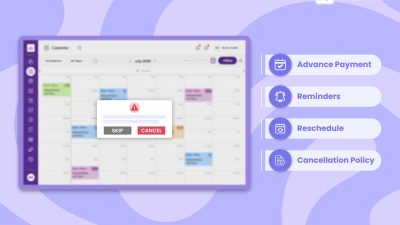
CRM supports relationship management, but service businesses often need a smoother booking process. If you add Picktime appointment scheduling software with HubSpot CRM, it automates your daily operations. As a result, team members spend less time coordinating by phone and gain a more accurate daily schedule.
To make the most of your business, provide employees with a clear and simple process to follow. Offer a little training so everyone in your team can use the tool consistently. It brings automation and helps your team members stay organized, save valuable time, and offer a better customer experience.
Conclusion
Using different tools can be confusing, but HubSpot CRM for small businesses is designed to help your business grow, even with a constrained budget. This amplifies your ROI, boosts your growth, and helps you save your time and money. It manages every task of your business, from managing client contacts and segmenting contacts to sending automated campaigns. By connecting Picktime’s appointment scheduling software with HubSpot, you can make your daily operations more organized without forcing one platform to handle every task.
Ready to spend less time coordinating appointments? Start scheduling with Picktime and give clients a simpler way to book.
FAQs
1. Is HubSpot suitable for a small business?
Yes. HubSpot gives small teams one place to manage contacts, review customer conversations, track deals, and plan follow-ups. Businesses can begin with core CRM tools and add paid features as their sales process grows. Since feature access varies across plans, review the current plan details before signing up.
2. What should a business set up first in HubSpot?
Start with accurate contact records, a simple sales pipeline, clear account ownership, and a shared process for logging emails, calls, and deal updates. Keeping the first setup focused makes the system easier for employees to use and maintain each day.
3. Is it easy to connect Picktime with HubSpot?
Yes. Log in to your Picktime account and select the Setup tab from the main menu. Then, open Integrations and click Activate, sign in to your HubSpot account, and approve the requested access. Picktime’s app works with every HubSpot plan, making the connection simple for teams already using either platform.
4. What happens after Picktime and HubSpot are connected?
When a client books through Picktime, a new contact will be created in HubSpot and related contact activity stays updated. Your sales team gains useful booking context without copying customer details by hand, making follow-ups easier to manage.