Key Takeaways:
- Running a wellness center can get complicated when bookings, invoices, payments, and reports are managed separately.
- When you track your payments manually, it may feel easy. But as appointments grow, it can take more time and become harder to track.
- Collecting deposits or full payments at the time of booking does more than secure revenue. It also helps reduce no-shows and protects valuable appointment slots.
- The right wellness scheduling software does more than organize appointments. It also helps you understand which services, team members, and time slots are bringing in more revenue.
For every industry, modern clients want convenience and flexibility at every step. They expect a smooth payment process just like booking, and a complete booking without back-and-forth calls or delays. However, for wellness centers, meeting these expectations can become stressful when scheduling, payments, client details, and follow-ups are handled in separate tools. Therefore, these simple tasks can become an excessive burden, leading to confusion and delayed payment follow-ups.
Managing bookings and payments should feel simple and smooth. The need for a wellness app is growing as businesses look for easier ways to manage clients, appointments, and payments. By integrating advanced payment tools with wellness software, professionals can reduce friction, automate payments, and offer clients flexible ways to pay. It means business admins can accept payments however they want, without chasing clients or tracking everything annually.
In this blog, we’ll look at how payment integration works with a wellness app and how it helps wellness centers create a smoother booking and payment experience.
Table of Contents
What Is a Wellness Software with Payment Capabilities?
Most wellness professionals are switching to wellness scheduling software because everyone wants to provide top-notch services to their clients. Research shows demand for on-demand wellness software is estimated to grow to USD 0.5 billion in 2026 and USD 1.2 billion by 2036. When you implement the system, it comes with plenty of perks, and seamless payments are one of them.
Once you connect your payment systems with wellness management software, you can handle everything from one place. Whenever clients schedule their wellness appointments, you can ask for deposits, generate invoices, and keep records of payments without making the process difficult. Every detail of your wellness center stays in one dashboard, so your team doesn’t have to switch between different tools.
Wellness scheduling software like Picktime helps you reduce no-shows and late cancellations by allowing professionals to collect deposits at the time of booking. For example, a massage center requires an upfront amount to secure the slot. Or a small healing practice needs the full amount before appointments, so that they can prepare their sessions. Every payment requirement will be fulfilled with Picktime and payment integration.
Best Practices of Wellness Software and Payment Integration
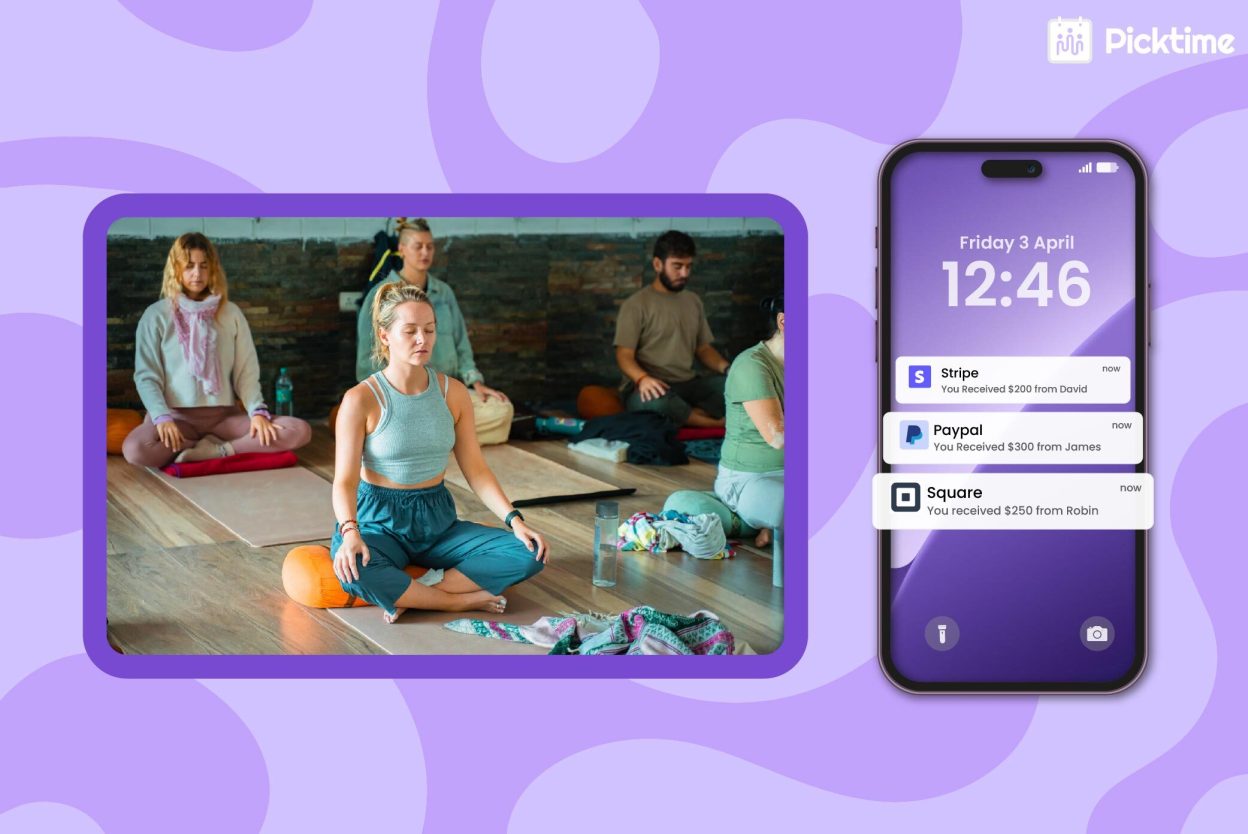
Before diving into the advantages, it’s important to understand how wellness scheduling software and advanced payments work together. Picktime’s wellness software helps you connect with popular payment options, including Stripe, Square, and PayPal. Thus, it helps you decide how you want to get paid for your services and simplify the payment process for your clients.
1. Fewer Awkward Payment Follow-Ups
No wellness team wants to ask clients for overdue payments. It takes time, feels uncomfortable, and can affect the relationship with the client. When payment options are connected, clients get a clear way to pay at the right moment. Your team can request deposits during booking, collect full payment in advance, or create invoices directly from the appointment record.
For example, when a client books a massage session online, your center can ask for a deposit before confirming the appointment. The client understands the payment requirements for booking right away, and your team members do not have to follow up later with a separate message.
2. Better Protection for High-Value Time Slots
Wellness centers often work with limited time and space. A therapist may only have a few open slots each day. A treatment room may be available for specific services, or a group class may have limited seats. When someone cancels late or does not show up, your center loses more than one appointment. Thus, your team members lose time, the room stays unused, and another client may miss the chance to book that slot.
Adding deposits helps protect these valuable appointments. You can collect them for long sessions, premium treatments, workshops, weekend slots, or services that are hard to refill at the last minute. This gives clients a stronger reason to attend or cancel early.
3. An Effortless Booking Experience for Clients
If your booking process is complicated, you may risk losing potential clients. To improve the customer experience, highlight your services, add duration, prices, and detailed guidelines. When the client knows everything about your services, it helps them to make a decision right away. By including cancellation, rescheduling, and payment policies in the welcome message, they can make bookings easy for clients without any interruption.
It also reduces confusion when clients know what they booked, how much they need to pay, and whether the appointment is confirmed. Your team members see the same information from the business side, which keeps everyone aligned.
4. Manage Invoices and Payment Records
Typing each invoice by hand can create extra work for your team. Staff may enter the wrong service name, forget a discount, miss a tax detail, or lose track of payment status. With Picktime’s wellness center management software, invoices can stay organized along with appointment details. Once the appointment is done, they can generate professional invoices using the booking information already available. You can also add your business logo or a customized logo to your invoices using Picktime.
When a session runs longer, or a client splits the payment into two visits, you can update the invoice on the spot. Your team always knows which invoice is current, without creating duplicate versions. This makes repeat visits easier to manage and gives your business a more organized feel.
5. Check Your Business Overview At A Glance
Wellness center owners need to know which services bring more money, which appointments remain unpaid, and the overall revenue. When all payment records are tracked inside Picktime, owners don’t have to check calendars, invoices, and payment reports to understand the business. Wellness software gives owners a clearer view of bookings, payments, invoices, and daily activity. This helps you track revenue, understand service demand, and make better decisions around staffing, pricing, and promotions.
How Picktime Makes Payment Collection Easier for Wellness Centers
Simplifying the booking process, along with payment, requires the right partner. Many wellness professionals use Picktime for its seamless scheduling process, client management, and payment processes. Your wellness center can create an online booking page where clients can view services, choose a time, and book appointments without calling your team. This works well for massage centers, therapy practices, wellness clinics, meditation centers, yoga studios, and other appointment-based businesses.
Picktime also helps with team scheduling for wellness centers. You can keep every team member’s schedule organized, assign them to the right services, and reduce confusion during busy hours. When clients book online, the calendar updates while your team gets a clearer view of all upcoming appointments. For payments, Picktime supports card, cash, and online payments via integrations with Stripe, PayPal, and Square. This helps your wellness center collect session fees earlier and reduce repeated payment reminders.
Picktime also helps business admins manage invoices without adding manual work. Once the session is complete, you can create professional invoices and update the payment status. You can also add whether the client paid by cash, card, or if it’s still unpaid. This gives clients a smoother experience from the moment they start booking to the time they pay. Your team can also see schedules, payments, invoices, and client details in one place, without extra confusion.
Conclusion: Make Payments Easier with a Simple Process
Wellness centers should not spend hours every week checking payments, sending reminders, and updating records by hand. When bookings, invoices, and payments are scattered, your team carries extra work that slows the business down. Picktime’s wellness scheduling software with payment capabilities helps bring order to that process. It means clients get a simple way to book and pay, and staff get clearer appointment and payment details. Moreover, owners get better visibility into revenue. For wellness centers that want to grow, connected booking and payment tools support better cash flow, a stronger organization, and a more professional client experience.
Want to simplify the payment process for wellness centers? Our wellness software automates the entire booking, payment, and invoice process, so your team can spend less time chasing payments and more time serving clients. Sign up for Picktime now.
FAQ’s
1. How does Picktime simplify invoicing for wellness centers?
Picktime helps wellness centers create invoices directly from bookings. Service details, pricing, client information, and appointment details are connected, so your team does not have to enter everything manually.
2. How does Picktime help collect payments to reduce no-shows?
With Picktime, wellness centers can collect a full payment, partial payment, or deposit when clients book an appointment. This helps clients stay committed to their sessions and reduces last-minute cancellations.
3. How many reports can Picktime handle?
Picktime’s reports use your appointment and payment data to give you a clearer view of business performance. You can filter reports by location, date range, service, and team member. This helps you track revenue, identify busy or slow periods, and understand which services bring in more bookings.
4. Can I track performance across multiple wellness center locations?
Yes. With Picktime’s wellness scheduling software, you can manage and compare bookings, revenue, staff performance, and appointment trends across different locations. This helps wellness center owners understand which location is performing better and where improvements are needed.