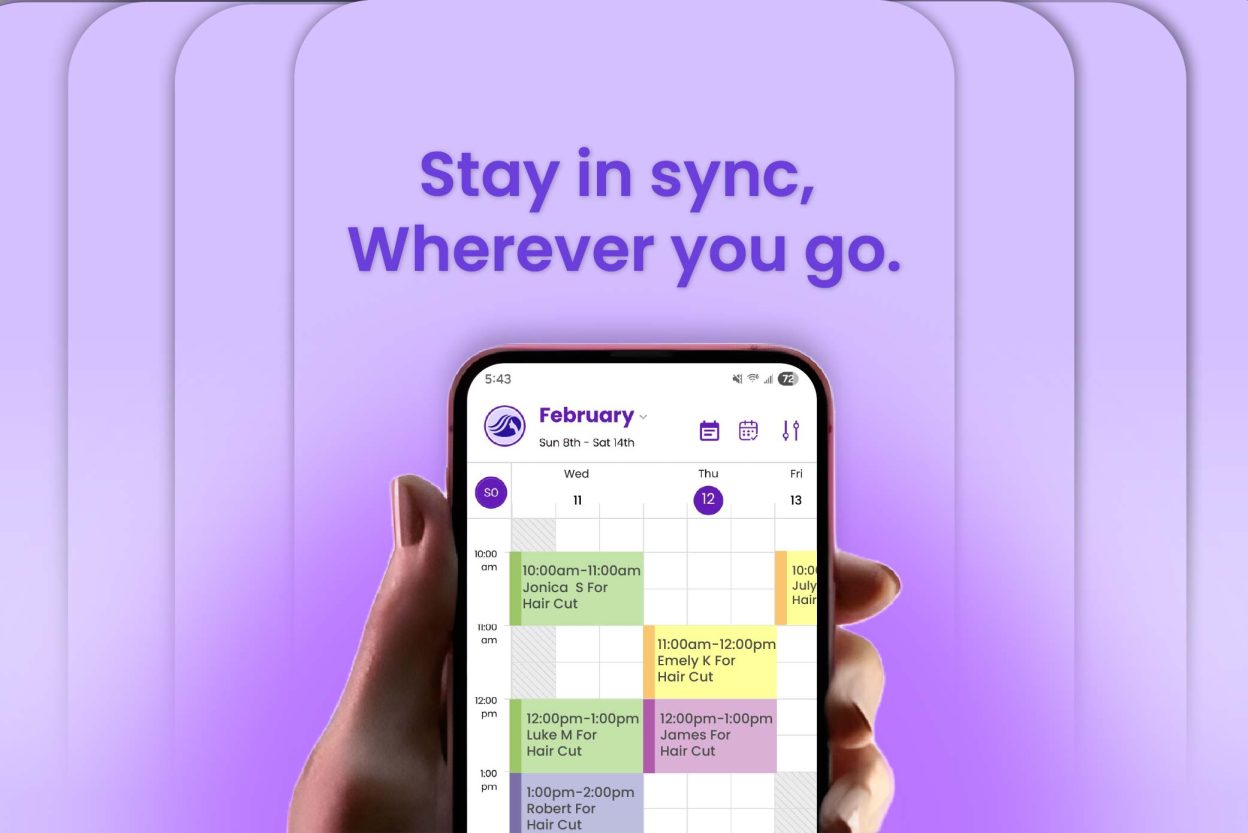
These days, everyone is on the go, especially when your business is solely dependent on appointments. And let’s be honest, you’re not dragging your laptop into every client visit. The fix? You need a scheduling system that goes where you go. Aspiring business owners should choose advanced scheduling tools that seamlessly work across mobile devices.
With a mobile-friendly scheduling app, you gain the flexibility to manage your business on the go, even on your busiest days. Whether you run your salon business, home services, or dental appointments, you’ve found the easiest way to stay on top of things, without the stress.
If you want to streamline your appointment scheduling management, Picktime’s mobile scheduling app can help you navigate every aspect of your business, all from your phone. The more exciting thing? The Picktime mobile app has received several recent upgrades to make scheduling even easier for you and your customers. You’ll have more control than ever, whether you’re in between meetings or in your me time.
In this blog, we’ll cover how Picktime’s mobile scheduling app helps you run your business smoothly while you can focus on what really matters. Want to make things easier? Let’s begin.
What Can You Do On the Picktime Mobile App
Don’t have a Picktime account yet? Setting up your Picktime account is easy, where
you can easily set up your account, including services, team members, working hours, and more, without extra guidance. With Picktime, business admins have complete access to the scheduling system, whether they’re working from a desktop or laptop. The Picktime mobile app for smartphones mirrors the app’s desktop view, ensuring you get full visibility to keep things running smoothly.
Our goal at Picktime is simple: to make managing your business easier, even when (and where) it feels impossible. This is where the Picktime Mobile app steps in and shifts the scheduling game. No matter where you are, you can see your appointments, update your availability, share your online booking pages, and receive alerts about your upcoming appointments.
Check Your Calendars and Update Availability Quickly
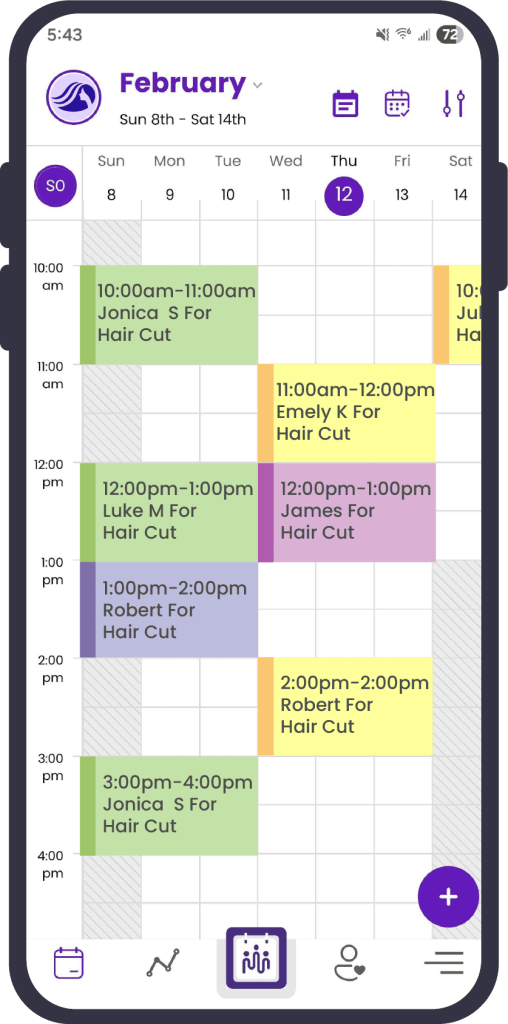
Running a business means keeping an eye on your availability, because sometimes, one missed slot can mean a missed opportunity. With Picktime’s mobile scheduling app, you can quickly check your upcoming appointments and easily switch between dates.
With Picktime mobile app, you get color-coded boxes on your mobile calendar, making it easy to keep things organized at a glance. You can spot openings, plan, and update your availability in just a few taps, no matter where you are. Do you need to create a new agenda item, such as an appointment, class, or resource? When a last-minute task comes up, simply block the time in Picktime, and those slots vanish from your online booking page. It only takes seconds to keep your availability accurate, your schedule flexible, and your day calm.
Reschedule, Edit, Or Cancel Appointments On the Go
Sometimes, there might be a sudden plan change, and that’s perfectly normal. If you are looking for a tool that can adjust your schedule, edit appointments, and reschedule them whenever your clients need. In that case, you can do it easily with the Picktime mobile scheduling app. Besides modification, your upcoming appointments will be automatically reflected in your Picktime calendar and notify your clients instantly. With the Picktime mobile app, you can update appointment details and print a booking summary right from your phone.
Receive Notifications for Every Minor Update
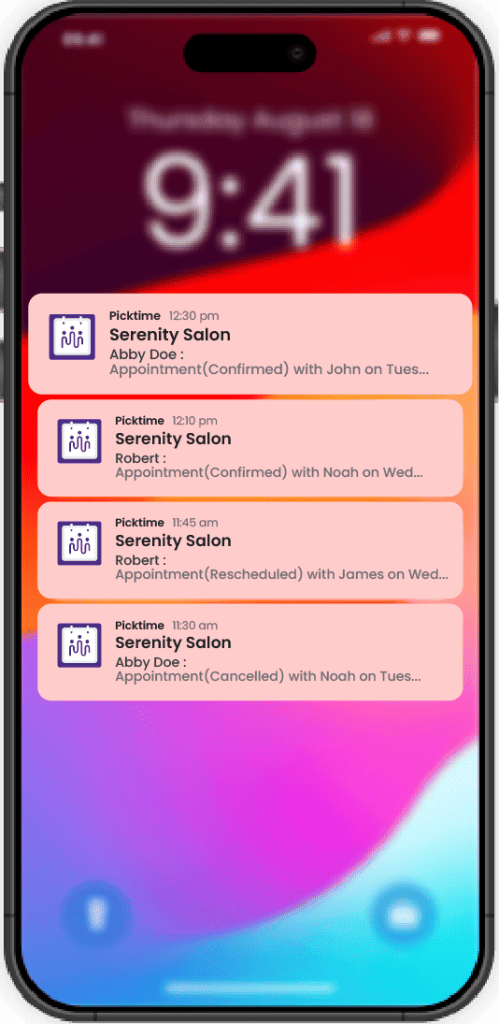
Always stay ahead of your schedule, even when you’re away from your desktop. As soon as an appointment is booked, rescheduled, or cancelled, Picktime sends an in-app alert or push notification to you and your team. That way, you know exactly who’s booking with you and what’s changed, ensuring you can adjust your day on the fly, anytime, anywhere.
To keep your team members on the same page, our mobile booking software allows you to send confirmation messages and email reminders right from your device. As a business owner, you don’t have to worry about double bookings or sudden surprises on your calendar.
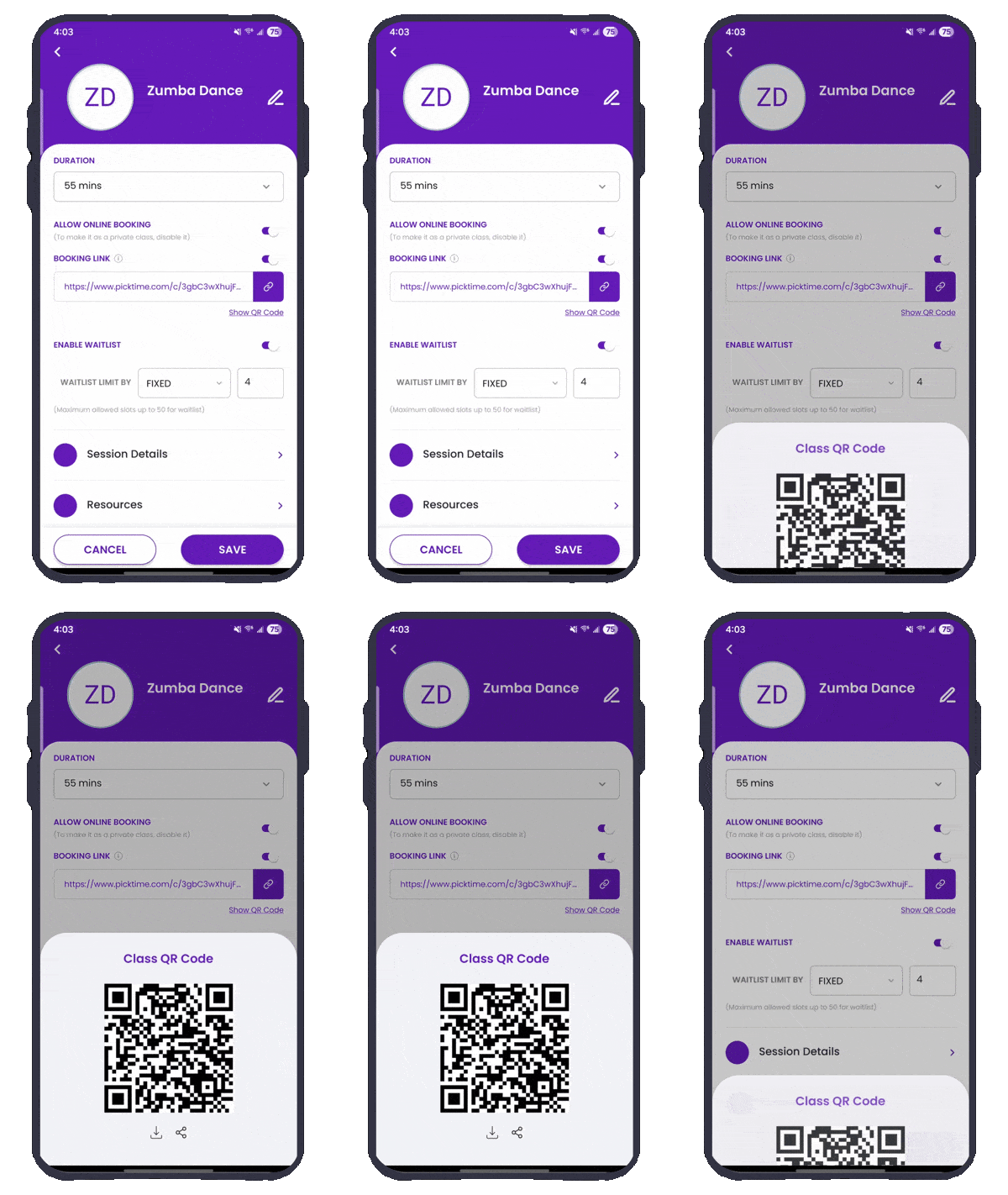
Share Specific Booking Links Directly from the Mobile App
Just wrapped up a workshop, webinar, or demo, and your attendees want to book an appointment or follow up right away? And many people believe in instant action, which is why our mobile app provides individual booking links and QR codes. While your clients want to book a specific service or schedule a meeting with their preferred team members, this tool helps you take charge of everything.
Share clients one-tap links to the exact service, class, or team member they’re looking for. With the right option already in front of them, booking will feel effortless, and your team sees more confirmed appointments, faster.
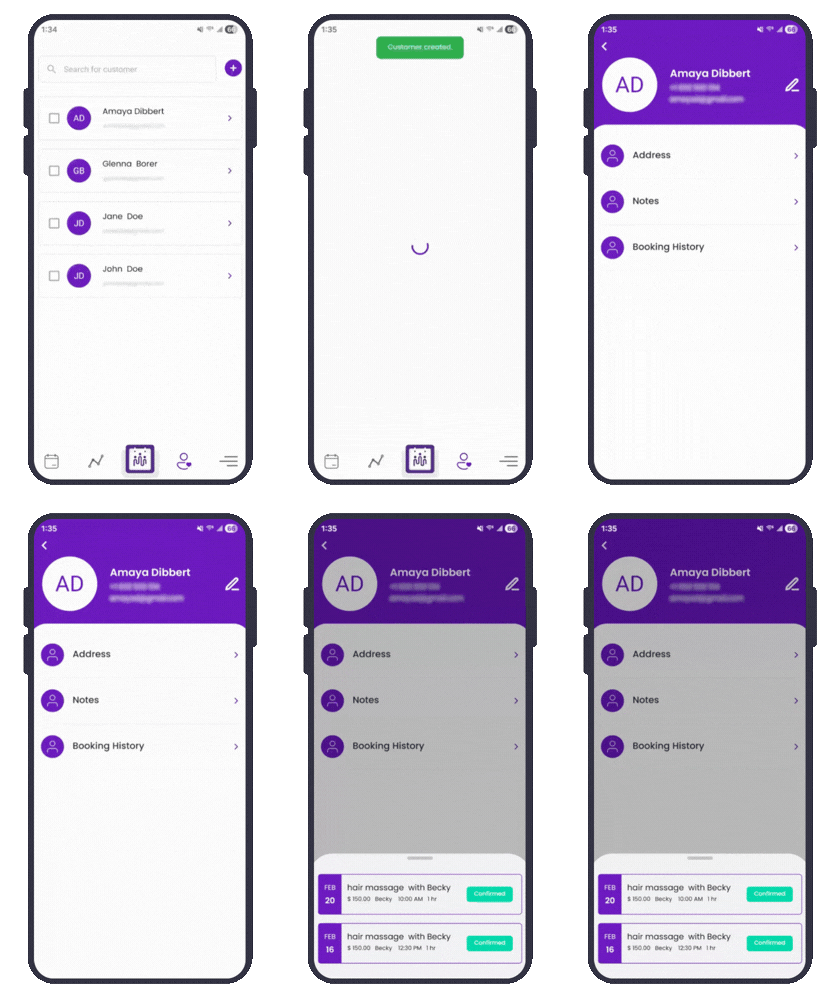
Manage Client Details Easily
With Picktime’s mobile app, managing client contact details is simple. Whenever a new booking is made, all the client information is automatically saved and stored in one place. Our mobile app also helps you add new customer details while scheduling. You can easily check booking histories, add notes, and edit client addresses anytime, anywhere. This ensures that you curate tailored services on the spot based on specific clients’ needs.
Get Paid in Seconds, Either Cash or Card
Need to charge a client right away? Connect Picktime to PayPal, Stripe, or Square once, and getting paid is a snap, ensuring how you want to charge money, with a card or cash. Send your client booking page link, and Picktime provides a secure Stripe link for the exact amount.
Do you manage everything by yourself? With Picktime’s mobile booking system, you can just record the cash or card payment right in your calendar. It’s as easy as that, and money keeps coming in, and those pesky no-shows and last-minute cancellations? It allows you to alleviate your extra burden, even on your busiest days.
Create Invoices
Carrying a full billing setup everywhere isn’t realistic. You don’t have time to open a laptop, juggle spreadsheets, or print invoices after every appointment. When you’re focused on appointments, payment follow-ups can naturally get pushed back. With the Picktime mobile app, sending an invoice right after an appointment takes only a tap. No more writing each invoice manually. Mobile invoicing allows busy professionals to bill quickly and easily as they move from one appointment to the next.
A Few More Upgrades You’ll Love
Our latest mobile update brings a few more improvements to make scheduling even smoother and more accessible. Guided by your feedback, the Picktime team refined every screen so booking feels effortless for you and your clients alike.
Until now, you could only approve bookings through the Picktime web. With our latest update, you can accept or decline appointments right from your phone. If you are looking for ways to improve your brand’s identity when you’re traveling, between meetings, or simply away from your desk. That means faster confirmations for clients and a schedule that stays neatly under control, even when you’re on the move.
You may have noticed that the Picktime new booking page is more user-friendly and more polished. You can further share your online booking page directly from your social profiles on the mobile app. One simple link lets followers book instantly, bringing in a steady stream of quality appointments and giving your revenue a healthy lift.
Conclusion: Get Started with Picktime Mobile App
The Picktime mobile app is especially built to make your team members’ jobs easier and effortless. We continuously analyze your valuable reviews and feedback, and ensure the scheduling app’s performance, usability, and accessibility. It’s user-friendly, simple, and all users can get it on iOS and Android devices. No matter where your day leads you, the mobile-friendly booking system gives you the freedom to manage your business seamlessly. From viewing your appointment calendar, sharing booking links, and managing client details, our mobile app has got you covered.
Whether you are a personal trainer or run your consultancy business, you are always on the go, and you can take full control over your business effortlessly. Install the Picktime mobile app in the Google Play Store or App Store and manage bookings anywhere.
No matter where your day leads, let the Picktime mobile app handle the scheduling load.