Key Takeaways:
- Wellness Centers often face scheduling conflicts because staff availability, room usage, service duration, and client appointments are managed separately.
- Wellness center management software helps reduce double bookings by keeping staff schedules, client bookings, services, and calendars connected.
- Features like roster management, round-robin assignment, two-way calendar sync, buffer time, reminders, mobile access, and reports make staff scheduling easier.
- Picktime helps wellness teams manage appointments, therapists, client updates, and daily schedules from one organized system.
For wellness professionals, managing wellness centers may seem easy from the outside. Your front desk is busy with calls and messages for different healing practices, including therapy sessions, yoga classes, consultations, and more. Your team members are moving from one therapy space to another, while your front desk is ringing with multiple calls.
Sounds similar, right? Without using any structured schedule, your therapist may face unnecessary scheduling problems, including overlapping appointments, double bookings, and little time left for scheduling. Picture this: a therapist is assigned to the same appointment at the same time as or client booking the same therapy room twice. When you handle everything manually, clients might book a staff member who is still unavailable.
That’s where wellness center management software steps in and simplifies the scheduling process for your team members. It helps your therapists to manage online appointments, team members’ schedules, client details, and more, all in a single dashboard. It reduces the unnecessary scheduling gaps, organizes schedules, and brings a positive environment for staff members.
In this blog, we’ll walk you through why wellness centers face scheduling challenges in the first place. Also, we’ll discuss how wellness management software can help team members to focus on helping clients by saving time and reducing burnout. Let’s begin.
Table of Contents
Why Scheduling Conflicts Happen in Wellness Centers
Many wellness businesses struggle with scheduling changes because of their day-to-day operations. Team members, such as therapists, instructors, and practitioners, may work on different shifts. For example, a few therapists may work full-time, some may be part-time, or others may be occupied for selected services during peak hours. If therapist need to update their schedules manually, keeping track of their changing scheduling can be overwhelming.
Moreover, team members in wellness centers often feels difficult to manage their personal and work commitments. For example, a therapist has saved personal events in Google Calendar, plans commitments, or manages their availability. If there is no easier way to connect their calendars with your existing systems, clients may schedule a time when the therapist is not actually available. Also, back-to-back appointments without any gap can create an excessive burden on team members. If an appointment time extends beyond the usual, therapists may fail to prepare for the next client or arrive late.
How Wellness Center Management Software Can Reduce Scheduling Mistakes
1. Keep Team Schedules in One Place
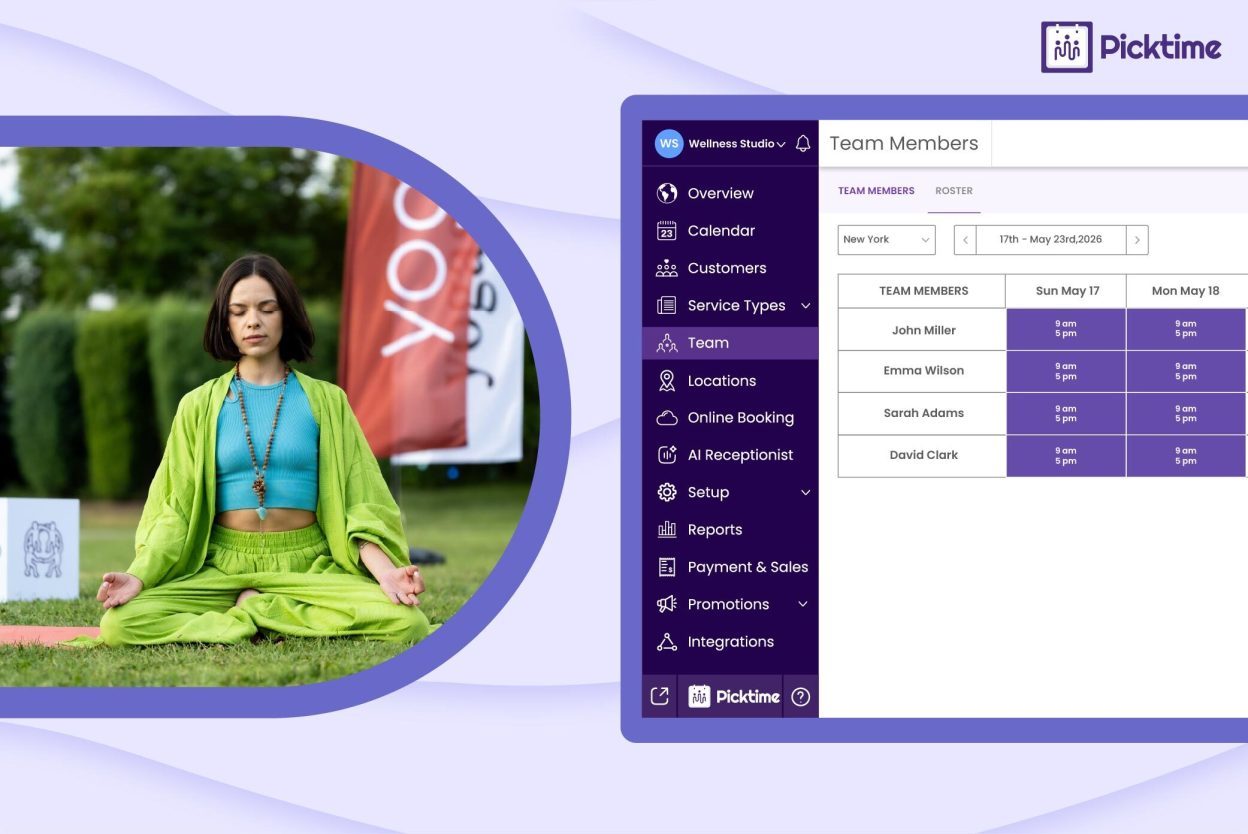
Managing multiple team schedules can become challenging when staff availability, working hours, services, and days off are handled manually. With wellness scheduling software, managers can create staff rosters, set working hours, mark days off, and assign team members to specific services in one place.
For example, if Maria works from Tuesday to Friday and only offers massage therapy, the booking page will show her availability only for those days and that service. If she takes leave next Friday, the system can automatically remove her from the available slots for that day, helping your team avoid confusion and last-minute scheduling issues.
2. Use Round-Robin Scheduling for Fair Staff Distribution
Round-robin scheduling assigns appointments across available staff members instead of giving everything to one person. This is useful when multiple therapists can provide the same service. For example, if three therapists offer massage, round-robin task scheduling can distribute bookings more evenly. This helps reduce burnout, keeps calendars balanced, and gives clients more appointment options.
It not only protects revenue but also saves time for business owners and managers. If one staff member’s calendar fills quickly while others stay available, clients may think the center is fully booked. With Picktime’s round-robin scheduling, you can evenly distribute the wellness appointments more than ever.
3. Add Role-Based Permission Access
Giving every team member full access can create confusion, especially when people only need specific tools for their role. A therapist may only need to view their appointments, client notes, and schedule, or the front desk user may need to book, reschedule, and cancel appointments. A manager may need access to reports, staff settings, payments, and business performance. Role-based permission access keeps the system organized and secure. By setting different permission levels, you can reduce accidental changes. When your team members only need to access what they need, scheduling becomes much easier.
4. Calendars with Two-Way Sync
Two-way calendar sync is one of the most important features for preventing scheduling conflicts. It helps connect the wellness center’s booking calendar with the staff member’s external calendar. For example, if a therapist blocks personal time on Google Calendar, that time should not appear as available on the booking page. It is specifically tailored for your team members to keep their personal and professional commitments in one place. This keeps everyone aligned without asking the team to update multiple calendars manually.
5. Add Buffer Time Between Appointments
Adding buffer time gives staff a practical gap between sessions. It may be 10 minutes after a consultation, 15 minutes after a massage, or 20 minutes after a treatment that requires room cleaning. This small gap can protect the entire day from delays. It gives staff time to prepare, update notes, clean the room, and welcome the next client properly.
6. Send Appointment Reminders Automatically
Reminders help clients remember their appointments and reduce last-minute confusion. A well-crafted reminder should include the service name, date, time, location, staff member, and rescheduling option when available. When clients receive text or email reminders, there is a high chance that your session attendance will increase. For wellness practices, automated reminders also reduce front desk workload. Your team does not have to call every client manually before each appointment.
7. Use Reports to Spot Scheduling Problems
Reports generated by Picktime can help managers understand what is happening inside your wellness business. You can see peak booking hours, how your team is performing, no-show trends, popular services, and revenue patterns. For example, reports may show that most cancellations happen on Monday mornings or that one therapist is consistently overbooked while another has open slots. These detailed insights help managers to analyze and adjust required staffing changes, service availability, and reminder timing.
How Picktime Helps Wellness Centers Manage Staff and Calendar Sync
Picktime is one of the best wellness management software that brings team management, appointment scheduling features, calendar sync, reminders, and reports into one system. For growing wellness centers, this makes daily operations easier to manage without depending on scattered tools.
With Picktime’s free booking app, you will get plenty of features that can simplify your small wellness practice. When your business starts to grow, Picktime’s premium features distribute tasks, manage therapy rooms, team calendars, and more. Here are more suitable features for team members:
1. Keep Your Roster Organized
Picktime helps you set therapists’ working hours, assign services, manage bookings, and organize day-to-day schedules from one dashboard. This reduces the need to switch between spreadsheets, personal calendars, and manual notes. If your wellness center has massage therapists, yoga instructors, nutrition consultants, or spa specialists, each team member can have a clear schedule based on their role and availability.
2. Let Therapists Handle Their Schedules on the Go
Wellness teams are not always sitting at a desk. Therapists may be moving between rooms, locations, or client sessions. Picktime’s mobile scheduling app helps users create, modify, and cancel appointments, view schedules, manage teams, check customer details, and review reports from a mobile device. This makes it easier for therapists and managers to stay updated during the day. If a client reschedules or a new booking comes in, the team can see it without waiting for a front desk update.
3. Keep Clients and Staff Aligned with Reminders
Picktime helps send email and SMS reminders so clients and staff stay informed. This reduces missed appointments, late arrivals, and unnecessary follow-up calls. For a wellness center, this matters because a missed appointment is not only a lost slot. It can also affect staff workload, room planning, and daily revenue.
4. Use Reports to Improve Scheduling Decisions
Picktime’s reports help wellness businesses understand performance and make better decisions. Wellness professionals or managers can review appointments, revenue, team activity, and booking patterns. Over time, this helps your team answer practical questions. Which services are booked most often? When are staff members busiest? Which days need more coverage? Which time slots have the most cancellations? The answers help you schedule smarter instead of guessing.
Conclusion
Scheduling conflicts may seem small when managing a smaller therapist team. However, when wellness centers grow, business admins may find it difficult to manage staff availability, client bookings, therapy rooms, and reminders. As a wellness center owner, your priority should be making sure your clients get the right team member, the right room, and the right services. One missed update can lead to scheduling issues that can affect your entire team’s schedules and day-to-day operations.
A powerful wellness management software like Picktime supports staff management and calendars in an organized platform. With advanced features like roster management, round-robin scheduling, role-based access, two-way calendar sync, mobile app access, etc, your team can reduce scheduling mistakes and create a smoother client experience. This way, your team gets more clarity and less admin pressure, ensuring they can organize their daily operations in their wellness center. A well-managed schedule gives your staff more control, your clients more confidence, and your wellness business more room to grow.
Make scheduling less stressful for your wellness center. Try Picktime’s wellness software and keep your team, clients, and appointments in sync.
FAQ’s
1. What is wellness center management software?
Picktime’s wellness center management software helps wellness businesses manage appointments, staff schedules, client details, reminders, payments, and reports in one place. It makes daily scheduling easier for therapists, front desk teams, and business owners.
2. Why do wellness centers need scheduling software?
Wellness centers need scheduling software because they often manage different services, staff members, rooms, and client requests at the same time. Without clear visibility of schedules, your clients may easily double-book appointments, miss schedule updates, or overbook staff.
3. How does wellness scheduling software reduce double bookings?
Picktime’s wellness scheduling software checks staff availability, service duration, room availability, and calendar blocks before showing appointment slots. This helps make sure clients can only book times that are actually available.
4. Can wellness center management software help with staff scheduling?
Yes. Picktime helps managers create a roster for their team members, where they can include working hours, days off, service assignments, and availability. This makes it easier to manage full-time staff, part-time therapists, instructors, and practitioners with different schedules.