Key Takeaways:
- No-shows and late cancellations can directly affect revenue for golf clubs and academies because missed lesson slots are difficult to refill at the last minute.
- Golf academies manage more than private lessons. They also handle group clinics, junior programs, simulator sessions, instructor schedules, and class bookings.
- Clear cancellation and rescheduling policies help students understand what to expect before they book.
- Easy rescheduling gives golfers a better option than skipping the lesson when plans change.
- Picktime’s golf lesson scheduling software helps academies manage online bookings, payments, deposits, reminders, rescheduling, class bookings, and calendar updates from one place.
For golf clubs and academies, empty slots are lost revenue that you’ll never get back. The instructor loses the invested time, updates the calendar, and explains why the schedule is suddenly available. When no-shows occur frequently, your day starts to feel scattered but not productive.
That’s where golf scheduling software helps simplify the scheduling process and address no-shows, ensuring players arrive on time. No-shows and last-minute cancellations happen more often than many businesses realize. One systematic review found that around 23% of scheduled lessons are missed, leading to wasted time, empty slots, and lost revenue. When instructors ask for advance payments as a prior commitment, golf academy owners can secure classes. Like this, we’ll provide more strategies to help you prevent major scheduling problems, such as no-shows and late cancellations.
In this blog, we’ll discuss how golf lesson booking software can protect your revenue by reducing no-shows. The right software helps your club protect that time without sounding strict, pushy, or difficult to book with.
Table of Contents
Why Golf Clubs and Academies Face No-Shows
For a busy golf academy manager, the high rate of no-shows isn’t just a scheduling mistake; it disrupts your schedule and directly costs you revenue. Golf academies rely on time, space, and instructors’ schedules, and when any of these is disrupted, it can affect the entire workflow. And when a player cancels at the last minute, it becomes even more difficult to fill the spot with another student. And the reality is simple:
- A missed private lesson can disrupt the rhythm of an already busy week
- When slots become empty last-minute, they become difficult to fill
- Coaches lose momentum when all slots are filled
- Front desk employees spend their valuable time just to follow up instead of focusing on new classes
- When no-shows occur repeatedly, your academy’s reputation and revenue slowly slip away.
Strategies to Reduce No-Shows With Golf Scheduling Software
Golf lesson scheduling software can address all scheduling problems. It can make scheduling clearer, easier to remember, and harder to ignore. With its user-friendly setup, your golf academy can easily track schedules, send automated reminders, and make it easy for golfers to reschedule when plans change.
Secure Commitment With an Advance Payment
When someone invests their money for a lesson, they tend to show up. A small deposit can turn a casual visit into an actual commitment. To secure booked slots, golf academies can collect a partial or full payment at the time of booking to see a real drop in last-minute no-shows. Without sounding so pushy, a simple line on your online booking description, like “Book your spot with a $20 deposit, refundable if you reschedule 24 hours ahead” can encourage your players to book your sessions. When students pay for a golf lesson in advance, they’re more likely to attend sessions. Even a partial amount can make the booking more serious and protect an instructor’s schedule.
Example: A golf academy could set a $25 deposit for private lessons and apply it directly to the lesson fee, so students feel like they’re paying ahead, not paying extra.
Use Automated Reminders
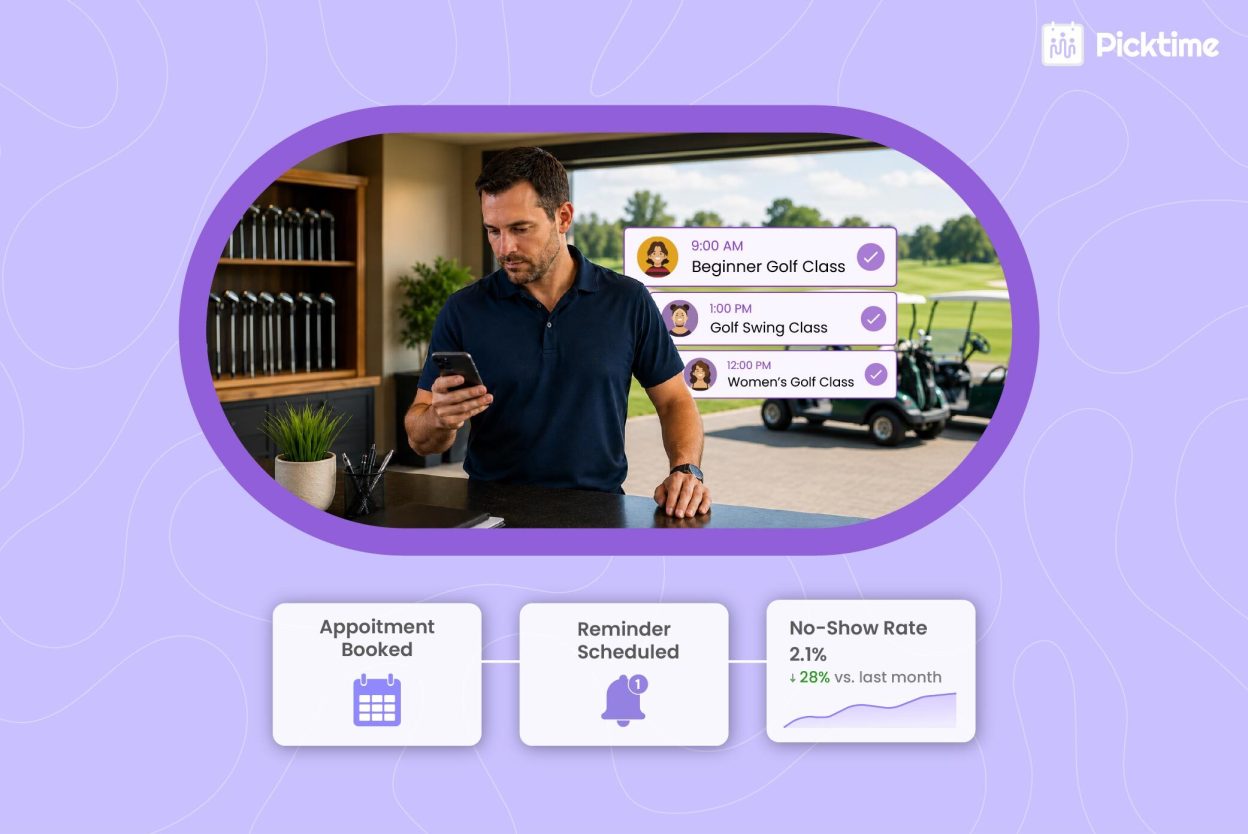
Even committed students often forget their scheduled lessons. For example, their week gets busy, and a lesson they scheduled three weeks ago can easily get pushed to the back of their mind by Thursday. Sending automatic reminders can reduce no-shows and ghost bookings without adding more work for your team members. A personalized email reminder the day before or 2 hours before the lesson can make a huge difference. We’ve also added an example of how you can send an email reminder,
“Hi, just a friendly reminder that your golf lesson with Coach Dave is tomorrow at 4 PM.”
That small reminder gives students the nudge they need to show up on time, and it saves your team from making manual follow-up calls.
Set Clear Cancellation Policies
For golf clubs and academies, adding different cancellation guidelines can be useful. Add the policy to your booking page, confirmation email, and reminder message. This way, students see it more than once. You can create your own cancellation rescheduling policy on your booking page and set a window to limit cancellations and reschedulings. This helps reduce last-minute cancellations and gives your academy enough time to offer the slot to another student.
For example, students can easily reschedule or cancel their lesson booking at least 24 hours before the session. After that, the deposit may not be refunded, or the lesson may count as used. Rules may differ for every lesson, but what matters most is giving clients clarity from the beginning. If students see the policy while booking lessons, they know til what time they can cancel their lessons.
Make Rescheduling Effortless
One of the major reasons students or players often miss lessons is simple: rescheduling doesn’t feel convenient. Golfers may not call the front desk during business hours just to reschedule a lesson; they may forget, or completely decide not to show up. That’s why rescheduling should feel as easy as booking an appointment. With booking software, students can easily get convenient ways to reschedule their lessons anytime, anywhere.
Note: Picktime allows academy owners to add multiple reschedule options for their lessons. Students receive a rescheduling link along with their confirmation and reminder links. When rescheduling takes less than thirty seconds, students are more likely to reschedule their classes. All they have to do is:
✅ Open the booking link from any device ✅ Pick a new available time slot ✅ Get instant confirmation, no phone call needed.
Why Picktime Is the Top Choice for Golf Scheduling Software
Before choosing the right scheduling software, you should consider the powerful features and integrations that help you grow your business. Golf academies rarely manage just one type of booking. Whether you run private coaching sessions, group lessons, junior programs, or simulator bookings, Picktime helps you organize these bookings in one place, so your team is not jumping between calls, messages, and spreadsheets.
With Picktime’s golf scheduling software, players can book online through your booking page. That means students can find a time without waiting for your front desk to reply. For golf clubs, this is crucial because many students prefer booking lessons outside business hours, after work, or late in the evening when your team may not be available.
Picktime also supports automated reminders, payments, deposits, invoicing, calendar sync, class bookings, and reports. These features directly support no-show reduction because they make each booking clearer and easier to manage. For example, a student books a private lesson, pays a deposit, receives a reminder, and reschedules online if something changes. Your instructor sees the update on the calendar. Your team members do not need to chase the student, and the slot does not disappear without warning. That is the real value of scheduling software for golf clubs. It keeps the booking experience simple for golfers while giving your club more control behind the scenes.
Conclusion
Managing admin tasks and struggling with no-shows feels like a real battle without the right software. Picktime’s golf scheduling software can be a trustworthy choice for clubs and academies. It helps you collect advance payments, set cancellation time limits, send automated reminders, and manage every lesson from one organized calendar. Your team protects valuable coaching hours while giving students a smoother booking experience from start to finish.
Looking for a simple way to reduce no-shows at your golf academy? Picktime’s golf course booking system helps you manage bookings, protect lesson slots, and keep your schedule running smoothly. Discover our pricing plans and choose the option that fits your academy best.
FAQ’s
1. What is golf scheduling software?
Picktime’s golf scheduling software is a digital tool that manages appointments, tee times, and facility availability for golf instructors and indoor golf centers. It lets clients book time online, while automating reminders and payments to eliminate scheduling conflicts
2. How does Picktime help golf academies reduce no-shows?
Picktime helps reduce no-shows by allowing golf academies to send automated reminders, collect advance payments, set cancellation rules, and make rescheduling easier for students. When students receive timely reminders and have a simple way to update their booking, they are more likely to show up or reschedule instead of missing the lesson.
3. Can Picktime collect advance payments for golf lessons?
Yes. Picktime allows golf academies to collect payments or deposits at the time of booking. This helps students confirm their commitment before the lesson and gives academies better protection against last-minute no-shows.
4. Can students reschedule golf lessons through Picktime?
Yes. With Picktime, students can reschedule their lessons online based on the rules set by the academy. This makes it easier for golfers to move their lesson when plans change, instead of calling the front desk or skipping the session entirely.
5. Is Picktime useful for both private golf lessons and group clinics?
Yes. Picktime can be used for private coaching sessions, group golf clinics, beginner lessons, junior programs, simulator bookings, and recurring classes. This makes it easier for academies to manage different types of bookings from one calendar.
6. Does Picktime send automated reminders to golf students?
Yes. Picktime supports automated reminders that can be sent before the scheduled lesson. These reminders help students remember the date, time, and details of their golf lesson, while reducing manual follow-up work for your staff.