Key Takeaways
- Managing a growing photography studio manually becomes difficult as bookings, client communication, and daily admin tasks increase.
- The right photography studio management software keeps bookings, payments, schedules, client records, and studio operations connected in one workflow.
- Automating routine tasks helps studios respond faster, stay organized, and create a better booking experience for every client.
- Picktime helps photography studios book more clients, reduce administrative work, and spend more time behind the camera.
With every new client, a photography studio must handle five more tasks. The challenge for any studio is not that they lack clients. But the real struggle often stays behind the camera shots. For every confirmed client, they need to manage the calendar, store client details, answer follow-up questions, and remember to send reminders. What comes as a new path to show creativity slowly turns into a chain of unending admin tasks.
The most difficult part is managing these tasks manually when the studio has more customers. That’s why many studios are now using photography studio management software; this automates every studio task. It deals with routine tasks by keeping them organized. It even helps photographers to focus more on delivering a great experience to the client while growing the business. When things are running smoothly in the backend and there’s no stress to manage every client on their own, photographers have more time to capture good shots. In this blog, we will walk you through how photography studio software helps you simplify your daily studio operations while letting you focus on converting every booking to a confirmed one.
Table of Contents
Why Managing a Growing Photography Studio Becomes Complicated
For every new client shoot, you need to handle a series of tasks. And every task needs more attention even before you start working on it. When the photo session is finished, the photographer still has to work on a lot of edits, post-production, client payments, and other studio work. Let’s make this even clearer: A simple portrait booking may involve answering questions, confirming availability, collecting a deposit, assigning a photographer, reserving the studio, sending reminders, and following up after the session. But now, think that for every new booking and new session, you need to repeat this same process. Soon, you will realize that managing everything manually is practically impossible.
This becomes more challenging for studios that offer different services like weddings, newborn photography, graduation shoots, product photography, and branding sessions. Each service requires different time slots, equipment, locations, and preparation. Handling these daily studio works through spreadsheets, emails, messages, or a separate calendar will make things more scattered. Without photography studio management software, it’s easy to miss your client details, delay invoice generation, and have studio assistants take longer to check schedules. As a result, you have no time left to prepare for your next assignment. The problem isn’t that photographers are taking on too much work. The problem is that the tools you used to support your business growth are no longer helping you to do the same.
What Should Photography Studio Management Software Help You Achieve?
The right photography studio software should do more than replace your calendar. It should support every part of your studio’s daily operations while making it easier to grow. Here are some ways through which the studio management software will help your business:
Keep Every Client Relationship Organized
A repeat client expects you to remember previous sessions, preferred styles, and past bookings. Searching through emails or chat messages for that information wastes time. Photographer scheduling software keeps customer records, booking history, invoices, and project notes together while making every interaction smoother. It also helps studios encourage repeat bookings because client information is always available when needed.
Make Team Coordination Easier
Photographers need to handle every task with their entire team to deliver a better output as the studio grows. Assistants prepare lighting for the shoot, editors handle post-production, and multiple photographers may cover different sessions on the same day. Without photography studio software, it’s overwhelming to coordinate with each member’s routine schedule. With one connected workflow, your team can quickly see studio availability and projects they need to handle and know about the resources. This reduces scheduling conflicts and confusion.
Increase The Value of Your Studio Resources
Photography businesses invest heavily in studio rooms, lighting kits, cameras, lenses, backdrops, and props. If these resources aren’t properly scheduled, it affects revenue generation. A photography studio management software helps allocate resources efficiently and makes sure the right studio space and equipment are ready before every shoot.
Understand How Your Business Is Performing
Growth isn’t measured only by the number of bookings. Studio owners also need to understand which photography services generate the most revenue, which seasons are busiest, and how their team spends its time. Having access to business reports makes planning much easier as the studio continues to expand.
How Picktime Helps Photography Studios Book More Clients While Reducing Admin Work
Running a photography business shouldn’t mean that you spend every evening doing extra administrative work. Picktimes’ photography studio management software brings the everyday tasks of running a studio into one connected system. It allows studios to automate repetitive tasks while creating a faster, more professional booking experience for clients.
Turn More Inquiries Into Confirmed Bookings
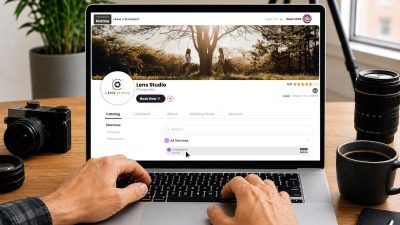
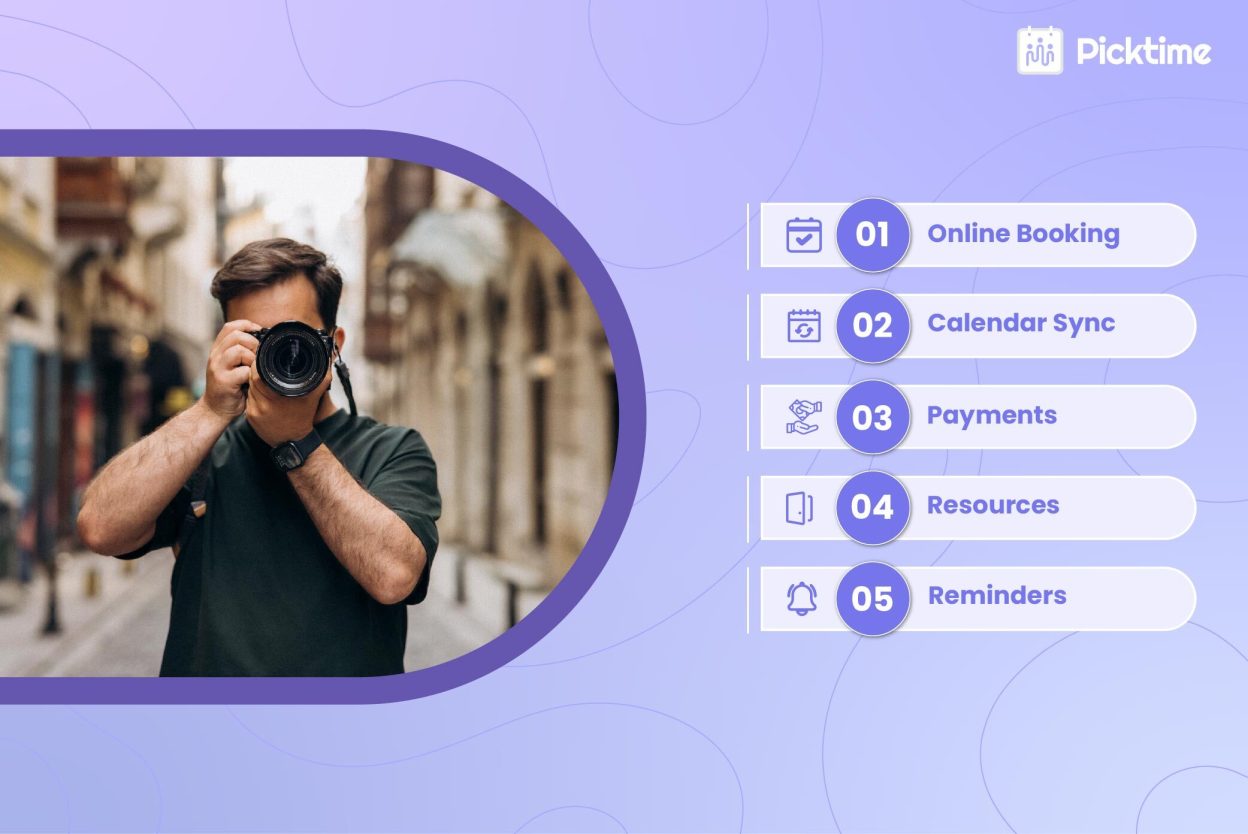
Potential clients often compare several photographers before making a decision. If they have to wait hours or days to know the availability, they are more likely to move on. Picktime’s studio management software lets you create a customized online booking page where clients can browse photography packages, check real-time availability, and schedule appointments whenever they want. Rather than exchanging multiple messages, clients can complete their booking in just a few steps. Moreover, booking approvals, service details, announcements, and Terms & Conditions help to manage the studio well. By removing unnecessary back-and-forth communication, inquiries turn into confirmed bookings much faster.
Manage Scheduling Easily With Automation
As bookings increase, manually updating calendars becomes both time-consuming and risky. Picktime’s studio management software automatically updates your schedule whenever a client books, reschedules, or cancels an appointment. Picktime’s two-way calendar sync, notifications, and buffer time between shoots help keep every booking realistic and prevent scheduling conflicts. If your studio works with multiple photographers, appointments can be assigned automatically based on availability or distributed evenly using round-robin scheduling. This keeps workloads balanced while reducing manual coordination.
Keep Clients Updated Without Constant Follow-ups
Appointments got missed because of poor communication between the client and photographer. Picktime’s photography studio software automatically sends booking confirmations, reminder emails, SMS notifications, and payment updates throughout the customer journey. Clients always know when their session is scheduled, while photographers spend less time making reminder calls or responding to routine questions. This creates a smoother booking experience, builds confidence, and helps reduce the risk of missing any appointments.
Simplify Payments and Studio Operations
Managing payments through separate tools often creates extra work for both photographers and clients. Picktime supports online payments, deposits, invoices, refunds, and payment tracking, so studios can manage payments more clearly from the same booking workflow. Clients can complete payments during booking, while photographers spend less time following up on pending invoices. At the same time, studios can organize customer records, booking history, assigned photographers, studio rooms, and photography equipment from one dashboard without the need to switch between multiple applications.
Help Clients Choose the Right Photography Package
For several photoshoots, such as a family portrait, newborn session, graduation shoot, branding photography, or wedding package, clients need something unique. Picktime’s photography studio software lets you present all your photography packages on a customized booking page with pricing, session duration, and service details. Now there’s no stress to answer the same questions repeatedly. Clients can compare their options and book the package that aligns with their needs. This reduces repeat questions and makes it easier for interested visitors to book a session.
Conclusion: Spend Less Time Managing Your Studio and More Time Growing It
Spending hours updating spreadsheets and manually managing studio tasks is not the work that clients expect from a photographer. When it comes to photography, clients think about something unique and captivating. A photography studio grows because of the quality of work that a photographer delivers to its clients. If the client is satisfied and had a great experience, then it positively impacts the studio’s revenue.
However, if a photographer and his assistants spend too much time managing studio operations themselves, this slows down the business. Things become more hectic when you need to deal with more clients, and you offer multiple services. Picktime’s photography studio management software helps solve this by keeping bookings, schedules, payments, and client details in one organized system. This gives photographers more time to focus on capturing great photos while keeping daily studio work easier to manage.
If you are spending more time handling studio administrative work than capturing memorable moments, sign up with Picktime. It will automate your daily workflow, help you confirm more bookings, and create a nice booking experience that encourages more clients to choose your photography studio.
FAQ’s
1. How does photography studio management software help a studio book more clients?
Photography studio management software shortens the booking process by allowing clients to check availability, choose a package, and book online without waiting for manual responses. Picktime automates confirmations, reminders, and scheduling, helping studios respond faster and convert more inquiries into confirmed bookings.
2. How can photography studios reduce missed appointments and payment follow-ups?
Automated reminders, online payments, deposits, invoices, and payment notifications help clients stay informed throughout the booking process. With Picktime, these tasks are handled automatically, reducing no-shows and the need for manual follow-ups.
3. Is photography studio management software suitable for small photography studios?
Yes. Whether you’re a solo photographer or managing a growing studio, Picktime helps organize bookings, client information, payments, and daily operations, allowing you to spend less time on administration and more time serving clients.