Key Takeaways:
- Instagram Business and Creator accounts are both professional accounts, but they serve different goals.
- A Business account is usually a better fit for companies that want customers to discover services, contact the business, or take actions such as booking an appointment.
- A Creator account makes more sense when the individual, their content, and their personal brand are the main focus.
- Both account types give you professional tools such as insights and advertising options, although some features can vary by account, location, and eligibility.
- Service businesses should think beyond followers and engagement. Make it easy for someone who discovers you on Instagram to take the next step.
For many businesses, Instagram is one of the places customers check before making a purchase or booking a service. The type of account you choose can shape how potential customers easily find information, contact you, and take the next step. But the first question is: should you use a business or creator account? At first, the two can seem pretty similar. Both accounts are free, and both give you access to multiple tools and features that a personal account doesn’t have.
If you run a salon, fitness studio, clinic, or consulting firm, you need to build an audience around your work. Using an Instagram business account can help manage insights, display a physical address, and phone/booking contact buttons. On the other hand, creator accounts are more useful for influencers, artists, public personalities, and service providers.
Table of Contents
What Is an Instagram Business Account?
An Instagram Business account is a professional profile designed for companies to promote products or services and connect with customers. For most service businesses, the appeal is pretty simple: the business itself stays front and center. Imagine someone finds your salon through a Reel. They like your work and tap your profile. At this point, they probably want to figure out what services you offer, where you are located, and how to reach you.
A Business account gives you tools designed around those types of customer actions. It can be a good fit for salons, clinics, fitness studios, agencies, repair businesses, consultants, and other companies where customers are interacting with a business rather than following one individual personality.
What Do You Get With an Instagram Professional Account?
- Instagram Insights: It helps you track and monitor how your posts, Stories, and Reels are performing. Along with this information, you can also see reach, engagement, profile activity, and your audience.
- Professional dashboard: Keep performance information and professional account tools together in one place.
- Advertising tools: Promote posts or run Instagram ads when you want to reach people beyond your existing followers.
- Third-party integration and scheduling: Use tools like Later, Buffer, and Sprout to schedule publishing, manage multiple accounts, and generate reports.
- Address and lead forms: Place your business in your profile so customers can easily find your business. You can also use lead forms to gather contact details from the audience who are interested in your products or services.
- Profile controls: Decide how business information appears and how people can interact with your profile.
- Action buttons: Eligible businesses may be able to add buttons designed to help visitors take a specific action.
None of these features is particularly exciting on its own. Put them together, though, and your Instagram profile starts working more like a business channel. You can see what brings people to your profile and make it easier for interested visitors to move toward an inquiry, appointment, or purchase.
What Is an Instagram Creator Account?
A Creator account is also an Instagram professional account, but the focus is slightly different. Instead of putting a company at the center of the profile, Creator accounts make more sense when the person behind the account is a big part of the brand.
Whether you are a photographer, artist, personal coach, influencer, or fitness enthusiast, this account type is specially built for you. Creators can get a complete suite for managing their account, including professional analytics, advertising tools, booking buttons, and more. For example, if you are a fitness coach, you can easily integrate your Facebook page, run paid ads, and schedule content using third-party tools.
What Do You Get With an Instagram Creator Account?
- Professional insights: Follow reach, engagement, audience activity, and content performance to see what resonates with followers.
- Professional dashboard: Access performance information and creator-focused tools without jumping between different parts of the app.
- Monetization Opportunities: Using a creator account gives you multiple ways to earn money, such as offering subscriptions for exclusive content or stars given by fans, for which Instagram pays you a revenue share.
- Contact options: Give followers a clearer way to reach you about services, collaborations, or other inquiries.
- Audience-management tools: Learn more about follower activity and manage conversations with your community.
- Extended Music and audio access: Creator accounts get access to a wider selection of trending audios in Reels. In that case, business accounts can only use licensed sounds, which reduces the chances of getting more reach.
- Collaboration support: Useful when partnerships, sponsored content, collaborations, or creator campaigns play a major role in your Instagram strategy.
For someone building a personal brand, these tools can make more sense than a traditional business setup. The emphasis is less on presenting a company and more on growing an audience around a person, their content, and their reputation.
Instagram Business vs. Creator: What’s Actually Different?
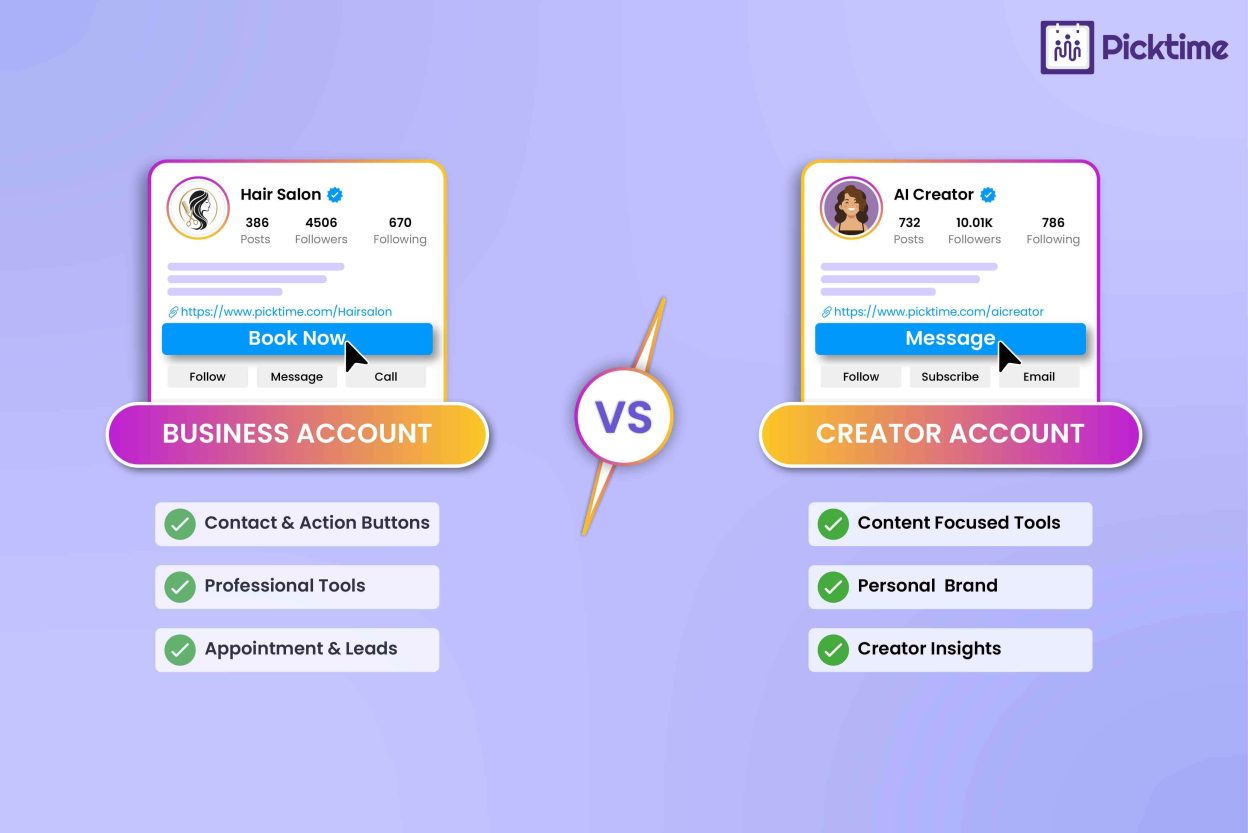
Both business and creator accounts have plenty of things in common. However, the real difference happens in how you use Instagram. A Business account is a better fit for companies or online stores that promote services, build a community, and support actions like bookings or inquiries. A creator account is more suitable when your main focus is growing an audience, creating your own brand persona, and working with other brands or creators.
| Instagram Business Account | Instagram Creator Account |
| Better suited to companies, service businesses, retailers, and organizations | Better suited to creators, influencers, artists, and personal brands |
| The business is usually the main identity | The individual is usually the main identity |
| Focuses more on customer actions and business marketing | Focuses more on audience growth and content engagement |
| Commercial music restrictions may apply | Broader music and audio access may be available |
Business or Creator Account: Which One Is Right for You?
Choose a business account when people need to contact your team, find a location, explore services, or book an appointment. Choose a Creator account when content and personal influence drive the profile. If your goals are audience growth, partnerships, educational content, or building authority around one person, Creator may suit you better. For medium and large businesses, consider account ownership too. A company profile should remain useful even when employees or social media managers change.
Note: Instagram Creator accounts may have fewer options when you use third-party social media management tools. Some tools offer full publishing features only for Business accounts, while Creator accounts may have more limited support.
Conclusion: Choose the Instagram Account That Fits Your Goals
Instagram is one of the most popular places where customers discover amazing products. Posting consistent reels, stories, and carousels can bring more traffic to your official page no matter which account you use. When you share your thoughtful advice based on your own experience, your audience is more likely to trust your expertise, follow your content, and consider your products or services.
The better choice is the account that matches what you actually need from Instagram, not simply the one that offers more flexibility. Whether you run an online store or are a creator, you need a simple and straightforward call to action that guides your audience toward the next step. These steps include booking, buying, contacting you, or starting a collaboration.
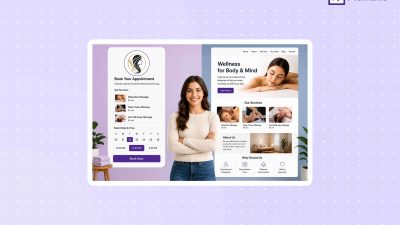
Picktime is an online appointment scheduling tool that makes it easier to convert social media visitors into bookings. Whether you have a Business or a Creator account, Picktime helps you add a “Book Now” button that redirects your audience to your booking page. You can also add your online booking page link on your Instagram bio, which helps customers take action right away.
Picktime can help Instagram visitors book with you more easily, whether you use an Instagram Business or Creator account. Get started today.
FAQs
1. What is the main difference between an Instagram Business and Creator account?
An Instagram Business account is designed more around companies, stores, and service businesses, while a Creator account focuses more on individuals building an audience or personal brand. The best choice depends on how you plan to use Instagram and what you want visitors to do after reaching your profile.
2. Can I switch between an Instagram Business and Creator account later?
Yes, so your first choice does not have to be permanent. As your business or personal brand changes, you can review which professional account type better supports your current goals, tools, and customer journey.
3. How does online scheduling work with Instagram?
Online scheduling connects your Instagram audience with a separate booking process. For example, you can direct visitors from your Instagram profile to a Picktime booking page where they can choose a service, check available appointment times, and submit their booking without going through several messages with your team.
4. Can I add my Picktime booking page to Instagram?
Yes. You can add your Picktime online booking page link to your Instagram Bio so customers have an easy way to schedule with you. Picktime also provides an Instagram “Book Now” button integration for supported Instagram Business profile setups, helping businesses move visitors from Instagram to the booking process.