Key Takeaways:
- Class packages reduce per-visit friction and increase client commitment.
- Prepaid bundles generate upfront revenue and improve cash flow predictability.
- Tiered options (5, 10, 20 sessions) serve different client segments without complicating your offer.
- Setting clear validity periods creates urgency and encourages clients to book regularly.
- Picktime handles the backend — session tracking, payment, and booking rules — so your team focuses on delivering great classes.
Of course, class packages are a great way to attract both new and old students. However, a poorly designed package with fluctuating discounts can reduce your profits. If you simply include multiple sessions together, customers do not always see clear value or solve a specific problem.
A useful class package helps customers stick with their sessions. It also makes it simple for them to sign up for several sessions. When it’s easy to set packages, track details, and plan students’ classes, it helps your business build long-lasting relationships. Creating class packs for your business gives more predictable bookings and stronger relationships. From Pilates studios and yoga centers to Music classes, offering class packs can create a more consistent schedule while giving customers more value.
In this blog, we’ll discuss what class packs are and how they can help increase revenue. We’ll also cover the key steps to creating class packs that provide value for both your customers and your business.
Table of Contents
What Are Class Packages?
Creating class bundles for business admins can combine sessions together and sells them as prepaid options. They are a great way to introduce customers to new classes in a more approachable way. For example, you can create a small trial pack with a few sessions at a fixed price. Therefore, it gives new clients a chance to experience the class before committing to a larger package.
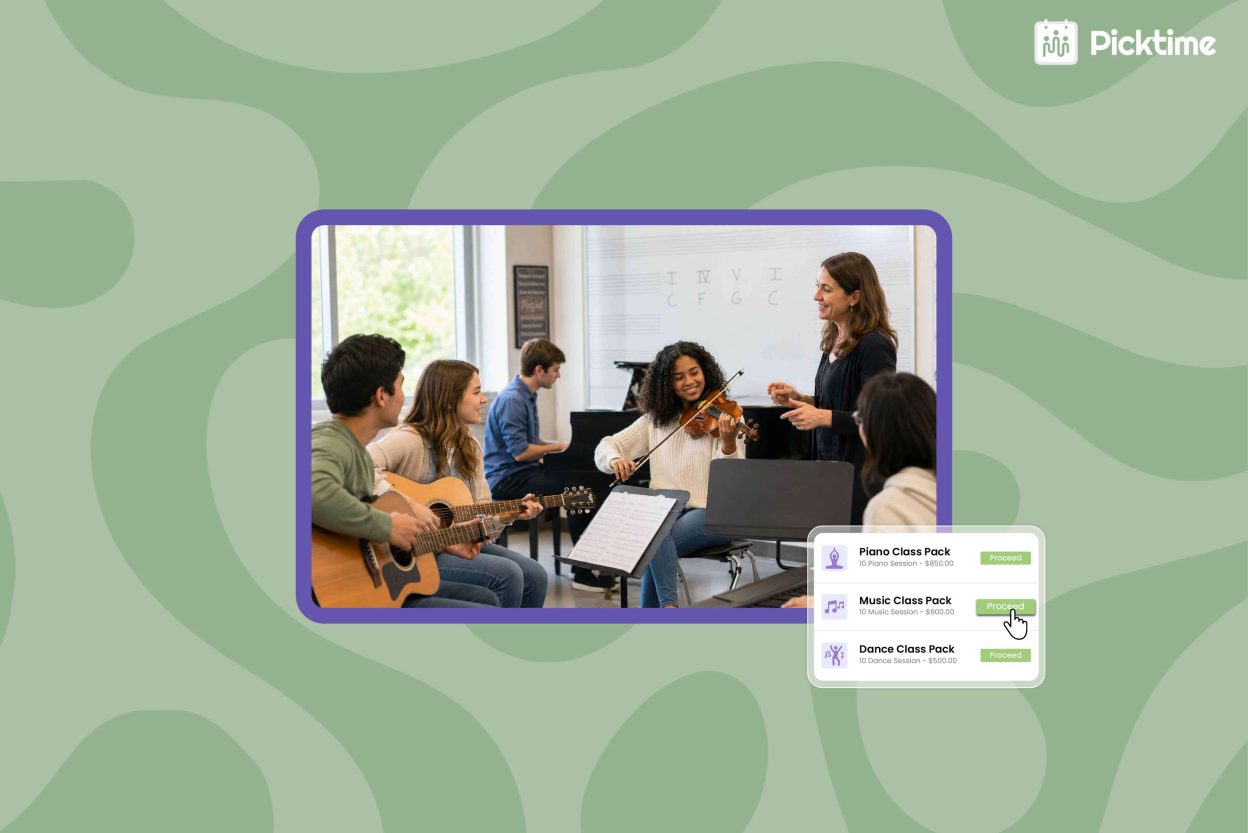
That’s where Picktime’s online class scheduling software can make a difference. It creates class packs, organizes sessions, and takes control of class schedules. To set class packs, you need to create the classes you want to offer, along with their schedules, prices, and durations. Once you’ve created sessions under a class category, you can bundle them and set a fixed price for all sessions. The package does not create new classes. It makes it easier for customers to choose their preferred class pack sessions and pay for it upfront.
How Class Packages Help Increase Repeat Bookings
The success of your business depends on two things: customer retention and revenue. When clients enjoy sessions and keep coming back, it’s a positive sign for your business. When customers buy a class pack, they know exactly what they are getting, including a set of sessions they can use over time. It gives participants a clear reason to come back. For businesses, the recurring visits can lead to stronger retention and a steadier flow of bookings. Using Picktime’s class packs, you can increase repeat bookings:
- Encourages repeat bookings: Customers purchase several sessions at once. It gives them a clear reason to return and use the classes already included in their pack.
- Brings in revenue upfront: When you sell a pack for one fixed price, you receive payment for multiple sessions in advance. Rather than sending multiple follow ups, customers can easily pay each time they book.
- Gives you flexible pricing options: Business admins can charge one price for the entire pack or set a price per session. It also depends on how you want to structure the offer.
- Lets you control how long the pack can be used: Set fixed start dates and end dates for seasonal or promotional packs. You can also make the pack valid for a certain number of days after purchase.
- Makes the value clear to customers: You can define exactly how many sessions are included and show customers what they are paying for before they purchase.
- Works with classes already on your schedule: A class pack does not create new sessions. You connect the pack to an existing class, so customers can use their credits toward the sessions you already offer.
For example, if your yoga class normally costs $20 per session, you could create a 10-session pack for one fixed price. Customers pay once, then use those sessions over the validity period you set. This gives them an easier way to keep attending while helping your business encourage more consistent bookings.
Class Package Examples for Different Businesses
Different types of service businesses can use packages to encourage repeat visits and create more consistent schedules.
- Yoga and Pilates Studios: Studios can offer beginner packages, monthly class bundles, or premium session packs. These options help new clients try multiple classes while giving regular customers a convenient way to maintain their routine.
- Personal Training and Fitness Businesses: Session packages allow trainers to sell multiple workouts upfront. Clients can stay committed to their fitness goals while trainers can better plan their schedules.
- Wellness and Therapy Practices: Multi-session packages can help clients plan ongoing appointments when a service involves multiple visits over time.
The common benefit across these businesses is simple. These packages make repeat bookings easier for customers and easier to manage for businesses.
How to Create Class Packages With Picktime
With Picktime class packs, you can easily add sessions to a package and set a fixed price to attract more clients. Here is how to set up a package:
Step 1: Before creating your package, enable Packages on Booking Page in your Online Booking settings.
Step 2: Go to Booking Types > Packages> New Package to create a new class pack. Use a clear name that tells customers exactly what they are purchasing. For instances: “10 Yoga Classes Pack” or “5 Pilates Sessions Bundle.”
Step 3: Link the class that customers can book using the package credits. Set start and end dates, the number of sessions you want to offer, and pricing.
Step 4: You can set how customers use the sessions in their class pack. Let them pick each session individually based on their availability, or use Picktime’s Auto-book from a start date option to automatically schedule the remaining sessions from the date they select.
Build More Consistent Bookings With Class Packages
Selling individual sessions can make revenue unpredictable because every future booking depends on the customer deciding to return. Class packs give customers a reason to continue while helping your business create a more consistent schedule. With Picktime, you can create and manage class packages, organize customer bookings, and keep track of scheduled sessions in one place. Whether you run a yoga studio, fitness center, wellness business, or another class-based service, prepaid packages can help you build stronger customer relationships and encourage repeat bookings.
Try Picktime free today and see how bundle class sessions can help you manage recurring sessions more efficiently.
FAQs
1. What is the difference between a class pack and a membership?
A class pack gives customers a set number of sessions they can use within a specific validity period. A membership usually provides ongoing access based on recurring terms. With Picktime class packs, businesses can decide how many sessions to include, set the validity period, and choose how customers book those sessions.
2. Can I create different class packs for a single class?
Yes, with Picktime, you can offer different class packs for the same class, so attendees can choose the option that works best for their schedule. If you offer yoga, Pilates, and strength training, for example, you can create a separate pack for each class, such as a “(10-sessions) Yoga Class Pack” or “ (5-sessions) Pilates Class Pack.”
3. Can I set an expiration period for a class pack in Picktime?
Yes. Picktime lets you control when a class pack can be used. You can set fixed start and end dates or choose a validity period that begins after the customer purchases the pack. This works well for seasonal programs, introductory packs, or packages that customers need to complete within a certain timeframe.
4. How do customers book sessions from a Picktime class pack?
Admins can choose how customers select their sessions. They can pick each session themselves, which gives them more flexibility, or you can use Auto-book from a start date, where the customer selects the first date, and Picktime books the remaining eligible sessions automatically. Auto-booking is especially useful for classes that follow a regular weekly schedule.