Key Takeaways
- Separate booking and attendance records can make class tracking slower and increase the chance of mistakes.
- Keep class bookings, cancellations, rosters, and attendance connected to make check-in easier.
- Use attendance data to spot no-shows, understand class demand, and plan schedules and capacity.
- Picktime connects class booking and attendance management, helping teams manage participants, check-ins, and attendance in one place.
Keeping track of daily class attendance can get messy when bookings, cancellations, and attendance records are handled separately. Your staff may need to check booking lists, update attendance manually, and keep track of cancellations or no-shows. Moreover, they need to view participation lists just to see who has arrived and who is about to come. However, a connected process keeps these details together and makes check-in easier. This blog will help you see how to simplify attendance tracking while keeping your class bookings organized.
Table of Contents
Why Attendance Tracking Matters for Class-Based Businesses
When bookings and attendance are kept separate, staff may have to check booking lists, update cancellations, and manually record who attended. As a result, participant check-in can take longer and leave room for mistakes. A study reports that the U.S. economy loses 50 million hours of productivity each day because of unrecorded work activities. This shows why keeping accurate attendance records matters for managing workloads, tracking participation, and keeping daily operations organized.
Connecting bookings with attendance makes it easier to track an attendee from the moment they reserve a class to when they arrive. Your team can see the class roster, mark participants as they arrive, and record no-shows without using separate lists or spreadsheets. Accurate attendance records also help you understand class demand. You can see which sessions fill regularly, which sessions have low turnout, and who often misses classes. Later, you can use that information to plan class capacity and schedules more effectively.
Keep Class Bookings, Check-In, and Attendance Connected
Once an interested person books a class, attendance tracking should not become a separate task. Your team needs a clear view of who is booked, who arrives, and which classes are performing well. Connecting these steps makes check-in easier and gives you useful attendance information for managing future classes.
Keep Class Rosters Updated
Your class roster should always show the latest bookings. When a class member books or cancels, the list gets updated. This helps your team know whom to expect before the class begins. It also saves staff from checking multiple lists and helps them work from one accurate booking record. A booking system for classes can also help set capacity limits and manage waitlists, keeping popular classes organized without overbooking.
Make Check-In Simple
The check-in process should be quick for both staff and the class attendees, especially when several attendees arrive at once. A mobile-friendly system lets instructors or staff mark participants as they arrive and keep the class list up to date. For smaller classes, simply marking participants as Present or No-Show can keep attendance clear without adding extra steps.
Use Attendance Data to Improve Scheduling
Once attendance records are organized, they can help you make better scheduling decisions. Moreover, reviewing attendance history can display repeated no-shows and help your team decide when reminders or follow-ups may be useful. It can also show which classes fill consistently and which sessions have lower participation. Thus, it will help you plan class capacity, schedules, and staffing more effectively.
💡 Tip: If you use Picktime, you can review class attendance reports to spot participation patterns and use them to plan class schedules, capacity, and staffing more effectively.
Manage Class Attendance With Picktime
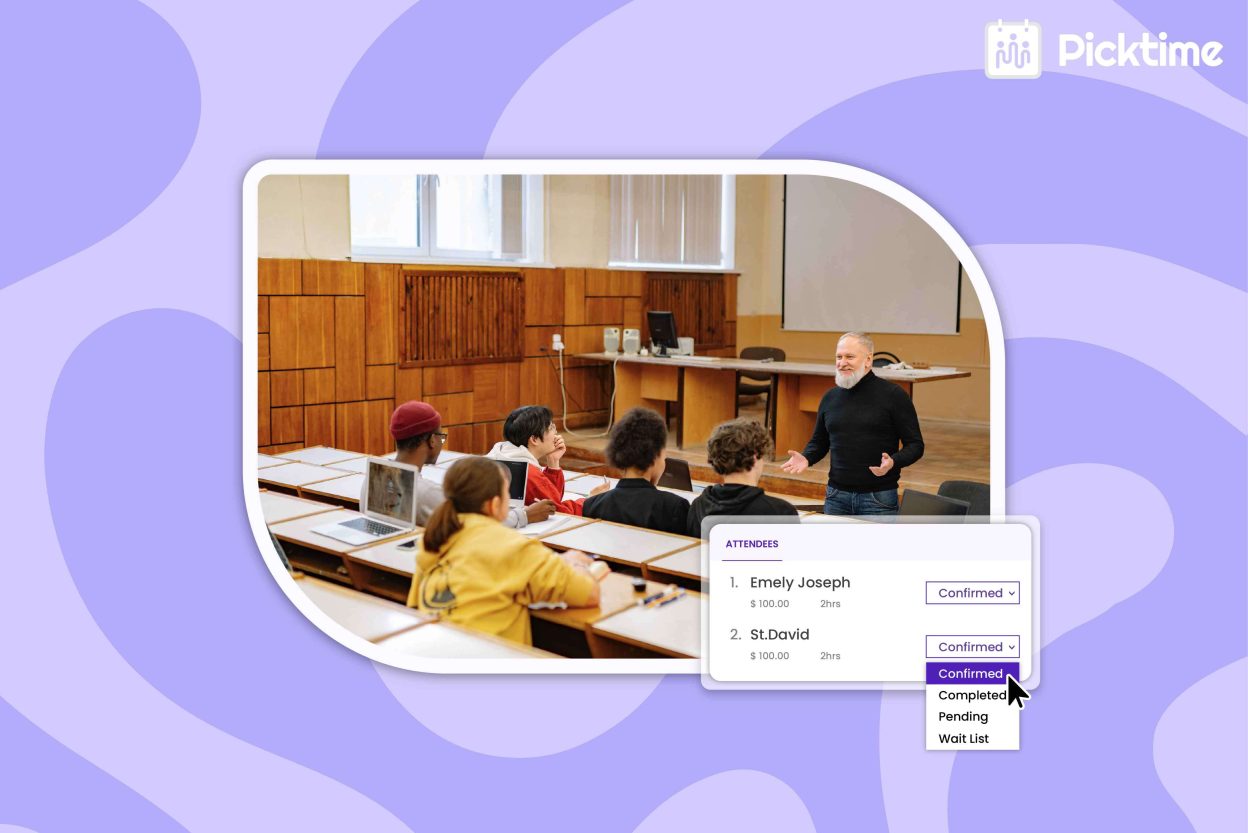
Picktime connects class bookings with attendance management, so your team can handle attendee details, class attendee lists, and attendance in one place. Once participants book a class, instructors can mark them as Present, No-Show, Pending, or Waiting from the web or mobile app. You can also manage the class by setting a maximum capacity, so additional bookings will not be accepted once all spots are filled. Most importantly, you can use a waitlist for full classes, allowing interested participants to join. This gives them a chance to attend the class if a place becomes available. Picktime’s scheduling software keeps attendance records with your class data and provides attendance reporting, making it easier to review participation without relying on handwritten lists or separate spreadsheets.
Conclusion
A well-organized class does not end with a booking; it involves many other activities before, during, or after each session. Keeping the roster, check-in, and attendance records connected helps your team stay organized and makes each session easier to manage. When these steps work together, your team can spend less time updating lists and more time focusing on the class. Scheduling software like Picktime connects class bookings with attendance tracking, giving businesses a centralized place to manage daily class schedules, participant lists, check-ins, and attendance history.
Spend less time tracking daily attendance and more time running your classes with Picktime.
FAQs
1. Why should booking and attendance be connected?
Connecting booking and attendance gives your team one clear view of who booked, who attended, and who missed the class. With Picktime, businesses can manage class bookings and attendance together, reducing the need for separate lists or spreadsheets.
2. How does a connected workflow simplify check-in?
A connected workflow lets staff start with the latest class list and mark participants as they arrive. Picktime allows instructors to update attendance from the web or mobile app, making it easier to manage check-ins without manual paperwork.
3. How can attendance data improve my class schedule?
Attendance records can show which classes fill regularly, which sessions have low turnout, and where no-shows are common. You can review these patterns and use what you learn when adjusting class times, capacity, staffing, and future schedules in Picktime.
4. Does Picktime support class attendance tracking?
Yes. Picktime supports class attendance tracking and lets you mark participants as present, no-show, pending, or waiting. You can also track attendance from the Picktime mobile app and review attendance information through Picktime reports.