Key Takeaways:
- Group scheduling lets multiple participants book the same class or session without creating separate appointments for each person.
- Capacity limits and booking rules help you control how many people can join and reduce last-minute schedule changes.
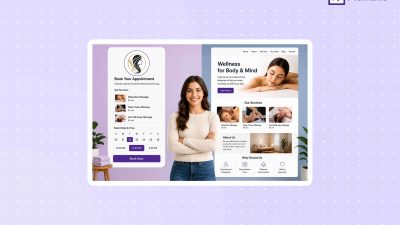
- An online booking page gives clients a simple way to view available classes, check session details, and reserve their spot.
- Recurring classes, confirmations, and reminders can take repetitive scheduling tasks off your plate.
- Picktime keeps class schedules, bookings, participant details, and client communication organized in one place.
Arranging classes for solo organizers comes with a set of responsibilities. A class is about to get filled, one participant cancels, and two people ask for the same remaining slot. For a solo organizer, moments like this can easily turn a simple class into a time-consuming admin task.
When you have a lot on your plate, it becomes much harder to manage schedules, class capacity, payments, and reminders. That’s where the need for group scheduling becomes important. For business admins, it helps them coordinate participant availability, session times, capacity, staff, locations, and bookings in one schedule.
This kind of strategy can keep everyone on the same page by centralizing every detail in one place. Using the right scheduling tools can really save time by automating repetitive tasks such as bookings, reminders, and schedule updates. In this blog, we’ll understand why group scheduling matters and effective strategies for solo organizers to manage multiple attendee schedules.
Table of Contents
Why the Need for Group Scheduling Has Increased
Unlike individual scheduling, group appointment scheduling includes finding an available slot that works best for several people. It allows you to find a suitable time and keep everyone aligned with their schedules. Here are important characteristics of group scheduling:
- Checking everyone’s availability
- Finding a time that suits the group
- Coordinating different schedules
- Reducing booking conflicts
Group class scheduling can also prevent you from manual coordination, save time, and make it easier for admins to create sessions all together. Whether you are planning a weekly webinar, tutoring sessions, or consulting sessions, a clear scheduling process helps people stay organized and manage their time better.
How Solo Organizers Can Manage Multiple Participants More Easily
Most of the time, solo instructors or coaches often handle teaching, client communication, payments, and scheduling other team members. A well-organized group booking method can cut down on repetitive tasks while clients have more control over registration.
1. Use Class Scheduling Software Built for Group Bookings
A basic calendar might work for one-on-one sessions, but when your business grows, the booking numbers increase. Choosing the right class scheduling app might help you manage your group booking process easily. The system lets admins create multiple sessions, set availability, manage participants, and analyze booking reports from one platform. Offering self-booking options can also reduce the extra workload for team members. Many classes may need recurring sessions weekly, daily, or monthly; the software easily creates all repeat sessions upfront without doing any manual work.
💡 Pro Tip: Choose a system that fits the way you run your classes. A weekly yoga instructor may mainly need recurring sessions and capacity limits, while a training center may need to coordinate several instructors, rooms, and locations.
2. Set Class Capacity and Booking Rules
Setting a clear participant limit when creating different sessions can make your scheduling easier. In your class booking software, adding class capacity gives you control over how many attendees can join a session or shared resources. As a result, you don’t have to end up with more bookings than your team member, room, or equipment can handle. You can also create booking rules, including advance booking limits, booking approvals, rescheduling, and cancellation rules. These approaches help you manage group bookings in a more organized manner while providing customers a positive booking experience.
3. Make Classes Easy to Find on Your Booking Page
Your booking page should give clients enough information to choose the right class without contacting you first. Include useful details such as the class name, date and time, instructor, duration, location, and any preparation instructions. When clients can quickly understand what the session includes, they can move from browsing to booking with fewer questions. Keep the booking path simple so clients can find a suitable class, check availability, and reserve a spot without unnecessary steps.
4. Automate Recurring Class Scheduling
Creating the same class manually every week can quickly become repetitive. Recurring class scheduling lets you organize repeated sessions on a consistent schedule instead of rebuilding each one. You can spend more time reviewing the changes that need attention, such as instructor availability, room changes, capacity adjustments, or special dates.
5. Schedule Confirmations and Reminders in Advance
Within busy schedules, clients often forget about their sessions. However, sending reminders to each client can take a lot of your time away from your administrative tasks. With class scheduling software, you can even automate sending email and SMS reminders. Once the session is booked, you can set the timing of your reminders for when they should go out before sessions. Furthermore, you can also customize email reminders based on scheduling needs.
How Picktime Simplifies Group Scheduling
If you are tired of managing multiple admin tasks, endless back-and-forth communication, and missed deadlines due to manual scheduling, class scheduling software like Picktime can make a huge difference. Whether you manage multiple class sessions, locations, or team members, the system removes repetitive tasks from your day-to-day business operations. For class-based businesses, managing sessions, such as adding class capacity, scheduling recurring sessions, pricing, and duration, is easy.
Without asking your clients individually, you can let potential clients choose their preferred sessions themselves through an online booking page. Once you update your business hours and your team member’s working hours, Picktime keeps everyone’s schedules updated. They can easily see available sessions, pricing, real-time availability, and whether any discount coupons are available to add or not before scheduling a session. It makes the class scheduling process seamless as it is tailored to meet the unique scheduling needs of your business.
Conclusion
Group scheduling becomes easier when clients can see available classes and reserve their own spots while staff has a clear view of capacity, participants, and upcoming sessions. The right class scheduling software can bring recurring schedules, booking rules, class details, participant management, and client communication into one workflow. Picktime gives class-based businesses a practical way to organize group bookings without adding unnecessary scheduling work.
Ready to spend less time managing class bookings? Create your free Picktime account and give clients a simpler way to reserve their spot.
FAQs
1. What is group scheduling for classes?
Group scheduling allows multiple participants to book spots in the same class or session. With Picktime, you can create classes, set available time slots, manage attendees, and keep everything organized from one schedule.
2. Can Picktime limit the number of participants in a class?
Yes. Picktime lets you set a capacity for each class or session, so you can control how many people can book. This helps you avoid overcrowding and makes it easier to manage available space, staff, and resources.
3. Is Picktime useful for solo instructors?
Yes. Solo instructors can use Picktime to manage class registrations, recurring sessions, attendee lists, confirmations, and reminders without handling every task manually. This gives them more time to focus on running their classes.
4. How does Picktime make class booking easier for clients?
Picktime lets clients view available classes, check session details, choose a suitable time, and reserve their spot online. They can book without calling or messaging the business, which makes the process easier for both clients and instructors.