Key Takeaways:
- A golf lesson booking system lets students book, reschedule, and pay online, cutting the phone tag that eats into an instructor’s morning.
- Custom booking fields collect a golfer’s goals before the first lesson, so instructors walk in already knowing what to work on.
- Color-coded calendars, buffer time, and automated reminders are the features that matter most for multi-lesson days.
- Keeping private and group lessons on one calendar removes the double-booking risk that comes from tracking them separately.
- An accurate Google Business Profile with a booking link helps golf academies show up when local golfers search for lessons.
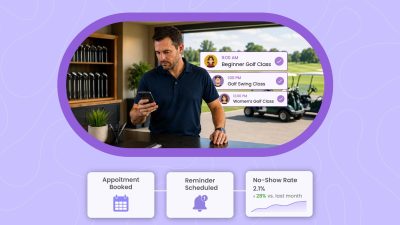
Picture your calendar on a Friday afternoon, and every slot is filled with sessions. There are no sticky notes, no missed messages to chase, and no last-minute “Do you have any available slots open this week. A calendar of a week that feels organized before it even begins. This is what happens when golf instructors stop managing lessons through spreadsheets, calls, texts, and a notebook. Instead, they start running every operation with an advanced golf lesson booking system.
Many golf academies still manage bookings, golfers, and class payments the old way. While lessons are going on, instructors are simultaneously answering DMs and phone calls, and more. It may seem manageable for a while, but small gaps can cause major scheduling chaos. One missed message can leave a lesson slot empty, and one double-booked hour can create confusion you could have avoided.
Golf lesson scheduling software can solve these problems and help you organize your calendars more efficiently. No matter how many lessons you offer, the system can take care of online booking, scheduling, payments, and reminders in one place. Think of it as your scheduling assistant, where everyone is kept up to date on their schedules and the available coaches.
In this blog, we’ll discuss how an organized calendar re-shapes the way golf instructors run their week. We’ll also walk you through must-have features of golf lesson scheduling software that help fill gaps and streamline daily operations.
Table of Contents
Why an Organized Calendar Matters for Golf Instructors
When you run a golf academy, you already know how quickly one disorganized schedule can affect the rest of your week. Also, a missed call, a forgotten golf lesson, or a double-booked slot can disrupt your entire schedule and take your attention away from coaching.
- Increased Productivity: When every lesson stays on one calendar, you spend less time cross-checking texts, calls, and side conversations just to confirm what is next. The time you have saved may feel small at the moment, but by the end of the week, it gives coaches more space to instruct golfers.
- Better Workflow: A golf lesson booking system helps you run your daily operations in the right order. Without any mistakes or confusion, lessons stay organized, updates happen without manual coordination, and instructors do not have to adjust the whole day because of one last-minute call.
- Improved Focus: It is difficult to focus on a golfer’s swing when part of your mind is still thinking about finishing admin tasks. When your calendar is organized, it removes that background stress, ensuring coaches can give attention to the golfers.
- Higher Quality Lessons: Instructors who are not distracted by scheduling problems give sharper feedback and more attention per student. Golfers notice that, and they come back for it.
Tips to Manage Your Calendar Without the Back-and-Forth
Allow Students to Book Online
Golfers do not always prefer to book during your academy business hours. Some look for lessons after work, and a few may book golf sessions during weekends. Others might look for instructors right after a rough round and want to fix their swing as soon as possible.
This is where online booking matters for many instructors and golfers. With a golf lesson booking system, academies can create online booking pages where students can see all available lessons in one place. Not only that, it’s easy to check lesson descriptions, pricing, class duration, and instructor availability. When golfers don’t have to wait or call back, golfers appreciate the convenience. It makes your golf academy more organized and easier to work with.
Show Up in Local Search
Many golfers search with local intent, such as “golf lessons near me” or “golf coach near me.” The moment they find your academy online, the next step should be simple and frictionless. But if your online booking page is lost among thousands of websites, your local visitors won’t find your academy easily.
With the best golf lesson booking system, like Picktime, you can add a meta title and meta description to your online booking page, which helps the page become more Google and other SERP- friendly. When you add your online booking link to Google Business Profile, this allows golfers to move from finding your academy to booking a lesson. A “Book Now” button on your “Google Business Profile” is easy to find. You can reduce one of the biggest reasons people drop off, and many steps before they can schedule.
Easily Understand Golfer Goals
Every golfer comes with different needs, such as a beginner who needs help with grip and stance, or a regular player who may want to learn how to fix a slice. If you note every player’s requirements in a diary or on paper, there’s a high probability you might miss something.
By adding customizable booking fields, you can understand these goals before the golf session starts. You can ask questions and make them mandatory on your online booking page, like skill level, lesson focus, or preferred instructor’s name. Keep the online form short, and it should also give your instructors enough context to prepare.
Use Social Platforms for More Bookings
Before a golfer schedules a lesson, they usually want a reliable and skilled coach. It can be a single swing tip, a short practice drill, or a post about a student’s progress that can encourage someone interested in booking. The online booking pages come with dedicated booking links/URLs to your Instagram bio, Facebook page, LinkedIn profile, YouTube descriptions, and lesson posts. When players see your content and want to learn from you, they should be able to book while that interest is still fresh.
Keep Private and Group Lessons in One Calendar
Private lessons, group clinics, junior camps, simulator sessions, and academy programs often follow different schedules. When they are managed in separate places, it becomes harder to see what is actually available. A centralized calendar keeps everything in one view. You can track lesson types, instructors, student bookings, open slots, and group sessions without switching between notes, messages, and spreadsheets. This helps prevent overlap, makes it easier to fill slower hours, and gives your team a clearer picture of the day before it begins.
Make Rescheduling Easy
Golf lessons can change for many reasons. Bad weather, work delays, school pickups, traffic, and last-minute plans can all affect a student’s schedule. When rescheduling depends on back-and-forth messages, a simple change can take too much time.
With Picktime, you can make rescheduling easier by adding reschedule links to confirmation and reminder emails. Students can move their lesson within your allowed rules, and the calendar updates automatically. This keeps the process convenient for golfers and reduces extra work for your team. Instead of handling every change manually, your academy can keep the schedule moving with less confusion.
Must-Have Features of Golf Lesson Booking System
Before choosing a golf lesson booking software, you must scrutinize the system and its features. They should help your instructors, students, lesson types, payments, and daily scheduling needs.
Color-Coded Calendar
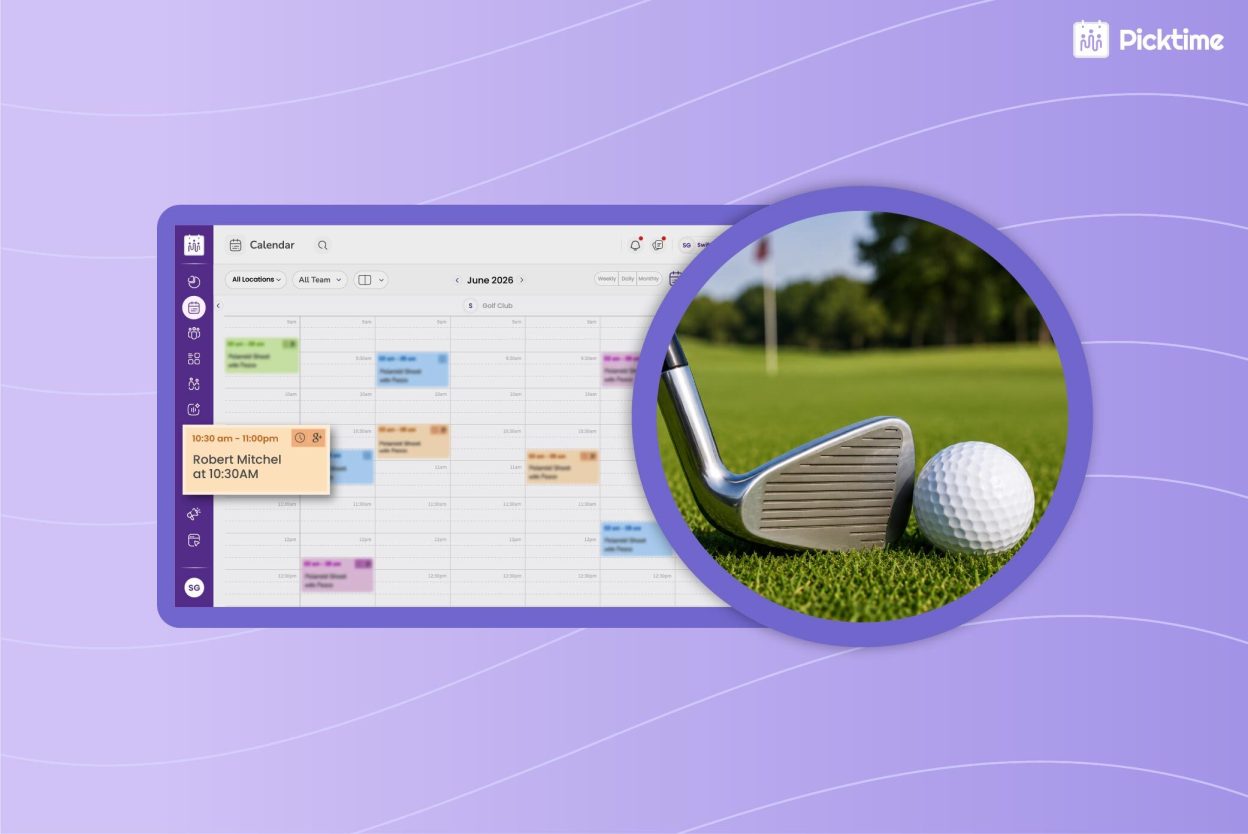
The golf lesson booking system offers a color-coded calendar that makes a busy lesson day easier to understand at a glance. You can separate private lessons, junior programs, simulator sessions, and instructor schedules by color. For multi-coach academies, this helps everyone see what is happening without opening every booking.
Buffer Time
Golf lessons rarely end the exact second the clock says they should. At the end of the sessions, students might have questions about their lessons, or a coach might need a little breathing time. Buffer time is one of the most important features of golf lesson booking software, helping instructors to add a buffer time between lessons. It helps coaches to prepare and start the next session calmly.
Customizable Booking Fields
Customizable booking fields help instructors understand the student before the lesson starts. Ask about goals, experience level, problem areas, and preferred focus. The best forms are short, clear, and useful. Students should finish them quickly, and instructors should be able to use the answers right away.
Automated Reminders
Missed lessons are frustrating because the time is hard to replace. Automated reminders help students remember the time, location, instructor, and anything they need to bring. For junior clinics and group lessons, reminders also reduce confusion for parents and participants.
Seamless Integrations
Your online scheduling tool should seamlessly integrate systems you already use. Tools like calendar sync help prevent conflicts, and payment integrations help students pay online. Also, email marketing tools like Constant Contact and Mailchimp enable you to send automated email campaigns easily. Picktime helps golf academies connect bookings, calendars, reminders, payments, and lesson details without switching between too many tools.
Class Packs and Discounts
If your golf academy wants to offer sessions together, offering class packs can help the academy bring more revenue. Golf lesson booking software offers flexible options to offer class packs and discounts, so you can attract both new and existing players. Once you create classes and add sessions, you can specify how often those sessions will repeat in a week or a month. You can compile those sessions and charge them together. Players get a simple way to check available sessions and book a slot that fits their day.
Conclusion
A well-organized calendar keeps the lesson workflow clear, simple, and easier for everyone to follow. For golf instructors, the goal is not only to get more lessons booked and make each booking easier to manage, but also to make each student easier to prepare for, and each teaching day feel less scattered. When golfers can book online, see available lesson options, reschedule when needed, and receive reminders, the whole experience feels smoother for everyone.
That is where Picktime works as one of the best golf lesson booking systems for academies, clubs, and independent instructors. It helps you manage private lessons, group clinics, instructor schedules, booking forms, reminders, payments, and calendar updates from one place.
Rather than spending more time doing repetitive jobs and making the same scheduling errors, you get a cleaner way to run your lessons. Picktime’s golf lesson scheduling software should not make your day feel more complicated. It should help your academy stay organized and give golfers a better booking experience.
Spend less time managing lesson requests and more time coaching. Let Picktime make booking easier for your golf academy.
FAQ’s
1. What is a Golf Lesson Booking System?
Picktime’s golf lesson booking system helps golf instructors and academies manage lesson bookings online. Students can choose available times, select lesson types, receive reminders, and reschedule based on your rules.
2. Can Picktime manage private and group golf lessons?
Yes. Picktime can help golf academies manage private lessons, group lessons, classes, instructor schedules, online bookings, reminders, and student details from one platform.
3. How does online booking help golf academies get more lessons?
Online booking lets students reserve a lesson when they are ready, even outside business hours. This removes delays and makes it easier to turn interest into confirmed bookings.
4. What features should golf academies look for in scheduling software?
Golf academies should look for online booking, calendar sync, automated reminders, buffer time, intake forms, class packs, payments, rescheduling, and a centralized calendar for instructors and lesson types.