Key Takeaways:
- Managing a landscaping business becomes harder when bookings, crew schedules, customer notes, and reminders are handled separately.
- Online booking helps customers schedule services when they need them, even when you are busy on-site or outside business hours.
- Recurring appointments help landscape businesses manage weekly, biweekly, or monthly maintenance without rebuilding the same schedule every time.
- The right landscaping management software saves admin time, but it also gives your business more control, better planning, and a smoother customer experience.
If your landscaping business is growing, having a structured schedule is more important than ever. Because, along with your company, your responsibilities have also increased, including managing appointments, team availability, customer requests, and scheduling changes, without slowing down the work. Moreover, you can not afford to spend your valuable time on doing administrative tasks, which you should spend focusing on clients.
Using landscaping management software has become essential to streamline the scheduling process. By providing core features in one system, landscaping business owners and contractors can organize bookings, customer details, team schedules, and reminders. Not only large teams, but also small landscaping companies save admin time while providing a better scheduling experience for customers. Unlike manual scheduling, your landscaping business stays responsive, reduces scheduling mistakes, and increases productivity more than ever.
Before we talk about landscaping management software, let’s break down why the landscaping team spends time on administrative jobs, what landscaping software is, and what advantages it brings.
Table of Contents
- Where Landscaping Teams Lose the Most Admin Time
- What is Landscaping Management Software
- Time-Saving Features Landscaping Businesses Actually Need
- How Landscaping Management Software Helps Small Businesses Work Smarter
- Why Picktime is the Top Choice as Landscaping Management Software
- Conclusion: Less Admin Work Gives Your Business More Space to Grow
- FAQ’s
Where Landscaping Teams Lose the Most Admin Time
1. Handling Repetitive Jobs Manually
Many customers rely on phone calls to know about landscaping businesses, their services, prices, and duration. Customers want to know what services are available, when your team can come, how long the job may take, and whether your business serves their area. This becomes time-consuming when every booking has to be handled manually. Hiring a receptionist just to handle calls isn’t practical. Or, even though you hire a receptionist at your front desk, it’s impossible to handle multiple calls, explain service options, and confirm timings at the same time. It takes so much time and stretches your landscaping contractors.
2. Collecting Property And Service Details After The Booking
Landscaping jobs require more details than just customer details, date, and time. Your landscape contractor team may need more information, like the lawn size, service type, preferred work areas, irrigation notes, and equipment requirements. Regardless of the service, if these details are not collected at the time of booking, your team has to chase them later. It means your landscape contractors need to coordinate back and forth before the visit even happens. If the team reaches the property without clear notes, they may lose time figuring out access, confirming the service, calling the office, or asking the customer for missing instructions.
3. Assigning Tasks Without a Clear View Of Availability
An effective landscaping schedule doesn’t stop with finding an available time. For landscaping businesses, before assigning any landscaping job, you need to know which team is already occupied and which team member is available. If you assign jobs to the team member who is already occupied, they will be overburdened. On the other hand, if other members don’t get any landscaping jobs in the morning, it will create an imbalance in your company. When crew schedules are managed separately, managers lose time checking who is available and who is already booked. This creates problems like:
- Double-booked team members
- Overlapping commitments
- The wrong crew was assigned to the wrong service
- Last-minute calls to confirm availability
- Unclear schedules for field staff
4. Juggling to Manage Payments and Invoices
Admin time does not end when the landscaping job is finished. Someone still has to check whether the customer paid, send an invoice, follow up on unpaid bills, record the payment, and connect the payment to the correct service. This becomes harder for recurring landscape visits, commercial maintenance jobs, seasonal packages, or customers with multiple services.
When payments and appointments are handled in different places, your team has to jump between systems. They may need to check the calendar, open a spreadsheet, search payment records, confirm the customer name, and then send a follow-up. That creates extra work and increases the chance of missing unpaid invoices. On the other hand, if someone doesn’t get any landscaping job since morning,
What is Landscaping Management Software
When you manage everything on your plate with old-school methods, there is a high chance that landscape contractors will make mistakes. On top of that, business admins spend hours on routine tasks that could easily be handled through automation. That’s where landscaping management software steps in and streamlines all your complex scheduling tasks. AI-powered landscaping software helps you stay on top of bookings, recurring visits, staff schedules, reminders, and customer communication. It offers a wide range of features and integrations that save hours from scheduling.
Whether it’s allowing clients to self-book services or your team managing their schedules, the system keeps everything more organized, efficient, and simplified. It offers tools, such as a 24/7 AI receptionist, team scheduling, advanced payments, invoices, reporting, and more. Beyond scheduling, it also supports sending automated reminders, CRM tool integration for automated lead tracking, and email campaigns. When your landscaping contractors get busy, a scheduling tool like Picktime can relieve their administrative burden and handle scheduling responsibilities. It not only saves time for landscaping business admins but also is cost-effective, while enhancing your customer experience.
Time-Saving Features Landscaping Businesses Actually Need
Choosing the right landscaping software is important because it simplifies appointment scheduling and saves hours from repetitive admin jobs. Here are the valuable features of Picktime’s landscaping management software:
1. Provide Customers a Simple Way to Book Online
One of the crucial features of an advanced landscaping scheduling software is an online booking page. This feature allows your customers to schedule lawn care and landscaping appointments of their own without calling your contractors to confirm booking rules. It helps you customize your booking page so your customers understand the services you provide, the booking instructions, pricing, durations, and more. Whether they want to book services like planting beds, cleaning walkaways, growing and planting vegetation, they can simply see available time slots, answer basic questions, and book appointments instantly.
2. Provides 24/7 Booking Assistance
Today’s customers may try to book a service after work, during weekends, or outside your regular office hours. If you are running a small landscaping business with a few team members, your business may miss a lot of customer inquiry calls, DMs, and WhatsApp texts. Or, if you have a large team and only one front desk employee, they may not be able to answer every call, guide every customer, and manage booking requests at the same time.
Picktime’s AI receptionist helps your landscaping business stay available to book 24/7 by answering customer calls, responding to common booking questions, and helping clients schedule appointments even when your team is busy or unavailable. Whether someone wants lawn mowing, garden maintenance, seasonal cleanup, or a landscaping estimate, the AI receptionist can guide them toward the right booking option without making them wait for a callback. This helps landscaping teams capture more inquiries, reduce missed calls, and keep bookings moving even after the office is closed.
3. Keep Team Schedules Clear Before the Day Starts
A powerful landscaping management software keeps your small or large team organized without spending much time. Whether it’s delegating appointments or adding individual working hours for team members, Picktime offers plenty of advanced team scheduling features. Features like round-robin, roster management, two-way calendar stance, and buffer time can help them maintain a healthy work-life balance. As a result, your team members don’t have to do any manual coordination to know every small detail or spend their morning repeating the same information.
4. Send Reminders Without Repeating Yourself All Day
Reminders may seem simple, but they save more time than many landscaping business owners realize. Customers need to know when your team is coming. Crew members need to know where they are going. You may also need to share small but important instructions, such as keeping pets indoors, unlocking the gate, moving vehicles from the driveway, or making outdoor water access available. Landscape business software helps you turn those repeated messages into a consistent process. Instead of typing the same reminders again and again, you can send automated updates that keep customers and team members informed.
5. Reduce Scheduling Conflicts
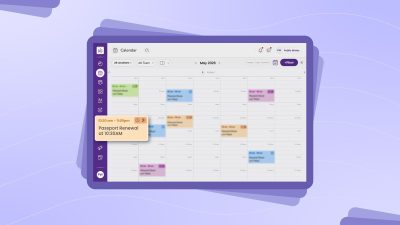
Simplified day-to-day operations come with keeping availability visible and updates easier to manage. When your team member isn’t available, or a customer reschedules an appointment, the calendar should reflect properly. With Picktime’s color-coded calendar, landscaping teams can view appointments more clearly and manage daily schedules without confusion. Whenever someone schedules a visit, reschedules a booked slot, or cancels, the system automatically updates the calendar and booking page. It means fewer scheduling mistakes, no double bookings, and fewer overlapping commitments.
6. Seamless Integration With Time-Saving Tools
Landscaping management software can integrate with third-party tools that you already use. Integration with powerful tools, such as personal calendars, CRM tools, email marketing apps, and Google Contacts, helps you automate your workflow. Whether you want to collect payments on your own terms or automate the sending of email follow-up processes, your team members can save ample time doing the same job again and again.
How Landscaping Management Software Helps Small Businesses Work Smarter
Features are useful only when they make daily work easier. For landscaping business owners, the real value is not having more tools. It has a smoother way to run the business without adding more pressure to your day.
1. Make Appointment Scheduling Easier for Customers
Customers often book landscaping services when the need becomes obvious. Customers often look for landscaping services when the need becomes clear, whether it is overgrown grass, a messy yard, or a garden bed that needs attention. Online scheduling makes it easier for customers to choose a suitable time and confirm their appointment themselves. Customers can choose the service, pick a time, and share details while the need is fresh in their mind. Landscaping software helps your business stay available even when you are on-site, driving between jobs, or busy speaking with another customer.
2. Give Your Crew Easy Mobile Access From the Field
Picktime’s mobile scheduling app helps team members check appointments, addresses, service details, and customer notes from the field. One customer may want crews to avoid cleaning a newly seeded area. Another may have a dog in the backyard. A commercial client may want trimming completed before foot traffic picks up. A homeowner may want service only around the front yard this week. When your crew members can access and see those details before they arrive, they can work with more confidence and fewer interruptions.
3. Save Time Without Hiring More Admin Help
Landscape business software helps reduce that hidden workload. With Picktime, customers can book appointments through an AI receptionist or online booking page. Once an appointment is confirmed, the system automatically sends email confirmations and reminders to team members and customers. This means valuable time can go toward following up with new leads, improving routes, preparing seasonal offers, or simply ending the day with fewer loose ends.
4. Manage Teams, Services, and Locations With Less Back-and-Forth
As your landscaping business grows, the schedule becomes more layered. You may have different landscaping contractors, service areas, durations, and customer expectations. A mowing visit may take 30 minutes, a cleanup may take half a day, or a commercial maintenance job may require a specific crew and a specific time window.
Picktime’s landscaping business management software helps you organize your daily schedule in one single platform. You can assign the right service to the right team, manage availability, and keep customer details attached to each appointment. This helps you move from manual scheduling to a more planned and reliable process.
5. Offer Flexibility Without Losing Control of Your Calendar
Customers like convenience, but your business still needs boundaries. When you provide your customers with utmost convenience and flexibility, that becomes a game-changer for your business. Without asking your approval, your customers can book, reschedule, or cancel any slot. Similarly, your team members can have complete control over each update. You can set different permission levels for team members and decide which information you want them to access. The right system gives customers a smoother experience while still helping you protect your team’s time, travel routes, and service quality.
6. See What Is Happening In Your Landscaping Business
Which services are booked most often? How often do customers book recurring maintenance? Which seasonal services should you promote earlier next year? Which team members are handling the heaviest schedule? Picktime’s reporting and dashboard views help answer those questions faster.
Landscaping management software gives you a clearer view of bookings, customer trends, payments, and service activity. These insights can help you plan properly, adjust pricing, promote seasonal packages, and build stronger recurring maintenance plans.
Why Picktime is the Top Choice as Landscaping Management Software
Picktime helps landscaping businesses spend less time managing admin work and more time completing jobs. Rather than handling every customer query, business calendars, reminders, and payments manually, your team can manage the full appointment flow from one platform. Picktime helps you:
- Accept landscaping bookings online
- Let customers schedule services anytime
- Use Picktime’s AI receptionist to support calls 24/7
- Schedule recurring lawn care and landscaping visits
- Manage team working hours, availability, and breaks
- Send automated appointment reminders
- Collect payments and generate invoices
- Provides dedicated mobile apps for each member
This makes Picktime especially helpful for landscaping teams that manage regular lawn care, garden maintenance, seasonal cleanup, yard services, and commercial property visits. Also, customers who prefer online booking, Picktime gives them an easier way to choose services, team members, locations, and add discounts if available. This way, admins receive a clearer way to manage the team’s schedules, and team members can also get better visibility into their assigned jobs. And business owners get more control over daily operations.
To automate your entire workflow, Picktime integrates with 30+ third-party apps, ensuring your team members can focus on landscaping appointments instead of losing hours on fixing scheduling tasks. Admin can also track bookings, revenue, busy days, and team workload. It keeps scheduling organized while your team stays focused on patient care.
Conclusion: Less Admin Work Gives Your Business More Space to Grow
Picktime fits this need for small landscaping businesses that want a simple, scheduling-first way to reduce admin work. With online booking pages, team calendar management, automated reminders, recurring appointments, payments, invoices, and customer management, Picktime landscaping software helps businesses stay organized without making the process feel complicated. With the right landscaping management software, you can spend less time managing scattered admin tasks and more time building a landscaping business that feels easier to run, easier to grow, and easier for customers to book.
Simplify your day-to-day operations and keep your landscaping business growing. What are you waiting for? Get started with Picktime now!
FAQ’s
1. How does Landscaping management software save time?
Picktime’s landscaping management software saves time by reducing repetitive admin work. Customers can book online, reminders can be sent automatically, team members can check their schedules, and appointment details can stay attached to each booking. This means you spend less time answering the same questions and more time managing the actual work.
2. Why is online booking useful for landscaping services?
Picktime’s online booking gives customers a simple way to schedule services without waiting for a callback. They can choose the service, pick an available time, and share important details before the visit. This is helpful when customers notice overgrown grass, messy garden beds, seasonal cleanup needs, or other outdoor work they want handled quickly.
3. Does Picktime landscaping management software reduce scheduling conflicts?
Yes. When availability, appointments, reschedules, and cancellations are updated in one calendar, it becomes easier to avoid double bookings and overlapping jobs. This helps your team plan the day with fewer surprises.
4. How does scheduling software help landscaping contractors in the field?
Picktime’s landscaping scheduling software gives team members access to appointment times, addresses, service details, and customer notes before they arrive. This helps them understand what needs to be done, where to go, and whether there are any special instructions for that property. It reduces back-and-forth calls during the workday.