Key Takeaways
- Customers may need either instant confirmation or business approval, depending on how appointments are managed.
- Instant booking lets customers choose an available slot and confirm their appointment without waiting.
- Booking requests give businesses time to review an appointment before accepting or declining it.
- Picktime supports online booking with optional approval workflows, allowing businesses to choose whether appointments are confirmed automatically or reviewed before confirmation.
When customers want to book an appointment online, they usually expect to see available times and secure a slot without extra back-and-forth. But the booking experience can vary depending on how your business handles new appointments. Some appointments get confirmed as soon as a customer selects an open slot. However, some requests remain pending until your team approves them. Knowing the difference between instant booking and appointment requests can help you choose what works best for your business, team, and customers. This guide will help you explain both available options so you can choose accordingly, as per your business requirements.
Table of Contents
Instant Booking: How It Works
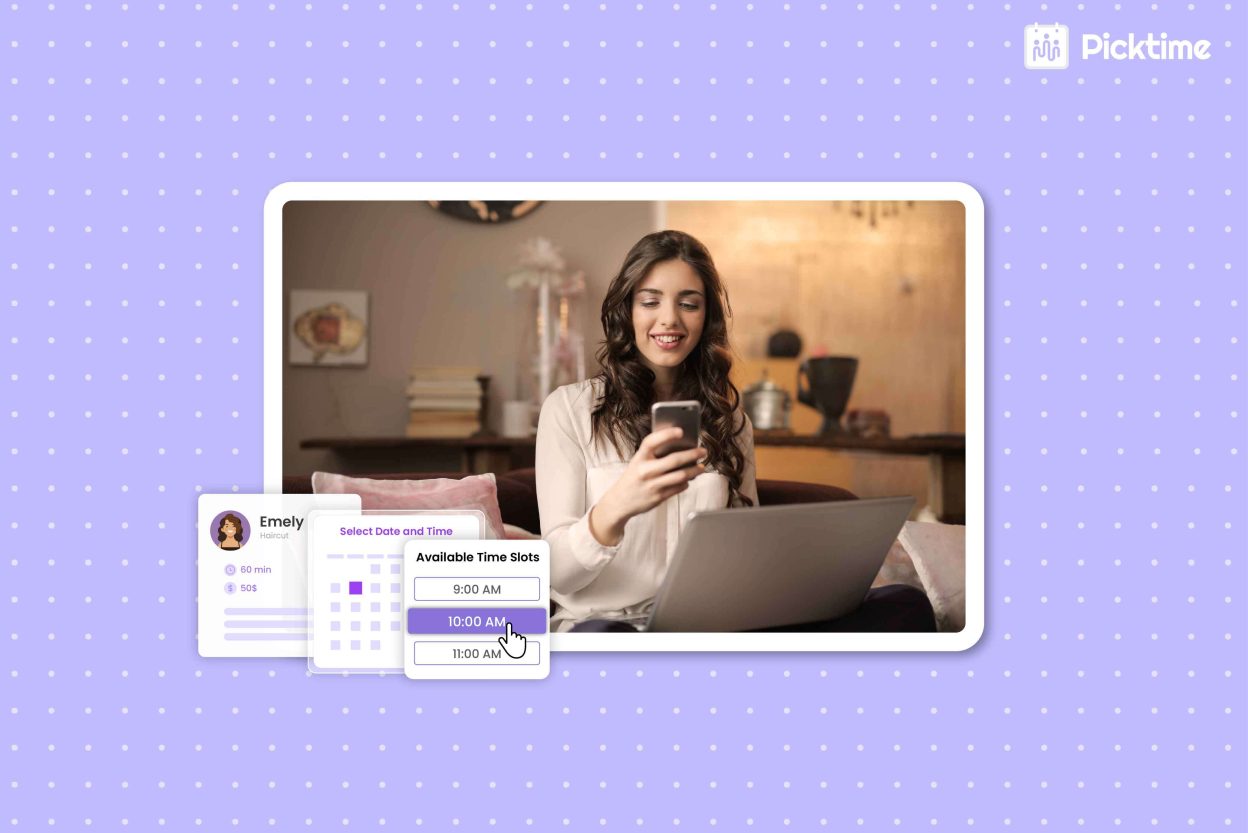
Instant booking lets customers choose a service, date, time, and team member and book without waiting for approval. Once the customer selects an available slot, the appointment is confirmed automatically. For example, a customer visiting your online booking page can check open slots, select a suitable time, provide the required details, and finish the booking on their own. This makes it easier to book an appointment online whenever it is convenient for them, including outside regular business hours. Picktime supports an online booking page, 24/7 online booking, and availability-based slot selection. Moreover, it lets businesses set booking restrictions such as minimum notice, advance booking periods, and booking windows. This helps businesses control when customers can schedule.
What Are Appointment Booking Requests?
Appointment requests work differently because the customer does not receive immediate confirmation. Instead, they select a preferred time and submit the booking for the business to review. Now it’s up to your team whether they accept or decline the request. This approach gives businesses more control when an appointment needs extra attention before confirmation. For example, your team may need to check staff availability, confirm a resource, review customer details, or make sure the requested service fits the schedule. Booking requests can be useful for businesses that manage multiple services, limited resources, or appointments that require preparation. Customers can clearly see that their booking is still pending, so they know it hasn’t been confirmed until the business approves or declines the request.
How Booking Works With Picktime
Instant booking removes the back-and-forth emails that often slow down scheduling. Customers can choose an available time and book an appointment online with immediate confirmation. With Picktime, businesses can keep their booking page open 24/7 so customers can schedule even outside business hours. This makes booking easier for customers while giving your team more time to focus on the work that matters.
With Picktime’s software for scheduling, businesses on the Pro plan can also use the Approve Bookings option. As a result, you can review booking requests before accepting them. When approval is required, businesses can review booking request details in Picktime before approving or declining the appointment. Customers can see that their booking is ‘Pending Confirmation’ while the request is being reviewed. Picktime can then send email and SMS notifications when the request is approved or rejected, keeping the customer informed about what happens next.
Which Booking Method Should You Choose?
Choose instant booking when customers can easily see your available time slots and book immediately. Moreover, it works well for services with fixed schedules and predictable appointment times. But choose booking requests when your team needs to review appointments before confirming them. This can be helpful when services involve limited staff, commonly used resources, preparation, or specific requirements. So, when choosing between the two, keep your booking process in mind. Each booking method works well for different types of businesses. Picktime’s scheduler app lets you choose the approach that fits your scheduling needs.
Conclusion
With instant bookings, your customers get a quick and convenient way to book, whereas booking approval allows your team to review requests. However, whether your customers book instantly or need approval first depends on how your business manages appointments. With Picktime scheduling software, you can choose the approach that fits your services, availability, and daily workflow. The right setup makes it easier for customers to book an appointment online while keeping your team’s calendar organized.
Want to give customers an easier way to schedule? Try Picktime and control how customers book appointments.
FAQs
1. What’s the difference between instant booking and appointment requests?
The main difference is when the appointment gets confirmed. With instant booking, customers choose an available slot and receive confirmation right away. With appointment requests, the booking stays pending until the business reviews and approves or declines it.
2. How do customers know their booking is pending?
Customers can see that their booking is “Pending Confirmation” while the business reviews the request. Picktime can also notify customers when the request is approved or rejected.
3. Can I mix both methods in the same Picktime account?
Yes. Picktime supports online booking with optional approval requirements, allowing businesses to review appointments when needed while keeping other bookings available through online scheduling.
4. Does Picktime support instant online appointment booking?
Yes. Picktime lets customers view available time slots and book appointments online. Businesses can also keep their booking page available 24/7, making it easier for customers to schedule when it suits them.
5. When should a business use booking approval instead of automatic confirmation?
Booking approval can be useful when appointments require staff review, preparation, limited resources, or additional customer details before confirmation. Automatic booking works well when availability is predictable and customers can choose from open time slots without extra review