Key Takeaways
- Service businesses often use their websites and Instagram to attract customers, showcase their work, and encourage appointments.
- An Instagram widget helps showcase your work and social proof, giving visitors more context before they decide to book.
- A booking widget gives customers a direct way to view services, check availability, and book online.
- Picktime brings the booking side together by giving businesses ways to accept bookings from their website and give Instagram visitors a direct path to their Picktime booking process.
Let me ask you a simple question: when someone discovers your business, what do you want them to do next?
✅Do you want them to scroll through your work?
✅ Check out your latest posts to know about your service.
✅Or allow them to take direct action: pick a service and book an appointment?
And that’s really what the choice between a booking widget and an Instagram widget comes down to. A booking widget turns website visits into appointment bookings. However, an Instagram widget displays your Instagram content on your website. So visitors can get a chance to see your work and social proof before deciding whether to book. Now you must be thinking, which to choose and what works best for your business? Well, in this blog, we will help you understand both options, where each works best, and which one fits your service business more.
Table of Contents
- How Booking Widgets and Instagram Widgets Actually Work for Service Businesses
- Why Your Website Booking Widget Matters More Than Instagram Alone
- Which Is More Useful for Service Businesses?
- Make It Easier for Website Visitors to Book With Picktime
- Conclusion: Choosing Between a Booking Widget and Instagram
- FAQs
How Booking Widgets and Instagram Widgets Actually Work for Service Businesses
At first, both widgets may seem like simple additions to your website. But they have different purposes and guide visitors toward different actions. A booking widget puts a scheduling experience directly on your website. Visitors can choose a service, view available times, and confirm an appointment without calling or sending a message. A typical booking journey looks like this:
- The visitor chooses a service.
- They select an available date and time.
- They enter their details.
- Confirms the appointment.
However, an Instagram button works differently. It brings your Instagram content into your website, usually as a grid, carousel, or visual feed. It helps visitors see your recent work, posts, and social activity. For example, a salon might use an Instagram button to show recent hairstyles while using a booking widget to let visitors schedule an appointment. One gets people interested; the other gives them an easy way to book.
Why Your Website Booking Widget Matters More Than Instagram Alone
Your website can bring the important booking details together in one place, making it easier for customers to book when they’re ready. Mentioned are a few ways through which it does so:
- Give website visitors a direct way to go from your service details to your booking page without endless DMs.
- Control your service pages, CTAs, booking flow, and customer experience.
- Help customers who already find your website move from browsing your services to booking an appointment.
- When your booking widget is connected to scheduling software such as Picktime, bookings can become part of the same scheduling and calendar workflow your team uses.
- Keep your booking journey less dependent on Instagram’s features and reach.
That is why the strongest approach is not really an Instagram booking widget vs. a website. You can use Instagram for reach and your website to turn visitors’ attention into bookings.
Which Is More Useful for Service Businesses?
If your main goal is getting appointments, start with a booking widget. An Instagram booking widget can support your website, but it does not replace appointment scheduling software.
| Choose a booking widget when you | Choose an Instagram widget when you |
| Want customers to book without waiting for a reply. | Want to showcase your latest work. |
| Need to show real-time appointment availability. | Rely heavily on Instagram to attract customers. |
| Want to cut down on Instagram DM bookings. | Have strong visual content to display. |
| Take appointments outside regular business hours. | Want to add social proof to your website. |
| Need an easier way to manage online bookings. | Want visitors to see your work before they book. |
Both can be useful for your service business, but they fit different needs. The right choice depends on how your business works day to day and what you want customers to do next.
Make It Easier for Website Visitors to Book With Picktime
Turn Instagram Interest Into a Booking
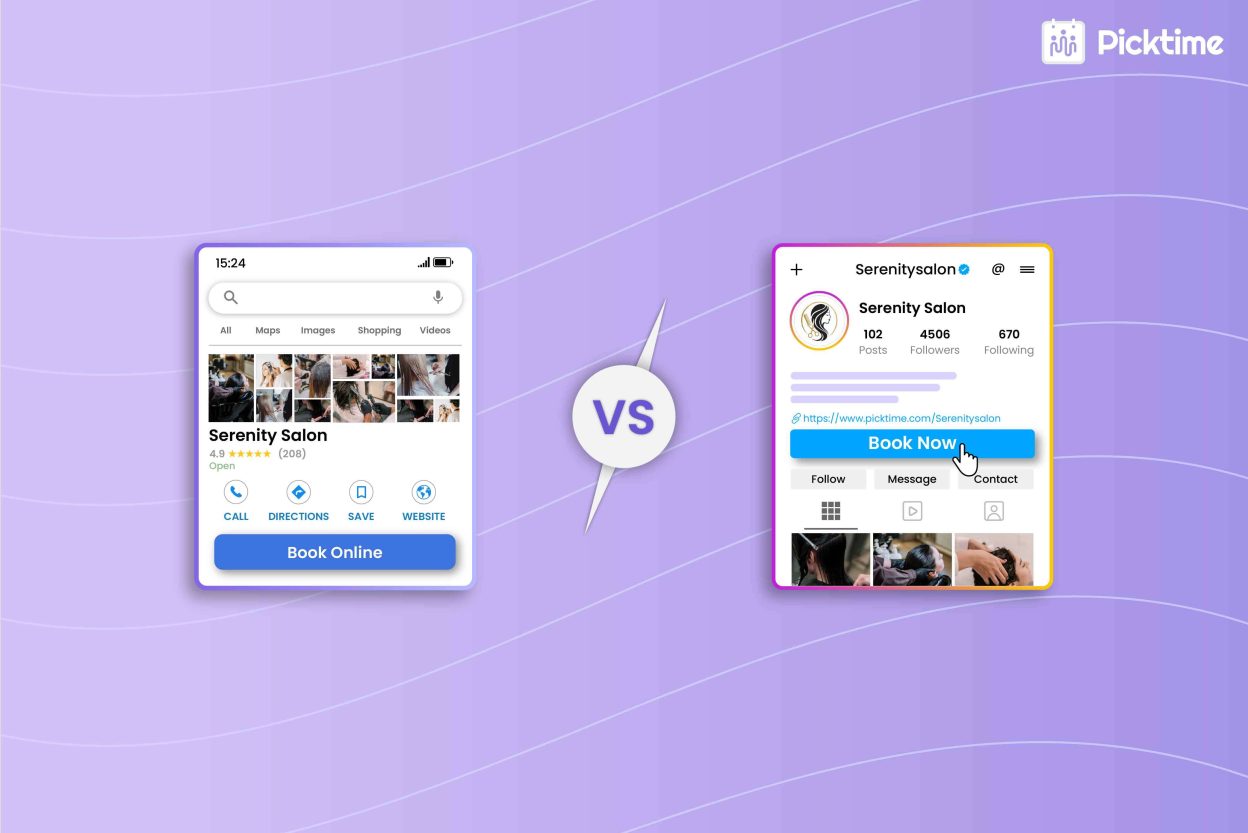
Picktime’s scheduling software gives service businesses a direct way to move Instagram visitors from interest to action. Picktime lets businesses add their booking link to their Instagram profile or, where Instagram’s Book Now action is available, connect Picktime to the Book Now button. As a result, followers don’t have to start a DM just to ask about availability. A follower can discover your work, use your booking link or Book Now option, choose a service, view available times, and schedule an appointment. That makes Instagram appointment booking much more direct.
Put the Booking Widget Where Customers Look
If customers are already visiting your website, give them an easy way to book without having to call or message you. Add Picktime’s booking widget to key pages, such as your homepage, service pages, or contact page, so visitors can check available times and book when they’re ready. Picktime provides generated HTML code that businesses can use to add its booking button or supported booking experience to their website.
You can also connect your Picktime booking page to your Google Business Profile. When customers select the “Book Online” option from Google Search or Google Maps, they’re directed to your Picktime booking page. This gives people an easy way to book when they’re already searching for your services.
Keep Availability Connected
The booking process only works well when customers see the right available times. With two-way calendar sync enabled, Picktime can take busy events from your connected calendar into account when showing availability. This helps prevent customers from booking a time that is already blocked on the connected calendar. This also helps keep the available time slots shown on your Picktime booking page aligned with your connected calendar, including when customers reach the booking page from Instagram.
If your business already uses Instagram and a website to reach customers, you don’t have to choose between them. The value of connecting Picktime with Instagram is simple: it gives interested followers a direct path from your profile to appointment scheduling.
Conclusion: Choosing Between a Booking Widget and Instagram
An Instagram widget can bring attention to your business, but the real work is to turn that interest into bookings. However, a booking widget makes that next step clear while allowing visitors to book with you. So, before considering any one option as yourself:
✓ Do I need more visibility? → Instagram
✓ Do I need more bookings? → Booking widget
✓ Want both? → Connect them.
If your Instagram has strong content and is already building trust among visitors, then don’t just stop there. Instead, let Picktime handle the rest. It lets you connect your website and social booking journey in one place. The result? Fewer DMs, less back-and-forth, and an easier path from “I’m interested” to “I’m booked.” The best option is the one that makes it easy for your customers to take the next step.
Let Instagram bring the attention while you try Picktime to turn those visitors into bookings.
FAQs
1. What’s the difference between a booking widget and an Instagram widget?
A booking widget adds a scheduling tool to your website so visitors can choose a service, check available times, and book an appointment. An Instagram widget displays your Instagram content, such as posts and Reels, on your website. In simple terms, the booking widget helps people schedule, while the Instagram widget helps them see your work and social activity.
2. Does Picktime provide an Instagram feed widget?
Picktime’s Instagram integration focuses on appointment booking through a Book Now action or booking link. An Instagram feed widget, which displays Instagram posts or Reels on a website, is a different type of website tool.
3. Can I use a booking widget and an Instagram widget together?
Yes. You can use both because they have different purposes. An Instagram widget can show your latest posts, Reels, and work on your website, while a Picktime booking widget gives interested visitors a direct way to check availability and schedule an appointment. This lets customers see what you offer and book when they’re ready.
4. Which should I choose first: a booking widget or an Instagram widget?
It depends on what you need from your website. If you want to make it easier for visitors to schedule appointments, start with a booking widget. If your website already has a booking process and you want to showcase your latest work or social proof, an Instagram widget can add value alongside it.
5. Can Picktime work as a booking widget on my website?
Yes. Picktime provides a booking widget that you can add to your website. You can place it on pages where customers are most likely to want to book, such as your homepage, service pages, or contact page. Visitors can view your services, check available time slots, and book without having to call or message your team.