Key Takeaways
- Booking through Instagram DMs can create extra back-and-forth, delays, and manual work as your bookings grow.
- A direct booking option lets customers check services, view availability, and choose a time without waiting for a reply.
- DMs still work well for questions, custom requests, and services that need a personal conversation before booking.
- Picktime helps businesses connect Instagram with online booking, giving customers a simpler path from discovering your business to scheduling an appointment.
“Checked your work just now, and I really love it! How do I book?”
It’s a great message to receive until you have to answer the same questions again and again, multiple times. Your Instagram is getting attention. That’s really nice. But what happens when someone is interested and genuinely wants to book your service?
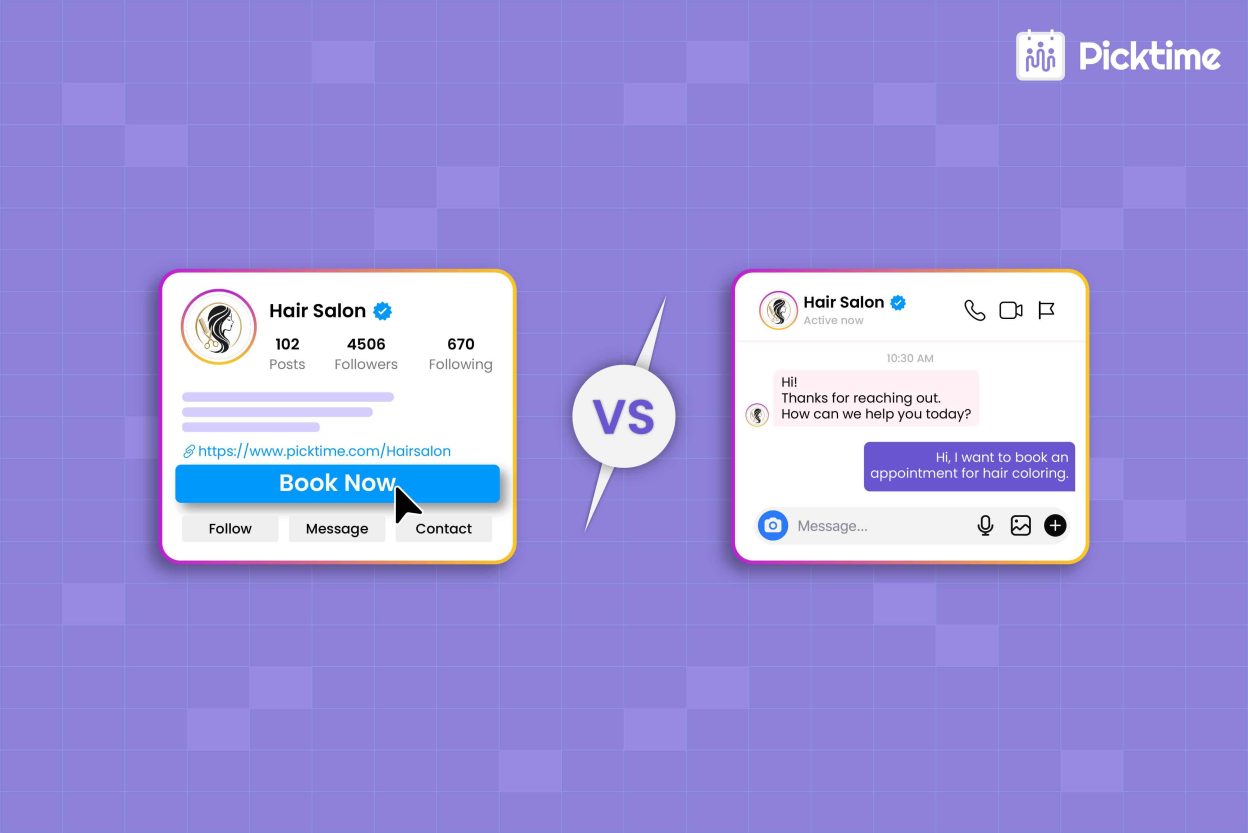
Well, there’s a solution for this too. With Instagram booking, customers generally have two ways: either they can directly send a message to you or use a booking option that lets them book an appointment instantly.
💬 DMs: Ask, reply, discuss, and schedule.
📅 Booking Widget: Click, choose a specific date & time, and book.
Now you must be wondering which booking you should choose and what each booking journey looks like in real life. To help you figure that out, this blog will walk you through both options, explain why the button may not always show up, and look at what DM bookings really cost. By the end, you’ll know which option fits your business and makes booking easier for your customers.
Instagram Booking: Book Widget vs. DMs, Which Works Better?
The right choice depends on what your customers usually need before booking. It could be a quick answer or a detailed conversation about their needs. If your service has a clear price, fixed duration, and accurate availability, a booking page creates less friction. Customers can choose a service, view available times, and book without waiting for a reply. DMs make more sense when customers need a conversation first and want to get more information. A photographer may discuss a custom shoot.
Let’s say a coach may need to understand a client’s goals. A stylist may need photos before recommending a service. In those cases, Instagram DMs can help build trust and answer questions. Yes, you may save money with this, but the process takes longer. Manual DMs depend on how quickly you respond and require both you and the customer to keep the conversation going. However, a booking page allows customers to do self-service.
| Comparison point | Book Now Button / Booking Link | DMs |
| Journey | Select, choose a time, and book. | Ask, clarify, and coordinate. |
| Best for | Standard services | Custom services |
| Availability | The customer checks online. | The customer asks you. |
| Manual work | Low | Higher |
| Personal interaction | Limited | Stronger |
Instagram can help businesses turn discovery into bookings, whether customers prefer to book directly or reach out with questions first. Pew Research Center found that 50% of U.S. adults use Instagram, making it a useful channel for businesses to reach potential customers and stay connected with them.
No “Book Now” Button on Instagram? Here’s What to Know
Sometimes, because of your account setup, available hours, supported booking partners, or how your Instagram business profile is connected, you may see different booking options from other businesses. Like, a Book Now button is available on another business’s Instagram profile but not on yours. But even when the button is not available, you can still use Instagram booking. Put your booking link in your profile’s Links section and make it easy to find. You can also use Story Link stickers to send people directly to your booking page. To make this clearer, you can check this flow:
Instagram Story → “Book your appointment” link sticker → Your booking page → Customer books
The Booking Problems That Can Hide in Instagram DMs
Booking through Instagram DMs may seem simple when you only have a few appointments to manage. But as messages increase, these issues become harder to ignore. Here are a few:
- Missed messages can mean missed bookings: When several conversations come together, a booking request can get lost among other messages. Thus, a customer who doesn’t get a timely response may look elsewhere.
- Back-and-forth takes time: Customers may ask about prices, services, available days, and specific times. And soon, one booking can quickly turn into several messages before anything is confirmed.
- Availability can change mid-conversation: A customer may reply hours later, but by then the time you offered may already be taken. Now you need to check again and send new options.
- After-hours inquiries can wait: Customers can discover your business at any time, but a DM-based booking process depends on someone being available to respond.
- A growing inbox means more admin work: As more people message your business, your team has to keep track of conversations, questions, requested times, and booking confirmations.
- Your booking process depends on conversations: DMs are useful for questions and personal requests, but using them for every appointment means your team has to handle routine scheduling.
Turn “I’m Interested” to “I’m Booked” With Picktime
Many small businesses want to make it easier for customers to take the next step and book. And that’s where Picktime’s appointment scheduling can fit naturally into your Instagram booking workflow. Picktime 🤝 integrates with Instagram and lets businesses add a “Book Now” button to their Instagram profile. As a result, customers can go directly from Instagram to your online booking page.
You can also share your Picktime booking link on your Instagram profile or Stories. Visitors can open the booking page, check services and available appointment times, and book online. Picktime can also let customers choose their preferred team member when staff selection is enabled for the booking. Think of it this way:
👥 Instagram attracts attention.
💬 DMs handle questions.
📅 And the booking page handles appointments.
You can also make the booking process more relevant to each Instagram post with Picktime’s service-, class-, or team-member-specific booking links, available on Starter and Pro plans. For example, if a post features a particular service, class, consultation, or team member, you can share the specific booking link for it. Customers can then go straight to the relevant booking page instead of searching through all your available service options. When a booking gets confirmed, Picktime can send confirmations and reminders automatically to the clients.
Keep this in mind: You should keep your booking widget option visible and easy to reach on your website and let customers choose the time slot as per their choice. Once your Instagram booking flow is ready, customers can go from discovering your service to securing a time slot without unnecessary steps.
Conclusion: DMs or Direct Booking? The Choice Is Yours
There’s no single right way to handle Instagram booking. It’s up to your business workflow and customer preference. You can choose DMs when a customer needs a real conversation. Otherwise, choose the Book Now button or Instagram booking link when visitors already know what they want and are ready to choose a time.
Okay, by now, you must have got a clear idea of which booking fits your business and your customers. So, choose wisely. And when you want to make that next step easier, Picktime helps turn Instagram interest into confirmed appointments.
Remember, you should:
☑️Keep DMs for genuine questions and custom requests.
☑️Give customers a direct way to book when they’re ready.
☑️Make the booking process simple from start to finish.
Don’t make customers wait and guess about the next step. Try Picktime and let them book their preferred time.
FAQs
1. Is the “Book Now” button available for all Instagram accounts?
No. Instagram’s Book Now button is available for business and creator accounts, but personal accounts cannot use it. When the button isn’t available, you can still share your Picktime booking link on your Instagram profile or in Stories, giving customers a direct path to your online booking page.
2. Are DMs a good way to handle all my Instagram bookings?
DMs can work well for custom services, detailed questions, or bookings that need a personal conversation. For standard services with fixed prices and durations, a direct booking option can reduce back-and-forth and make it easier for customers to choose a time.
3. How can I reduce the time I spend on booking DMs?
Keep DMs for questions and custom requests, and give customers a direct booking option for routine appointments. You can also use saved replies to answer common questions and share your booking link quickly.
4. Can I use Picktime with Instagram even if I don’t have the “Book Now” button?
Yes. You can share your Picktime booking link on your Instagram profile bio and use it with Story Link Stickers to redirect interested customers to your online booking page. This gives customers another way to book even when the native “Book Now” option isn’t available.