Key Takeaways
- Studios often create room conflicts and equipment mix-ups when they manage lessons, teachers, and resources separately.
- Reserving teaching rooms and equipment alongside lesson bookings helps keep every class running on time.
- Real-time room and teacher availability reduces scheduling conflicts before they happen.
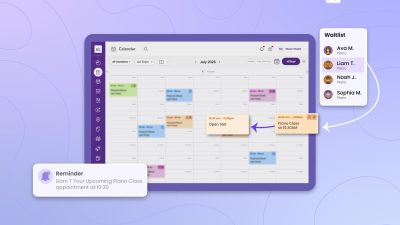
- Picktime’s Music Studio Booking Software combines online booking, resource scheduling, teacher calendars, reminders, and calendar sync to help music studios manage lessons more efficiently.
Music is all about rhythm, melody, harmony, and consistent practice. It depends on the instruments and the right resources to play the music. A piano lesson requires the right instrument with free space; a drum lesson may require a studio; and a vocal lesson might need access to a recording studio and microphones. When studios don’t organize instruments properly or make them available on time, lessons often start late.
This is where music studio booking software steps in to help music instructors keep track of all the resources used for a single session. It allows academies to handle every booking and daily school operations from a single place. Most music academies manage these resource schedules using separate spreadsheets and random applications. This may work with a few instructors and students. However, as the studio grows, it becomes difficult to track the availability of rooms, instruments, and equipment. As a result, it creates double bookings and overlaps. This can also disrupt both ongoing and upcoming lessons, causing unnecessary delays. Parents, students, and teachers get confused with the scheduling conflicts; they need to look for accurate lesson timings, room space, and instrument availability. Moreover, it increases administrative work for the front desk to sort it out.
In this blog, we will explore how music studio software helps reduce room booking conflicts, equipment allocation issues, and lesson delays as the studio grows.
Table of Contents
Challenges Your Studio Faces Without Music Studio Booking Software
To build a successful music studio, it’s important to keep the schedule up to date and well-organized without any errors. Room space, resources, and lessons depend on how accurate the calendar is. Each class needs a teacher who has a specialization in that particular lesson. Also, you need an available room to conduct the class without interruption. Let’s picture this: a piano teacher may need a grand piano room every Tuesday for her piano lessons. Another instructor needs to use a recording studio for vocals. If you manage these tasks with spreadsheets, calendars, and separate booking tools, it can lead to booking errors. Studios can assign the same room to multiple lessons, leaving teachers and students waiting for the equipment. Thus, the class starts late because the room and the right instrument are not available.
As the studio adds more instructors, students, and lesson types, these small scheduling issues create daily studio challenges. They can disrupt classes, waste instructors’ time, and create a frustrating experience for students and parents who expect classes to begin on schedule. To solve these problems, music software for schools keeps instrument lessons, teachers, rooms, and resources organized in one place. This will reduce double bookings, help lessons go on smoothly, and give students and parents a smoother booking experience. With this, you can avoid checking multiple calendars to confirm a booking. Moreover, administrators can see real-time availability and schedule lessons without worrying about schedule clashes.
How Music Studio Booking Software Keeps Lessons Running Smoothly
To keep the lesson moving without any issues, it is important to plan the schedule accordingly. However, it’s not practical to organize the calendar on your own when your school already has lots of classes, instructors, and students to handle. That’s why every music academy should invest in music lesson scheduling software to simplify daily operations and support future growth. Here are some ways by which you can minimize your administrative tasks while helping you keep lessons running smoothly with music studio booking software:
Schedule Teaching Rooms Without Double Bookings
Music studios rely on teaching rooms throughout the day for different lessons and classes. Multiple instructors often share piano rooms, rehearsal spaces, recording booths, and practice studios throughout the day. Without a centralized booking system, studios can schedule two lessons in the same room at the same time. Picktime’s music studio management software lets administrators add teaching rooms as bookable resources and view their availability in real time. When a lesson is scheduled, the system automatically reserves the right room for that session. Thus, it prevents double bookings.
Assign the Right Studio Equipment to Every Lesson
An available room is necessary, but beyond that, a music lesson needs several other things to complete the lesson. A drum class may need a complete drum kit, a keyboard lesson needs the right instrument, and vocal sessions may require microphones or recording equipment.
If a studio manages these resources separately, teachers may notice that an instrument is unavailable when they’re about to start the lesson. Picktime’s Music Studio Booking Software lets studios reserve equipment and other resources alongside lesson bookings. Administrators can check available resources before confirming a lesson, helping prevent double bookings and equipment mix-ups. Whether it’s a piano, practice room, amplifier, or recording equipment, every resource stays linked to the booking, so instructors have everything they need when it’s time to teach.
Keep Teacher and Room Schedules in Sync
A lesson can only start when both the instructor and the teaching room are available. Managing teacher schedules in different systems often leads to conflicts, especially when teachers work across multiple studios or teach different lesson types throughout the week. An appointment booking software like Picktime keeps teacher schedules and room availability connected in one calendar. Before confirming a booking, administrators can see whether both the instructor and the required room are free. Two-way calendar sync with Google Calendar, Outlook, Apple Calendar, and Microsoft 365 also keeps teacher availability up to date, reducing scheduling conflicts caused by personal commitments.
Leave Free Time Between Lessons
A music studio usually schedules lessons one after another. Teachers may need a few minutes to prepare the room, tune a piano, set up microphones, or welcome the next student. When studios book lessons one after another without enough time in between, a small delay can quickly affect the following lessons, causing them to start late. Picktime’s music studio software allows studios to add buffer time between appointments, giving instructors enough time to prepare before the next lesson begins. This helps lessons start on schedule, reduces unnecessary rushing, and creates a smoother experience for both teachers and students.
Manage Multiple Teaching Rooms From One Place
As your music school grows, managing several teaching rooms becomes more challenging. One instructor may need a piano room and another a rehearsal space, while group classes require larger studios. Tracking these bookings across separate calendars or spreadsheets makes scheduling harder than it needs to be. Picktime’s Music Studio Booking Software lets administrators manage all teaching rooms from a single platform. Administrators can view room availability, assign the right space to each lesson, and avoid scheduling issues before confirming bookings. Whether your studio has a few practice rooms or multiple teaching spaces, keeping everything in one system will help you make daily scheduling easier.
Conclusion: Avoid Delays and Keep Lessons Running on Time
A music studio does not just depend on filling empty slots of your calendar with more schedules. It’s more about delivering lessons to students and guiding them to learn, grow, and become confident musicians. Every lesson needs different instruments and spaces to help students learn. Manually coordinating instrument and room schedules often leads to scheduling errors and equipment mix-ups.
For music studios, it’s important to manage these necessities because music lessons depend more on them. Picktime’s music studio booking software lets academies manage these resources, equipment, and daily music studio tasks from a single dashboard. It allows teachers to focus more on conducting music classes without any interruptions. Apart from these works, Picktime’s music studio management software also lets music schools deliver a better experience to parents and students. It gives an easy online booking experience, updates teachers’ calendars, sends reminders and confirmations, adjusts lesson schedules, and makes the payment process easier for both the music studio and parents.
If your studio is dealing with daily room conflicts, resource allocation issues, and lesson delays, then it’s the right time to try Picktime. It lets music schools handle daily admin tasks, instrument scheduling, and classes more efficiently from a centralized system.
FAQ’s
1. What is music studio booking software?
Music studio booking software is a scheduling solution that helps music schools manage lessons, teachers, rooms, instruments, and other resources from one place. Instead of tracking availability across spreadsheets and separate calendars, studios can view schedules in real time and prevent conflicts. With Picktime’s music studio booking software, academies can schedule lessons, assign rooms and resources, manage teacher availability, send reminders, and organize daily operations through a centralized dashboard.
2. How does music studio booking software prevent double bookings?
Music studio booking software prevents double bookings by connecting lesson schedules with room and resource availability. When an administrator books a lesson, the system checks whether the required teacher, room, and equipment are available before confirming the session. Picktime’s music studio booking software allows studios to add rooms, instruments, and other resources as bookable items. This helps administrators reserve the right resources for each lesson and avoid scheduling conflicts.
3. Can music studio booking software manage instruments and equipment?
Yes, music studio booking software can help manage instruments and equipment required for different lessons. Music schools can assign specific resources to bookings, such as pianos, drum kits, microphones, recording equipment, or practice rooms. Using Picktime, music academies can link resources with lesson bookings, check availability before scheduling, and ensure instructors have the required equipment ready before each class begins.
4. Is music studio booking software useful for growing music schools?
Yes, music studio booking software becomes especially valuable as music schools add more students, instructors, rooms, and lesson types. Manual scheduling methods become harder to maintain as daily operations become more complex. Picktime’s music studio booking software helps growing academies manage multiple teaching spaces, coordinate instructor schedules, automate reminders, and organize bookings from one platform, making it easier to scale without increasing administrative workload.