Key Takeaways
- Missed HVAC appointments can lead to wasted technician time, unhappy customers, and lost revenue.
- Automated reminders help customers remember service visits, maintenance tune-ups, inspections, and repair appointments.
- Timely reminders help technicians stay prepared with the right job details, service notes, and customer information.
- HVAC businesses can use reminders to share important instructions, such as clearing access to the unit, securing pets, or being available during the service window.
HVAC businesses miss opportunities every week due to missed appointments. Most of the time, the problem is not poor service or lack of skill. It is missed because your customers might forget an appointment, a technician arrives late, or the reminder is not sent. One minor gap in your communication can lead to a frustrated customer, an empty slot, or a maintenance job going to your competitor.
This is where sending automated reminders is valuable. In fact, sending appointment reminders can increase the chances that your team members and customers always remember their appointments. An email or SMS reminder holds a special place because clients actually want to receive and appreciate them. Nobody wants to miss their regular maintenance tune-ups, repairs, and system installations. That is where HVAC service scheduling software can help by automatically sending email and SMS reminders to customers.
HVAC services play an important role in keeping HVAC jobs, technician schedules, customer details, and reminders in one place. Sending timely reminders to team members helps them stay on schedule and know what’s in their schedule. When reminders are sent individually, it can quickly become one of the most time-consuming tasks for your business admins.
Table of Contents
Why Missed HVAC Appointments Create Bigger Scheduling Problems
Picture an HVAC technician trying to manage six dispatchers, twelve jobs, and reminders that he is supposed to send individually. On a slow day, reminding every scheduled job to your client and team members might work. Appointments booked far in advance are more likely to be forgotten or missed. Clients might forget about what they’ve booked, which can lead to missed visits.
Every missed HVAC appointment costs more than most owners understand. A missed appointment also costs a lost customer, and manually scheduling and sending reminders create more mistakes during busy weeks. Customers always remember which company values their time and confirms the visit, and which one left them guessing.
If you’re a dispatcher who has yet to implement automated reminders, you’re not using the simple strategy that can reduce missed appointments. When you don’t remind your clients about important things, such as clearing access to the unit and staying home during the service window, it can create last-minute chaos when the technician arrives.
How Automated Reminders Help HVAC Businesses Stay Organized
1. Less Admin Work
Without automation, your office team spends valuable time every week calling customers, confirming service visits, and reminding technicians about upcoming jobs. On a busy day, these manual follow-ups can interrupt the dispatcher’s work and leave room for missed updates.
This is where HVAC service scheduling software helps take pressure off your team. Once a customer books an HVAC service appointment, automated reminders and emails can go out at the right time. You can choose when reminders should be sent and what information they should include.
2. Reduce Missed Appointments
Most customers do not miss HVAC appointments on purpose. They may be busy with work, school runs, or other responsibilities. A simple reminder gives them a helpful nudge before the technician arrives.
When you send a reminder a day before or a few hours before the service window, customers are more likely to be ready on time. They can make sure that everything is sorted and share any important issues the technician should know about. Fewer missed appointments and last-minute cancellations help your business protect revenue and keep the day moving smoothly.
3. Keep Better Control Over Your Schedule
If customers forget a service visit, technicians arrive late, or job details are unclear, the whole day can fall behind. Automated reminders help your HVAC team stay in control of the schedule. Customers know when to expect the technician, and technicians can review their upcoming jobs before the day begins. This helps your team plan routes, prepare tools, check service notes, and avoid unnecessary back-and-forth.
Note: Picktime’s HVAC scheduling software allows admins to send reminders to team members along with their daily schedules. Once the reminder time is set, your technicians can receive their schedule before starting the workday.
Practices for Sending Automated Reminders
Automated reminders work best when they reach customers at the right time, through the right channel, with the right details. The goal is not to send more messages. The goal is to keep your clients updated with helpful notifications, starting with a booking confirmation sent right after they schedule an appointment.
Once a customer schedules an AC repair, furnace tune-up, duct cleaning, or estimate, send a message with the date, time, service type, and contact details. This gives the customer a clear record.
- Send a reminder before the visit: For most HVAC appointments, a reminder a day or two ahead gives customers enough time to plan. This works well for maintenance calls, seasonal tune-ups, warranty inspections, and commercial service visits.
- Use same-day reminders for busy schedules: A short reminder on the morning of the appointment helps reduce confusion, especially for customers balancing work, school runs, or tenant access.
- Include details customers need: A clear reminder should include the appointment time, arrival window, service type, address, and business contact number. If customers need to clear access to the outdoor unit or secure pets, include those instructions too.
- Make rescheduling simple: Plans can change suddenly. A reminder with a clear rescheduling option helps customers move the appointment before the technician is already on the road.
- Keep the tone natural: Your reminders can sound friendly while still providing customers the details they need. A message written in the same voice as your service team is more likely to get read and answered.
Not every HVAC service scheduling software practically handles reminders. The system should support these reminder habits without asking your team to set up every message from scratch.
Manage and Customize Email Reminders with Picktime
Picktime helps HVAC businesses manage reminders from the same place they manage bookings. Rather than typing out a message for every job, your team can set reminder rules once and adjust them when needed. An HVAC owner can decide when reminders go out and what each message says. Each reminder can include useful job details, such as the service time, address, access notes, instructions, and the name of the person your technician should meet. This keeps communication consistent without forcing the dispatcher to rewrite the same message throughout the day. With Picktime, HVAC businesses can:
- Set reminders for different service types
- Send booking confirmations and appointment reminders
- Give customers clearer appointment details
- Keep technician schedules organized in one calendar
- Collect customer information through booking forms
- Reduce manual follow-up calls from the office
Technicians can check appointment details from their devices, which makes it easier to stay updated between jobs. When an appointment changes, the schedule is easier for the team to manage without searching through texts, notes, or separate calendars.
David manages scheduling for a mid-size HVAC company with two locations. Before using HVAC service scheduling software, his team handled reminders through phone calls, emails, and text messages. Details were scattered, and no single system gave the full picture. With Picktime, bookings, reminders, customer details, and team schedules are easier to manage in one place. Technicians can see their appointments, and the office has a clearer view of the day’s schedule.
A reminder could say:
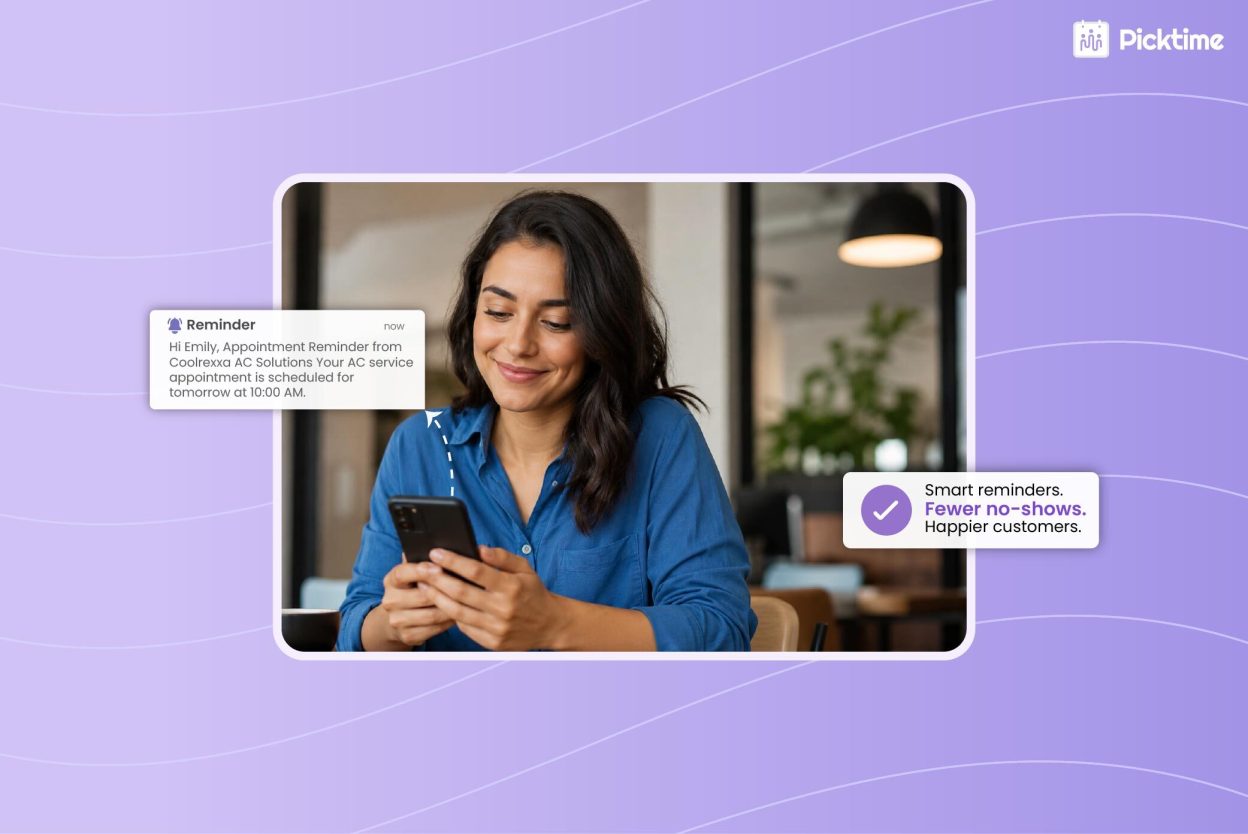
“Your AC tune-up is scheduled for tomorrow at 2 PM. Please keep access clear around the outdoor unit. Need to reschedule? Use the link in this message or contact our office.”
By adding placeholders, you can easily personalize your reminders and make them more helpful for clients. These emails and reminders are simple, polished, and easy for customers to understand. Beyond reminders, HVAC service scheduling software from Picktime helps keep technician calendars, customer records, online bookings, and payments connected. For growing HVAC teams, this creates a more organized workflow than a basic booking calendar where reminders and schedules live in separate places.
Conclusion: Fewer Missed Appointments, More Booked Jobs
A missed appointment costs more than one available time slot that nobody has booked. They can waste a technician’s time, disrupt the entire schedule, and cost your business revenue. Automated reminders can help prevent those problems before the service day occurs. Both clients and team members get clear service details, and admins spend less time chasing confirmation and sending reminders.
HVAC service scheduling software allows small HVAC businesses a better way to manage bookings, reminders, rescheduling, and customer details from one place. Without handling them manually, you can personalize each email reminder content and edit send times, which suits your every service need. Picktime is the best HVAC service management software, a cost-effective, user-friendly platform that makes schedules easier to manage across the team. Sending appointment reminders with Picktime is not only quick but also easier to track without feeling overwhelmed.
Simplify HVAC scheduling, reduce missed appointments, and help your team manage every service visit with confidence. Start scheduling with Picktime.
FAQ’s
1. Why are automated reminders important for HVAC businesses?
Automated reminders help HVAC businesses keep customers and technicians on the same page. When service visits are booked days or weeks in advance, customers may forget the appointment or miss important details. Picktime helps reduce this by sending reminders before the scheduled visit, so customers know when to expect the technician and your team spends less time making manual follow-up calls.
2. How do appointment reminders help reduce missed HVAC service visits?
Most customers do not miss HVAC appointments on purpose. They may be busy with work, errands, or family responsibilities. Picktime allows HVAC businesses to send timely email and SMS reminders, giving customers a helpful nudge before the service window. This helps them stay available, prepare the space, and avoid last-minute confusion when the technician arrives.
3. What should an HVAC appointment reminder include?
A good HVAC appointment reminder should give customers everything they need before the visit. With Picktime, you can customize reminder messages to include the appointment date, time, service type, customer address, business contact details, and any special instructions.
4. Can Picktime send reminders to technicians as well as customers?
Yes. Picktime can send reminders and schedule updates to team members, helping technicians stay prepared for their upcoming jobs. Admins can also send daily schedule reminders, so technicians know which appointments are coming up before the workday starts. This helps them review job details, plan their route, and avoid missing important service information.
5. When should HVAC businesses send appointment reminders?
HVAC businesses can use Picktime to send reminders at the time that works best for their service flow. A confirmation can be sent right after booking, followed by a reminder one or two days before the visit and another reminder on the day of the appointment. This gives customers enough notice without overwhelming them with too many messages.