Key Takeaways
- Automation helps HVAC teams schedule recurring maintenance jobs such as AC tune-ups, furnace inspections, filter changes, and commercial service visits without repeating the same admin work every time.
- Picktime’s HVAC scheduling software helps customers book services online, choose available time slots, receive confirmations, and get reminders before each appointment.
- Calendar sync and team scheduling help managers assign the right technician, avoid overlapping jobs, and keep field workers updated during busy service days.
- Online payments, deposits, and invoices help HVAC businesses reduce unpaid bills, protect high-value time slots, and improve cash flow.
Missed service calls, delayed maintenance reminders, and last-minute changes can create more than scheduling stress. For many HVAC businesses, the problem starts when two technicians are ready to work, but schedules are scattered. Also, the office phone rings with a customer asking if there is any chance to reschedule the maintenance task. Your team member picks up the call and is doing multiple jobs at once instead of one. At this point, you and your team spend so much time updating schedules and chasing details rather than completing service jobs.
This is the daily reality for many small HVAC teams, and this is why HVAC software for small businesses earns its place. The software offers automation with powerful features and integrations to run HVAC businesses. It keeps appointments, reminders, payments, client information, and invoices organized in one convenient place. It ensures the team does not have to manage them separately.
In this blog, we’ll highlight how HVAC software helps small businesses and which features are important. It’ll also explain the main advantages of HVAC scheduling software.
Table of Contents
Why Automation Is Needed for Maintenance Scheduling and Revenue Growth
If you manage your HVAC business with manual scheduling processes, you know the pain of handling repetitive admin tasks. Despite using multiple tools, HVAC technicians often struggle with maintenance scheduling, and basic tasks take so much time. When they use one tool for booking and another for payments, it can disrupt the steady workflow of operations. If we look into problems, business owners will know why they need automation in the first place:
Missed Opportunities and Scheduling Mistakes
In the beginning, you might not understand how missed calls, no-shows, and overlapping commitments can impact businesses. These scheduling mistakes lead to frustration and unsatisfied clients. If you bring automation into your scheduling process, you can easily add buffer time between jobs for site visits and unplanned delays.
Unscattered Team Schedules
If your team members’ schedules aren’t clear enough, clients might not understand which technicians are available. Inefficient HVAC field technician schedules can cause burnout among team members. Without proper HVAC scheduling, one technician might get overbooked with jobs, while another stays available with no appointments assigned. Automation keeps your team members and maintenance appointments organized without adding extra work.
What HVAC Software Does for Small Service Businesses
HVAC software for small businesses is an efficient tool that helps manage jobs, such as scheduling, payments, invoices, and records. Whether it’s HVAC repair, installation, or maintenance appointments, you can keep all services in one platform. Our user-friendly HVAC scheduling software solves scheduling gaps in your business, like double bookings, no-shows, and late cancellations.
Without complicating daily operations, the HVAC software can manage recurring bookings, team schedules, and keep track of every client detail. Not only does it increase productivity, but it also delivers a better customer booking experience. On top of that, your customers don’t have to wait for business hours or your team members. They can easily see available time slots, choose HVAC technicians, and book appointments whenever suits their schedule.
The best HVAC business software should help a small HVAC company fill service hours, reduce missed visits, organize field teams, and give managers a clear view of revenue.
How Does HVAC Software Automate Maintenance Scheduling?
Maintenance appointments create dependable revenue for HVAC businesses. They help keep customers on service plans, reduce slow-season gaps, and bring repeat work without relying only on urgent repair calls. Picktime is the best HVAC service software for small businesses that automates every aspect of scheduling. Here is how Picktime’s HVAC scheduling software helps automate maintenance scheduling from booking to payment.
1. Smoother Day-to-Day Operations
Manual scheduling creates confusion quickly. One person updates a desk calendar, another confirms by text, and a technician receives a route change late in the day. This can lead to overlapping jobs, missed updates, and wasted drive time. Picktime brings daily operations into one place, so admins can easily check who has booked slots, which services are planned, and which slots are still available.
- Calendar Sync: When you and your team members sync Google Calendar, Outlook, and Apple Calendar with the Picktime calendar, it keeps your schedules all aligned. During busy seasons, synced calendars help reduce double bookings and other scheduling mistakes.
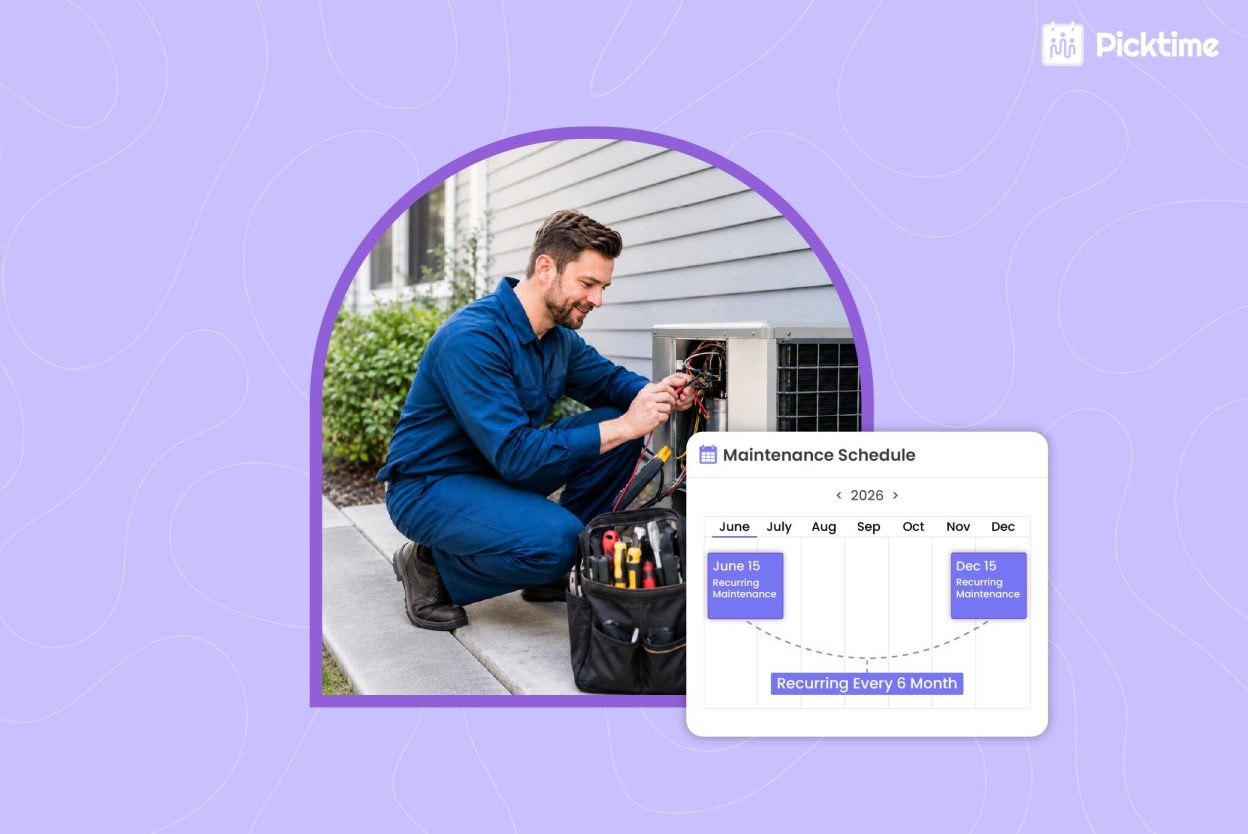
- Automated Recurring Sessions: Recurring maintenance is common for HVAC services. Customers often need seasonal inspections, annual tune-ups, quarterly commercial checks, or monthly filter replacement. HVAC software allows owners or team members to set recurring appointments, so they don’t have to rely on manual setup.
- Team Scheduling: Efficient team scheduling for technicians helps managers assign the right technician based on availability and service type. You can easily set working hours, day-offs, breaks, and role permissions based on maintenance jobs.
- Seamless Integrations: For HVAC services, the system can easily integrate with third-party apps to automate the full maintenance workflow. Small HVAC businesses often work with limited budgets, so buying separate tools may not be practical. HVAC software brings automation to simplify tasks in one place and connects with the tools your business already uses.
2. Better Booking Process for Customers
Reliable HVAC software offers a simplified scheduling process for clients, so they don’t face any difficulty getting details. Because if scheduling takes too long, they may choose another provider.
- 24/7 Availability: Your booking page can list HVAC services, available time slots, booking rules, and basic instructions. Customers can easily pick services that are suitable for their needs without waiting for someone. This helps small HVAC businesses with limited front desk support. Your booking page keeps working after business hours, on weekends, and during peak call periods.
- Dedicated Booking Links: Dedicated booking URLs can direct customers to the right services instead of making the booking process lengthy. It takes customers straight to the booking page, where they can select the service they need and choose a convenient time.
- QR Code: A booking QR code linked to your scheduling page can bring you more clients than ever. HVAC teams can place booking QR codes on the front desk, social media posts, websites, and business cards. A customer can scan the code on an equipment sticker and schedule the next inspection before forgetting.
Pro Tip: After completing a repair job, your technician can send the customer the booking page link and ask for a review. By adding valuable feedback on your online booking page, you can easily build trust for your new clients. This creates a simple path from one-time repair to repeat service revenue.
3. Manage HVAC Job Schedules From Anywhere
Field workers move between homes, commercial buildings, rental properties, and urgent repair calls. When you have access to HVAC scheduling app on your mobile device as well, it helps technicians stay updated without calling the office for every change.
With Picktime, HVAC teams can:
- View upcoming appointments from a phone, whether it’s Android or iOS.
- Check service details before arriving at the job site.
- See customer information and booking notes.
- Receive updates when appointments change.
- Reduce calls between dispatch, office staff, and technicians.
- Manage jobs across multiple locations with less confusion.
This helps technicians arrive prepared and gives managers better visibility into field activity.
4. Help Customers Stay on Top of Their Schedules
HVAC appointments are easy for customers to forget, especially routine maintenance visits. A homeowner may book an AC inspection weeks ahead, and a busy facility manager may miss an email reminder. Picktime helps reduce missed appointments with automated confirmations and reminders.
- Confirmation: Once a customer books, your clients get confirmation messages that set clear expectations. They can see the appointment time, service type, and booking details right away. This reduces repeat calls asking, “Am I still scheduled for Thursday?” and frees your front desk employee for higher-value work.
- Email and SMS Reminders: Email and SMS reminders help customers prepare before the technician arrives. They can arrange property access, move pets, or confirm someone is available. For HVAC companies, fewer missed visits mean better route planning, less wasted drive time, and more billable hours protected.
5. Get Paid and Generate Invoices Easily
Payments can slow down HVAC operations when handled after the job through manual invoices or separate payment links. With HVAC scheduling software like Picktime, you can easily collect deposits and full payments online. With our system, HVAC technicians can:
- Connect to advanced payment gateways such as Stripe, PayPal, and Square.
- Request advance payments for maintenance visits or inspections.
- Collect deposits for larger jobs or high-demand time slots.
- Reduce no-shows by asking customers to commit before the visit.
- Keep a record of payment details and invoices for scheduled appointments.
- Support prepaid service plans and recurring maintenance packages.
Pro Tip: Use deposits for services with high cancellation risk, such as emergency diagnostics, weekend visits, or long maintenance blocks. Customers who pay ahead are more likely to keep the appointment.
Conclusion: A System Built for HVAC Services
Small HVAC companies grow when schedules stay organized, technicians use their time well, and customers can book without extra effort. Manual scheduling gets harder once you add more service calls, maintenance plans, field workers, and payment needs.
HVAC Software for small businesses gives your team a more reliable way to schedule maintenance jobs without adding any calendar chaos. Picktime’s HVAC scheduling software brings online booking, calendar sync, recurring appointments, team scheduling, reminders, invoicing, payments, and reports in one simple platform. If you are comparing the best HVAC service software for small businesses, start with the daily problems costing your team time and revenue.
Make HVAC scheduling easier for your team and customers with Picktime. Check out our pricing plans and find the plan that best supports your maintenance jobs and growing service needs.
FAQ’s
1. What is HVAC Software?
HVAC Software helps HVAC services manage bookings, maintenance schedules, technician availability, reminders, invoices, payments, and customer details from one place. For small HVAC teams, it reduces manual scheduling work and keeps daily jobs easier to manage.
2. Why do small HVAC businesses need scheduling software?
Small HVAC businesses often manage calls, texts, calendars, invoices, and technician updates across different places. Picktime’s scheduling software helps reduce missed appointments, double bookings, delayed reminders, and unpaid invoices, so teams can stay organized and protect billable hours.
3. Can technicians manage their schedules from the field?
Yes. With Picktime, HVAC workers can view upcoming appointments, check customer details, review booking notes, and receive schedule updates from a phone or tablet. This helps technicians stay prepared without calling the office for every update.
4. Is HVAC Software useful for both residential and commercial HVAC services?
Yes. Picktime can help HVAC teams to manage multiple services, such as repairs, duct cleaning, and seasonal maintenance. It lets businesses capture more bookings, reduce missed appointments, collect payments faster, and schedule recurring maintenance visits.