Key Takeaways:
- Pilates studio management software helps reduce manual admin work by keeping bookings, schedules, payments, client records, and class details in one centralized system.
- Online booking is one of the most important features because it allows clients to schedule Pilates classes anytime without calling, texting, or waiting for a reply.
- Calendar management helps prevent scheduling confusion by giving studio owners, instructors, and staff a clear view of classes, private sessions, availability, and recurring appointments.
- The best Pilates studio software should support growth, not just bookings. Look for tools that also offer payments, reports, client management, attendance tracking, staff scheduling, and business insights.
For Pilates studios, managing admin tasks is not just about teaching great classes. Admin tasks involve managing bookings, instructors’ schedules, client details, packages, and more. When studio admins handle everything manually, even simple day-to-day tasks may seem difficult to manage.
Pilates studio runs more efficiently when your scheduling runs seamlessly. Whether it’s rescheduling, booking, or cancellation, without an advanced system, it will become messier. The global fitness industry is projected to hit $102.2 billion in revenue in 2025, a 12% increase from 2023. To protect and manage your schedule, you need user-friendly Pilates studio management software. The right software offers powerful features and integrations to simplify your daily operations from one place. It keeps bookings organized, improves client communication, reduces manual work, and gives owners better control over their business.
Before choosing any software, Pilates studio owners should know which features matter the most. Here are the key features to look for before selecting Pilates scheduling software.
Table of Contents
Common Challenges Pilates Studio Owners Face Without the Right Software
Most of the studio owners face confusion due to manual scheduling processes. When team members get missed updates, delayed messages, and incorrect booking entries, these can all impact client experience. Here are some challenges Pilates studios may face when they rely on old-school scheduling methods:
- When bookings are handled manually, there is a higher likelihood that two clients will schedule the same session at the same time. This can create confusion, disrupt the class schedule, and make the studio look unorganized.
- If a student cancels at the last moment, and you don’t have any students to fill those empty slots. This can waste your team members’ time and effort, which you’re supposed to invest in students.
Why Pilates Studio Management Software Matters for Growing Studios
As your Pilates studio grows, managing everything with spreadsheets, phone calls, messages, or a basic calendar becomes harder. What worked for a small number of clients may not work when you start handling more classes, more instructors, and more memberships.
Pilates studios often offer a variety of sessions, including group mat Pilates classes, reformer Pilates classes, private sessions, beginner classes, advanced sessions, and membership-based bookings. Each session may have different instructors, class sizes, room requirements, and pricing.
Without a proper system, studio owners may spend too much time manually checking slot availability, replying to booking requests, collecting payments, and reminding clients about upcoming classes. When daily scheduling takes too much time, studio owners may struggle to focus on improving classes, supporting instructors, and giving clients a better experience. Pilates studio booking software helps remove much of this manual work, so the team can focus on clients, classes, and smoother daily operations. It gives your studio one organized system for streamlined bookings, schedules, staff, payments, and client communication.
What are the Core Features of Pilates Studio Management Software
Online Booking for Pilates Sessions
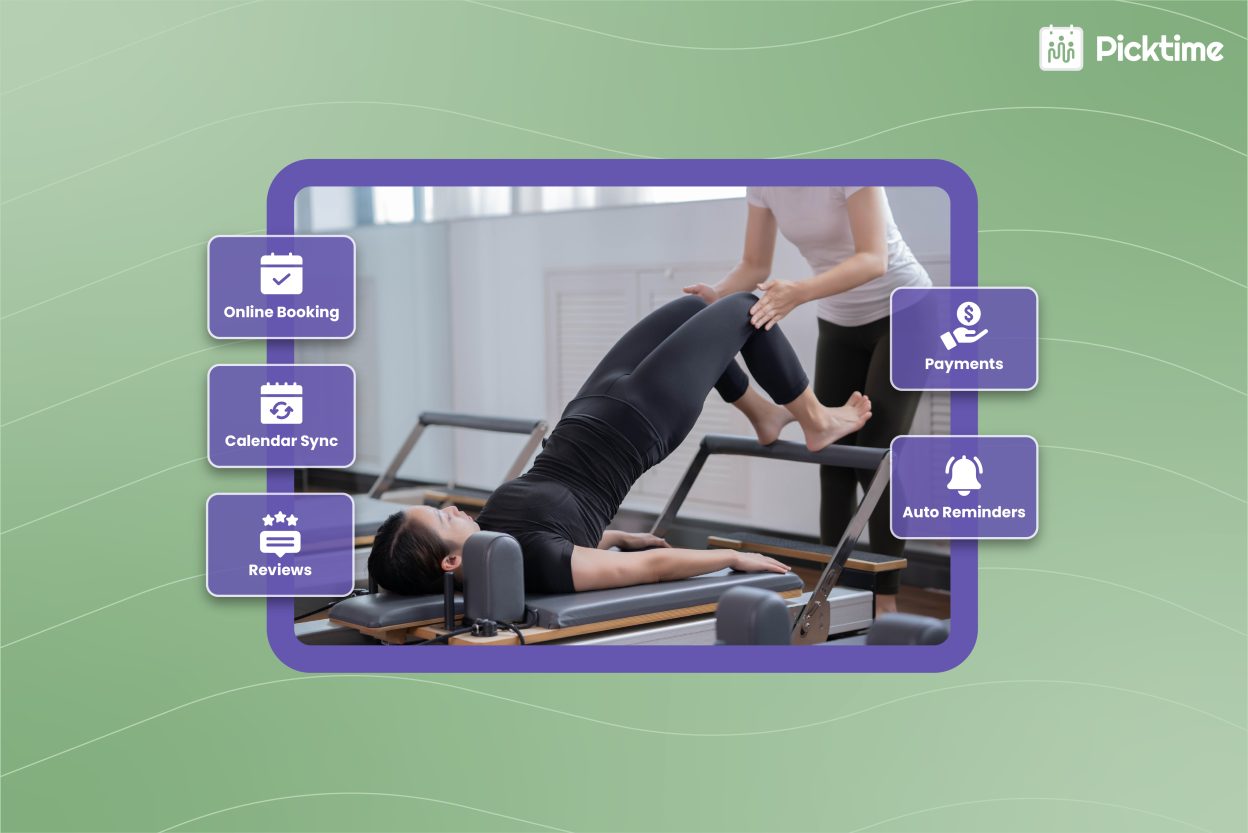
A reliable Pilates scheduling software should make the booking process easier. When clients can check availability, choose the right session, and book a spot without going through back-and-forth calls, they are more likely to complete their booking. With an online booking page, clients can view available classes, choose a time, select a session, and confirm their booking anytime. This is helpful for busy clients who may want to book early in the morning, late at night, or on weekends.
For Pilates studios, online booking reduces back-and-forth communication. It also helps keep the calendar updated in real time. When a client books a class, the slot gets reserved automatically. A good booking system should support both group classes and private Pilates sessions. This gives studios more flexibility and helps clients choose the session type that fits their needs.
Calendar Management
Without a centralized platform, where we can organize our class schedules, it can become messy for your Pilates studios. You need a business calendar where team members can see their upcoming classes, session timing, and instructor availability in one place. Color code appointments help you to organize appointments, whether it’s Pilates classes, reformer sessions, workshops, or recurring classes from one place. By syncing your business calendar with personal calendars, you can reduce confusion and keep track of your personal and professional commitments in one place.
24/7 AI Receptionist
A built-in AI receptionist feature can help you reduce the chances of missed booking calls. Every missed call represents situations where potential callers could have converted into confirmed bookings. The AI receptionist responds to unlimited calls, guides students throughout the booking journey, and books Pilates classes whenever clients are ready to take action. Without waiting for business hours, students can schedule their appointment anytime, ensuring they never miss a booking.
Waitlist Management for Fully Booked Pilates Classes
Popular Pilates classes can fill up quickly, especially during mornings, evenings, and weekends. When a class is fully booked, interested clients may still want to join if someone cancels. This is why waitlist management is a valuable feature. It helps studios capture client interest even after a class reaches full capacity. When someone cancels, the open spot can be offered to clients on the waitlist.
Attendance Management
No more manual attendance tracking for Pilates classes. Pilates management software can take control of your Pilates class, save time on administrative tasks, and deliver effortless scheduling. In your dashboard, you can instantly check attendance among enrolled students and mark them as present, no-show, or pending. Whether you manage multiple Pilates studios, you can save your students’ attendance.
Memberships, Class Packs, and Package Management
Many Pilates studios offer memberships, class packs, and private session packages. These options help studios build repeat bookings and improve revenue. But they can also become difficult to manage manually. A Pilates studio management software should allow you to create and manage different packages. For example, you may offer a 5-class, 10-class pack, a monthly membership, a private session bundle, or a beginner Pilates package. The software can keep a clear record of used and remaining sessions, so staff do not have to track class packs manually. Clients also know exactly how many classes they have left. Package management also helps reduce billing confusion. Clients know what they purchased, and studio owners can easily track package usage.
Online Payments, Billing, and Invoice Management
One of the crucial tasks for Pilates studio owners is managing payments and invoices. When admins use separate tools for payments and invoices, they often spend extra time juggling. When studios switch to Pilates scheduling software, you can allow students to pay online when they want to schedule a session or purchase a package. This means students and their parents get a seamless scheduling experience while studios can collect payments without chasing anyone. Once the payment is done, business admins can easily generate invoices, add a logo to invoices, and download or print them to share with their clients to easily keep track of payments.
Class Reminders for Each Session
No-shows can affect both attendance and revenue. When a client forgets a class, the spot often remains unused. This is even more important for small Pilates classes where every spot matters. Automated reminders help clients remember their upcoming sessions. Admins can schedule automated reminders to be sent via email or SMS at a specific time before the class begins. These reminders include details such as class time, location, instructor name, and cancellation policy.
Automated reminders reduce the need for manual customer follow-ups. They also help clients stay prepared and arrive on time for the classes. For Pilates studios, this means fewer missed classes, better attendance, and a more organized schedule.
Client Management and Booking History
Pilates studios build strong relationships with clients over time. That is why client management features are important. Pilates software offers several features to manage student details, booking history, package details, and notes in one place. By using these client management features, you can keep track of all your student details without missing them.
For example, if a regular client wants to book their services again, you don’t have to fill in their details again and again while booking. Picktime’s Pilates scheduling software automatically creates a separate student profile inside the customer tab whenever a new student books an appointment. This way, if instructors need any student details, they can access them immediately by simply searching for their name inside the customers tab.
Reports and Insights for Better Studio Decisions
Look for a Pilates studio management software that offers detailed reports for different class types. When studio owners can generate different types of reports, including which classes are performing well, how many no-shows are happening, and which instructor is performing better, they know where their studio needs improvement. Advanced Pilates studio software shows useful details such as popular classes, peak session times, and attendance trends. These reports help you map your strategies to grow your studio while giving students top-notch experiences.
Why Choose Picktime as the Top Choice for Pilates Classes
Many people are showing interest in Pilates regardless of their age. Many clients need top-notch convenience and flexibility when it comes to scheduling Pilates sessions. That’s where Picktime comes in and shifts the entire Pilates class management process. Our Pilates booking software can handle class bookings, instructor schedules, payments, and more. It helps Pilates studios by offering features like:
- By offering an online booking page to list out all class categories, booking rules, preferred instructors, and locations.
- Give clients a 24/7 AI scheduling assistant that can answer calls, handle common questions, and help them book appointments even after business hours.
- Allow Pilates studios to add students to the waitlist, and whenever there are any last-minute cancellations, waitlisted students can get a chance.
- Add sessions, set class limits, send reminders, and track student attendance easily.
- Offer discount coupons, class packages, and recurring classes for Pilates sessions.
- Integrate advanced payment options like PayPal, Stripe, and Square to accept payments how studios want.
- Manage client records, send reminders, and generate invoices from Picktime’s appointment scheduling app.
Final Thoughts
Choosing the right Pilates studio management software can help your studio feel more organized, from managing class bookings to keeping clients and instructors updated. Before selecting software, look closely at the features your studio truly needs. Online booking, class scheduling, waitlist management, memberships, payments, reminders, staff management, and reports are all important features for a growing Pilates studio. The best Pilates studio software, like Picktime, can do more than manage bookings. It helps you organize classes, manage instructors, reduce no-shows, track payments, handle client details, and provide detailed business insights.
With Picktime’s Pilates scheduling software, studio owners can spend less time on manual admin work and more time creating a better experience for their clients. Get started with Picktime.
FAQ’s
1. Why do Pilates studios need management software?
Pilates studios use Picktime to take the stress out of daily studio management. With Picktime, clients can book Pilates classes online at their convenience, while the studio can reduce scheduling mistakes and avoid double bookings. As your studio grows, Picktime helps you spend less time chasing appointments and payments and more time creating a smooth, welcoming experience for your clients.
2. What features should Pilates studio owners look for in software?
Picktime includes an online booking page, calendar sync, waitlists, attendance tracking, class capacity control, booking rules, and payment options. These features help studios reduce manual work, avoid double bookings, keep classes organized, and give clients a smoother booking experience.
3. Can Pilates studio software help reduce no-shows?
Yes. Picktime’s Pilates studio software can help reduce no-shows by sending automated class reminders through email or SMS. These reminders can include class time, location, instructor details, and cancellation policies so clients are less likely to forget their sessions.
4. How does Pilates studio software support memberships and class packs?
Picktime’s Pilates studio software helps owners create and manage memberships, class packs, private session bundles, and recurring packages. It can track how many sessions a client has used and how many remain, reducing confusion for both the studio and the client.