Key Takeaways:
- A waitlist helps Pilates studios fill open spots when clients cancel close to class time.
- Picktime makes it easier to manage waitlisted students without constant calls, texts, or manual tracking.
- Automated notifications help interested clients respond faster when a spot becomes available.
- A clear waitlist system improves class occupancy, client experience, and day-to-day studio control.
If your Pilates studios are starting to fill faster, it seems a nice problem to have. This means your clients are having a great experience with your sessions, instructors are in demand, and the studio hours are working according to plan. When a class reaches its capacity, you may lose clients who are ready to book a slot. At the same time, life happens. Sometimes, clients may cancel their scheduled slots for several reasons. And those empty slots can affect Pilates studios.
When a reformer class has limited equipment, empty slots can still impact your studio’s business. If the late cancellation occurs too close to the scheduled time, it becomes difficult to fill the gap manually. Picktime’s waitlist feature makes a real difference. It’s a simpler yet effective way to fill your late cancellations and manage scheduling processes in a more organized way. In this blog, we’ll discuss why waitlist management is essential for Pilates classes, how Picktime waitlist feature works, and why it’s worth trying.
Table of Contents
Why a Waitlist Is Needed for Pilates Studios
Pilates class requirements always change; sometimes it’s full, or sometimes it’s not. Clients often miss attending Pilates classes due to work, travel, health, or sudden changes. When your Pilates classes have limited space or specific setup requirements, going beyond the allowed capacity can affect the overall client experience.
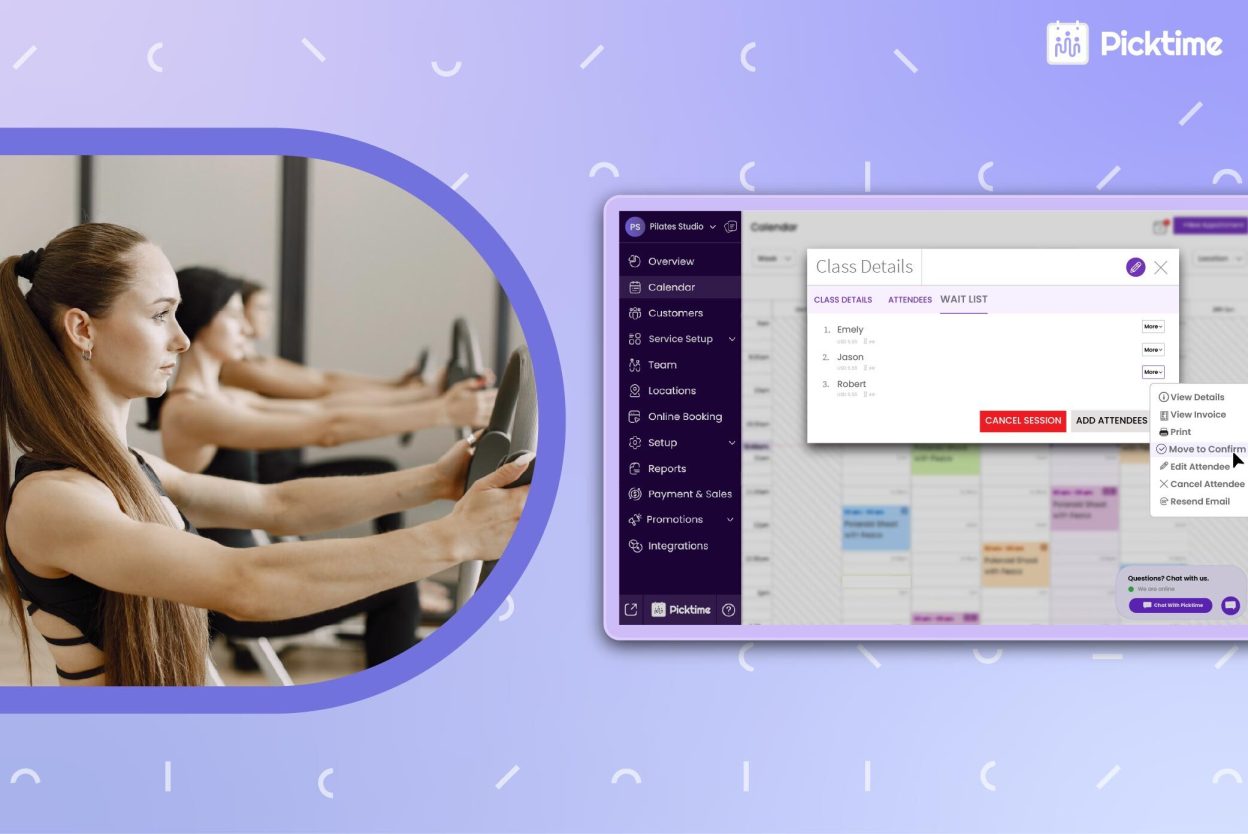
That’s where Picktime’s Pilates scheduling software steps in and streamlines the entire class scheduling process. When clients see that a popular class is full, and they are on the waitlist, they are more likely to get in earlier. Rather than calling them or asking other clients, they can automatically respond to client requests. When any client cancels class at the last moment, the software allocates the vacant seat to the next student on the waitlist. A waitlist becomes useful because it helps studios manage situations such as:
- Fully booked reformer Pilates classes
- Last-minute client cancellations
- High-demand evening or weekend sessions
- Popular instructors with limited availability
- Small wellness rooms with fixed class capacity
- Clients who want to join if a spot opens later
How Picktime’s Waitlist Helps Pilates Classes Stay Full
Picktime’s waitlist feature is specially designed to manage demand when Pilates classes fill up. Without making clients give up when a class is full, Picktime helps clients while choosing their time slot, preferred classes, and adds them to the waitlist. Clients see all available classes on your online booking page, choose the time they want, and send automated confirmation and reminders.
1. Helps Fill Last-Minute Gaps
Late cancellations are one of the main reasons that Pilates studios lose revenue. If you have empty sessions before the appointment, it can disrupt your day-to-day tasks. By using Picktime’s waitlist feature, you can set how many you want to add to the waitlist. It helps you keep interested clients connected to the class while still maintaining the right class capacity.
For example, when a client will not be able to attend a morning Pilates class, your team members don’t have to go through the old inquiries and send back-and-forth messages. Once enabled during class creation, the waitlist feature automatically accepts those who want to join. This makes it easier to keep the class full and avoid missed opportunities.
2. Minimizes Manual Work
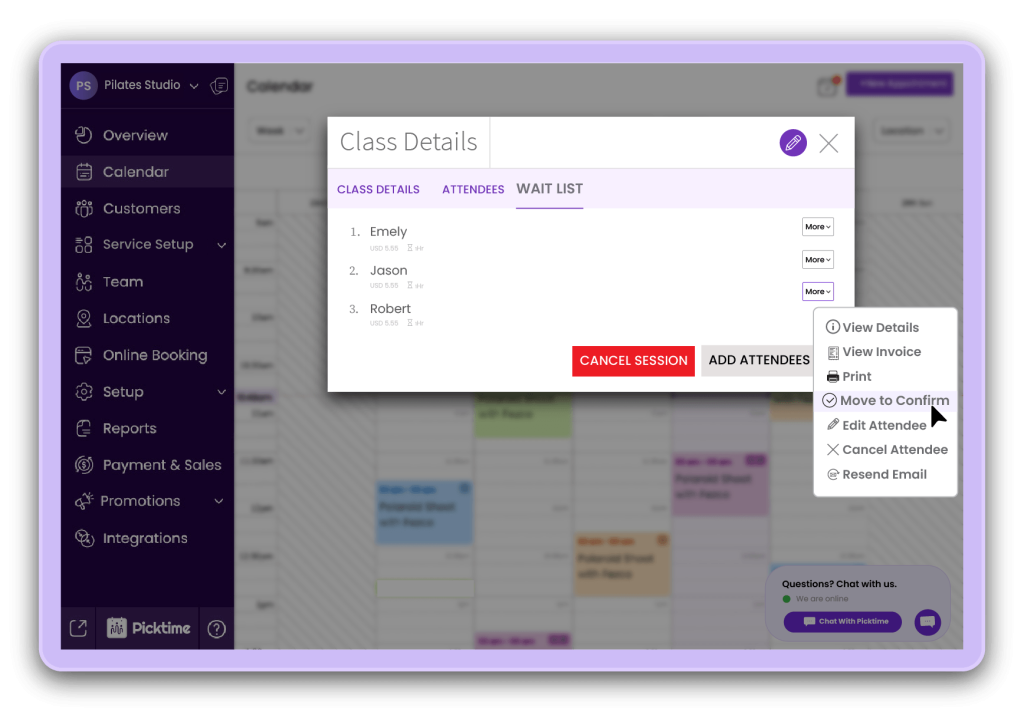
When studio admins manage waitlists with old scheduling methods, class management can quickly become messy. Without any system, your business admins or front desk employees may check individually who checked first, who is available, and more. With Picktime’s Pilates studio booking software, you can reduce that back-and-forth hassle by giving an organized dashboard for everything. Once you need a student from the waiting list, you can add them to your online calendar. This helps reduce manual tasks such as:
- Contacting multiple clients one by one
- Checking old text messages for interested students
- Updating spreadsheets after every cancellation
- Tracking who joined the waitlist first
- Manually confirming whether a client still wants the spot
3. Enhances the Client Experience
For Pilates studios, clients may feel disappointed when their favorite class is full. Pickime’s waitlist features shape the impression they’ve made about Pilates studios. Rather than being told the class is full with no clear step, your potential clients can join the waitlist and still have the chance to schedule their appointment.
Moreover, this makes your Pilates feel more organized. When clients realize that the process is fair, well-distributed, clear, and easy to follow, your clients are more likely to join your Pilates classes.
4. Provides Better Control Over Your Class
A waitlist does not mean overbooking your class. It helps you control demand without going beyond your safe capacity. Pilates instructors need enough space to guide clients properly, correct posture, and maintain a calm class environment. Overcrowding can affect both safety and quality. Picktime helps studios set class limits, manage availability, and keep the booking process organized.
This is especially useful for reformer Pilates, private group sessions, and small wellness spaces where every spot is connected to equipment or room capacity. Your studio can stay flexible without losing control of the class setup.
5. Sends Instant Notifications
Speed matters when a spot opens close to class time. If your team waits too long to contact clients manually, the open spot may remain unused. With Picktime, notifications help waitlisted clients know when a spot becomes available. This makes the process faster for both the studio and the client. The client does not need to keep calling, and the studio does not need to send the same message to several people one by one.
For busy Pilates studios, instant updates can make a real difference. They help fill gaps faster, reduce confusion, and keep the schedule moving smoothly.
Simple Steps to Set Up a Waitlist for Pilates Students
Setting up each feature in your Pilates scheduling software should be simple, and the waitlist feature is no exception. With Picktime, adding clients is user-friendly and straightforward. You can add your clients to your Pilates studios by following these steps:
Step 1: Add classes
Start with the classes that fill up quickly or often receive booking requests after they are full. This helps you manage demand where the waitlist can make the biggest difference.
Step 2: Set the class capacity
Add the maximum number of students each class can safely handle. This should match your available space, reformers, mats, and instructor comfort level.
Step 3: Enable the waitlist in Picktime
Once the class reaches capacity, clients can join the waitlist instead of leaving the booking page without an option. This keeps interested clients connected to the class.
Step 4: Keep notifications clear
Make sure clients know when they are added to the waitlist and what happens when a spot opens. Clear updates help reduce confusion and make the process easier for everyone.
Step 5: Explain your waitlist policy
Share simple details on your booking page, website, or confirmation emails. Let clients know how spots are offered, how quickly they should respond, and whether payment or cancellation rules apply.
Step 6: Review waitlist activity
If the same class always has a waitlist, it may be time to add another session, adjust instructor availability, or open a similar class at a nearby time.
Conclusion: Reduce Empty Spots and Keep Classes Running Smoothly
Running a Pilates studio shouldn’t have to be so hectic that you have to face late cancellations. With Picktime’s waitlist feature, Pilates studios can give chances to every customer, serve more clients, and reduce the hassle of last-minute challenges. When clients can easily add themselves to the waitlist while classes are filled, your team can fill open spots without relying on manual calls, texts, or scattered notes.
The Pilates scheduling software, powered by Picktime, helps you keep your Pilates classes organized and work smarter while growing your center. In addition, clients feel valued, and business admins get more control over class capacity and revenue. If your Pilates studio is facing multiple late cancellations, this is a better way to keep your schedule consistent, your classes organized, and your clients connected to the sessions they want.
Start using Picktime’s waitlist feature today and elevate your students’ Pilates classes booking experience.
FAQ’s
1. How does Picktime’s waitlist feature help Pilates classes?
Picktime’s waitlist feature allows clients to join a waitlist when a Pilates class is fully booked. If a spot opens because of a cancellation, the studio can move a waitlisted client into the class and reduce the chance of empty slots.
2. Can Picktime help fill last-minute cancellations in Pilates classes?
Yes. Picktime helps studios keep interested clients on the waitlist. When a booked client cancels, the available spot can be offered to a waitlisted client, helping studios fill openings faster and reduce empty slots. This is useful for high-demand reformer classes, evening sessions, and weekend Pilates classes.
3. How does Picktime improve the client experience for Pilates students?
Picktime gives clients a clear option when their preferred class is full. Instead of calling the studio or checking the schedule again and again, they can join the class waitlist and wait for a confirmation update when a spot becomes available.
4. What other features does Picktime offer for Pilates studios?
Along with waitlists, Picktime offers online booking, class scheduling, automated reminders, calendar sync, payments, client management, and reports. These features help Pilates studios manage classes more smoothly from one platform.