Key Takeaways
- Manual scheduling works until it doesn’t. Overbooking and empty spots are predictable problems with a clear fix.
- A class scheduling app automates capacity management, reminders, and waitlists so your team doesn’t have to.
- Look for features like self-booking, automated reminders, waitlists, and integration support.
- Picktime offers all of this for free, making it a strong starting point for small and growing businesses.
Whether you run a school, a university, or a tutoring business, a full class seems like a nice problem to have. Despite delivering a top-notch experience, your students may have other issues with your class management when you have so much on your plate. You may wonder how this small scheduling error can impact your organization when everything seems to be running smoothly.
One of the major problems with running an organization is: what if the class exceeds its capacity, and the students you’ve promised seats might not get them? It will cause dissatisfaction and frustration among your new and existing students. Therefore, when these issues arise continuously, students may lose faith in your business and think twice before booking with you.
If you are looking for ways to reduce these problems, including overbooking, we’ve got you covered. A class scheduling app can help your organization deal with these everyday scheduling challenges more easily and efficiently. In this blog, we’ll look at why class scheduling can become difficult as your business grows and what you can do to manage it more effectively.
Table of Contents
Why Manual Class Scheduling Gets Harder as Your Business Grows
When you begin your organization, as an admin, you have fewer team members, fewer classes, and fewer students to handle. When you have a few classes to manage, you might have to rely on spreadsheets for registration or calls and DMs to confirm available times. As your business grows and class bookings increase, these manual approaches may not work, and your scheduling tasks get more complicated.
Class scheduling software for different classes is a system that helps admins create classes, manage schedules, student contacts, and booking rules. Modern class scheduling software helps you offer online booking, class capacity, duration, and a waitlist, so you won’t face any scheduling errors. By adding class capacities, you can decide how many students can enroll in your classes. This helps you avoid overcrowded classes while you focus on your students more easily.
How a Class Scheduling App Helps You Keep Your Classes Full
If you run a Pilates studio, art school, or tutoring sessions, a class scheduling software like Picktime can help you manage your calendar more easily. It gives your students flexible ways to view available schedules and book preferred classes, while your team can have full control over the entire workflow. Here are ways you can fill your classes and prevent scheduling mistakes:
- Control class capacity: Set the maximum number of participants allowed in each class so bookings stay within the limits you choose.
- Reduce missed sessions: Sending email and SMS reminders can help students to remember their classes, and both parties involved can stay updated on their appointments.
- Fill available spots: Waitlists can help you manage demand when a class reaches capacity, and a place later becomes available.
- Reduce booking calls: Customers can check availability and book online instead of contacting your team for every reservation.
- Mobile scheduling app: Class admins can check upcoming bookings, review class availability, and make schedule updates while they’re away from the front desk. With access from Android or iOS devices, they can stay on top of class schedules wherever the day takes them.
Instead of reacting to every booking change manually, your team has one place to keep track of classes and upcoming customers.
What to Look for in a Class Scheduling App for Small Businesses
Not every scheduling tool works equally well for businesses that offer classes. Before choosing one, look at how the software handles the situations your team deals with every week.
Class Capacity Controls
Your scheduling system should let you decide how many people can join each session. Once a class reaches that set limit, customers should no longer be able to book another slot unless capacity becomes available. This is especially useful for fitness studios, training centers, workshops, group therapy sessions, tutoring programs, and other businesses where space or staff availability limits class size.
Waitlist Management
Popular classes can fill quickly. A waitlist gives interested customers another option instead of sending them away when a session reaches capacity. When someone cancels, your business can use the waitlist to make that opening available to another customer. This gives you a better chance of keeping popular sessions full.
Customer Self-Booking
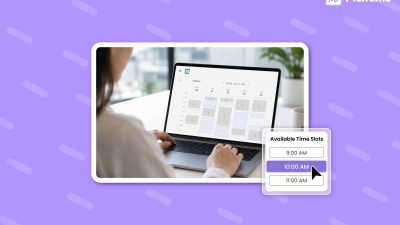
Customers should be able to see available classes and make a booking without calling during business hours. Self-service booking also reduces routine work for your team. Depending on the scheduling rules you set, customers may also be able to cancel or reschedule their bookings when their plans change.
Calendar, Video, and Payment Integrations
Your scheduling software should work with the tools your business already uses. Calendar integrations can help employees keep their schedules organized, while video meeting integrations are useful when you offer virtual classes. If you charge customers when they book, payment integrations can also help you collect class fees or deposits as part of the booking process.
Multi-Location and Team Management
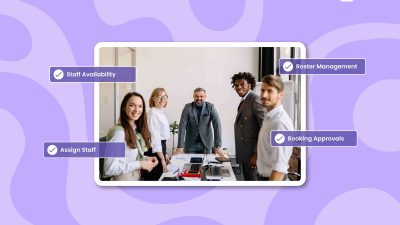
Managing classes becomes more complicated when you have several instructors or business locations. Look for software that lets you manage staff schedules, services, locations, and bookings from one account. This approach helps your managers see clearly what is happening inside your business without having separate spreadsheets or calendars for every location.
How Picktime Helps You Manage Class Scheduling
Running your organization is already demanding enough without having to constantly deal with last-minute cancellations. With Picktime’s class scheduling features, businesses can give chances to every customer, serve more students, and reduce the hassle of last-minute changes. When a session is full, participants can join the waitlist themselves instead of contacting your team. If anyone cancels, you have a simple yet effective way to fill it without chasing people through calls, texts, or separate notes.
With the Picktime class scheduling app, you can also offer discounts and class packs to attract more clients while growing your organization. Students and parents get a satisfying scheduling experience while your team has better control over attendance, availability, and class revenue.
If your business is facing multiple scheduling challenges, this is a better way to keep your schedule consistent, your classes organized, and your clients connected to the sessions they want.
When customers book a class or plans change, your team can quickly see which sessions have space and which are already full. With the right class scheduling software, keeping classes organized does not have to mean spending more time behind a spreadsheet. Our system helps you give customers an easier way to book while giving your team more control over capacity, availability, and day-to-day scheduling.
Give your team a clearer schedule and your customers an easier booking experience. Try Picktime class scheduling software today.
FAQs
1. What is a class scheduling app, and how does it work?
A class scheduling app helps businesses manage class bookings, availability, capacity, and customer communication in one place. Customers can check available sessions and book online, while the system keeps the schedule updated as new bookings come in. With Picktime, businesses can also manage class sizes, recurring sessions, reminders, and staff schedules without relying on spreadsheets or phone calls.
2. How does scheduling software help prevent double bookings?
Scheduling software keeps track of available spots and updates them whenever someone books. Once a class reaches its set capacity, the system can stop additional bookings so your team does not have to check availability manually. Picktime helps businesses set class capacity and manage bookings from one calendar, making scheduling conflicts easier to avoid.
3. Is Picktime free for small businesses?
Yes. Picktime offers a free plan that gives small businesses access to online scheduling and essential booking features. Businesses that need additional tools or more advanced functionality can also choose from Picktime’s paid plans as their scheduling needs grow.
4. What types of businesses can use a class scheduling app?
A class scheduling app can work well for yoga studios, gyms, dance schools, tutoring centers, training businesses, clinics, and other businesses that run group sessions. Picktime can also support businesses that offer a mix of classes and one-on-one appointments, so both types of bookings can be managed from the same place.