Key Takeaways
- Managing group sessions and individual team bookings with the same scheduling setup can create capacity and staff allocation issues.
- Group events let multiple customers book the same session while keeping a set capacity
- Round Robin scheduling distributes individual appointments across team members who can handle them.
- With Picktime, businesses can create classes with a defined number of slots, allowing them to control how many participants can join each session. This helps prevent overbooking while keeping class capacity organized.
Scheduling several people at once can get complicated when you’re not sure which booking setup to use. However, a group calendar app can make the process easier, while the right setup depends on how you want to manage each booking. Sometimes one team member needs to host several customers at once. In other cases, the same type of appointment can be handled by different team members. Understanding the difference helps you choose the right setup for classes, workshops, consultations, sales calls, and other team-based appointments. In this guide, we’ll compare group events and Round Robin scheduling and explain when each option works best for your team.
Table of Contents
- Group Events and Round Robin Scheduling: Two Different Scheduling Needs
- Group Events: Manage Capacity and Keep Bookings Organized
- Round Robin Scheduling: Share Appointments Fairly Across Your Team
- What Else Should Your Group Calendar App Handle?
- Group Events vs. Round Robin: Which Fits Your Business?
- Build a Group Calendar Around How You Actually Work
- FAQs
Group Events and Round Robin Scheduling: Two Different Scheduling Needs
The easiest way to understand the difference is to ask: Are you scheduling several attendees for one session or distributing individual bookings across your team? A group event has one host and multiple customers attending at the same time slot. A fitness class, webinar, training session, or workshop is a typical example. Here, the main thing to manage is capacity: how many people can join the session at once. You can set the number of available slots for each class session. Once those spots are filled, businesses can enable a waitlist and set a limit for additional interested participants.
However, Round Robin scheduling works differently. Each customer books an individual appointment, but the booking can be assigned to different team members based on their availability. For example, a sales call could go to the next available sales representative rather than always going to the same person. This helps distribute bookings across your team while keeping individual appointments organized.
Group Events: Manage Capacity and Keep Bookings Organized
Group events work best when customers can book a shared time slot rather than choosing an individual appointment. With Picktime, businesses can use group and class bookings to set how many participants can join a session. You can set the number of slots when creating a new class or update the capacity when adding or editing an existing class session. As a result, you can control how many participants can book each session. Moreover, it avoids taking more bookings than the class can handle. With the group calendar app, customers can view available spots and book online without waiting for staff to manage each registration manually. This also works well for businesses that run the same session regularly. Recurring class schedules can help businesses organize repeat sessions, while Picktime allows businesses to enable waitlists for classes and define how many additional participants can join the waitlist when a session reaches capacity.
Round Robin Scheduling: Share Appointments Fairly Across Your Team
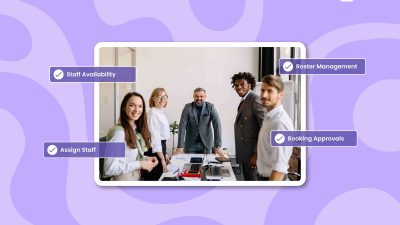
Picktime’s Round Robin scheduling works well when several team members can handle the same type of appointment. Instead of sending every booking to the same team member, appointments can be distributed among available team members based on your setup. Picktime helps businesses manage staff availability, assign services to team members, and organize bookings based on their scheduling needs. Picktime’s scheduling software lets businesses manage individual staff availability, working schedules, staff-specific services, and team rosters. These details give you more control over which team members can handle particular bookings. For example, a consulting business may have three consultants who all offer the same service. Customers don’t have to choose a consultant for every booking. Round Robin can do this work by distributing appointments fairly among available team members. As a result, it will keep the booking process simple and the workload more balanced.
What Else Should Your Group Calendar App Handle?
A good group calendar should do more than handle bookings. It should also help your team avoid conflicts. Picktime’s calendar system supports two-way calendar sync, so events on your connected calendars can block those time slots from being booked in Picktime. This helps stop customers from booking a time when a team member is already busy. In addition, shared spaces can create another problem. If a class needs a particular room or a meeting requires a specific resource, your team needs to manage those resources alongside staff schedules. With Picktime, businesses manage rooms and equipment as resources, so availability is easier to coordinate. For teams and customers working across locations, automatic timezone conversion can also make scheduling less confusing.
Group Events vs. Round Robin: Which Fits Your Business?
| This works best when | Choose | Example |
| Several customers attend one session | Group Event | Fitness class |
| You need a fixed number of seats | Group Event | Workshop |
| You run the same session regularly | Group Event | Weekly training |
| Multiple staff can handle individual bookings | Round Robin | Sales calls |
| You want to spread bookings across your team | Round Robin | Consultations |
| Customers can book with any available staff member | Round Robin | Support appointments |
You can also use both options when your business needs them. For example, a training business could use group events for classes while using Round Robin for one-on-one consultations. That lets each booking type follow the process that fits it best.
Build a Group Calendar Around How You Actually Work
Every business has different scheduling needs, so one setup won’t work for everyone. Group events prioritize capacity and shared attendance, while Round Robin scheduling focuses on staff availability and coordination. Picktime brings these scheduling needs together with group bookings, class management, team scheduling, resource management, and calendar sync. So, instead of adapting your business to one booking model, you can choose the scheduling tools that fit the way your team actually works.
Simplify group bookings with a group calendar app built around your workflow. Try Picktime today.
FAQs
1. How does Picktime handle group events?
Picktime lets businesses create group and class bookings with a set number of available spots. Customers can view open slots and book their place online while confirming attendance tracking support. If unavailable, remove “attendance.”
2. Can I run both group events and round-robin in the same account?
Yes. Picktime supports group bookings for shared sessions and round-robin assignments for individual appointments that can be handled by different team members. This lets you use the right setup for each service.
3. What if a group session reaches capacity?
Once all available spots are filled, the session can no longer take additional bookings. Picktime also supports waitlists, which can help manage demand when a class or group session is full.
4. How do I decide which setup to use for a new service?
Choose group bookings when several customers need to attend the same session, such as a class or workshop. Choose Round Robin when customers need individual appointments that can be distributed across suitable team members.