Key Takeaways
- An incomplete or outdated Google Business Profile can make it harder for local customers to find, trust, and choose your business.
- Optimizing your profile with accurate details, clear services, fresh photos, and genuine reviews can improve your local presence.
- A simple booking process helps turn interested local customers into confirmed appointments without unnecessary steps.
- Picktime lets you add your online booking page to your Google Business Profile, making it easier for local customers to discover your business and book your services.
When people look for a service nearby, they often find many businesses on Google. One business may have clear services, recent photos, nice reviews, and an easy way to book. Meanwhile, the other has outdated hours and less information. In that very situation, a question arises: Which one to choose? That quick comparison is why your Google Business Profile matters. For many local customers, it’s their first interaction with your business before they decide whether to book.
The best part? You don’t have to make things complicated. You can simply keep your profile accurate, show customers what you offer, display genuine reviews, and give them a simple way to book. These small details not only help people discover your business but also make it easier to choose. Moreover, it helps you turn local searchers into actual appointments. In this guide, we’ll show you how to optimize your Google Local Business Profile and turn more local searches into bookings.
Why Your Google Business Profile Matters for Local Bookings
Google Business Profile is a free tool businesses can use to control how customers see them on Google Search and Maps. With this, customers can see important details like your location, hours, services, photos, reviews, and booking options in one place. If you use a third-party scheduling tool, you can connect it to your profile so customers can book without having to search for your booking page.
A complete, up-to-date profile can improve your chances of appearing in Google’s local search results when customers look for businesses like yours nearby. This can include the Local 3-Pack, where Google highlights three local businesses in its map results. The easier your business is to find in local searches, the more chances you have to attract new customers. Most importantly, when customers find the information they need, they’re more likely to choose your service and make an appointment.
Optimize Your Google Business Profile
You can start by making sure your profile is complete and all the information is up to date. A few simple improvements can make your listing more useful to both Google and potential customers.
- Select relevant business categories: Pick the category that best describes what your business does. Then add other categories only when they match the services you offer. Clear categories help Google understand what your business offers and connect you with relevant local searches.
- Describe your services clearly: Use simple service names and short descriptions so customers can quickly understand what you offer.
- Keep business details accurate: Check your address, phone number, website, and business hours regularly. Make sure to update them whenever something changes.
- Add fresh photos: It’s better to include recent images of your location, team, services, products, or workspace. This gives potential customers a better idea of what to expect.
- Encourage customer feedback: Encourage satisfied customers to leave honest reviews and take a moment to respond to their reviews. Genuine feedback can help potential customers feel more confident about choosing your business. Moreover, you can let customers leave a star rating and share their experience.
Think of your profile as a customer’s first introduction to your business. So, keep it useful, accurate, and current. With this, local customers can quickly understand what you offer and decide whether to book.
Make Local Bookings Easier With Direct Booking
Getting your business in front of local customers is only the first step. Now, you need to make it easy for them to take the next step and book. However, if customers have to search for your website and find the booking page, the extra steps can slow down the process. By the time they choose a service and look for an available time, some may simply give up and move on. That’s why a direct booking option can make the next step clear enough to take action.
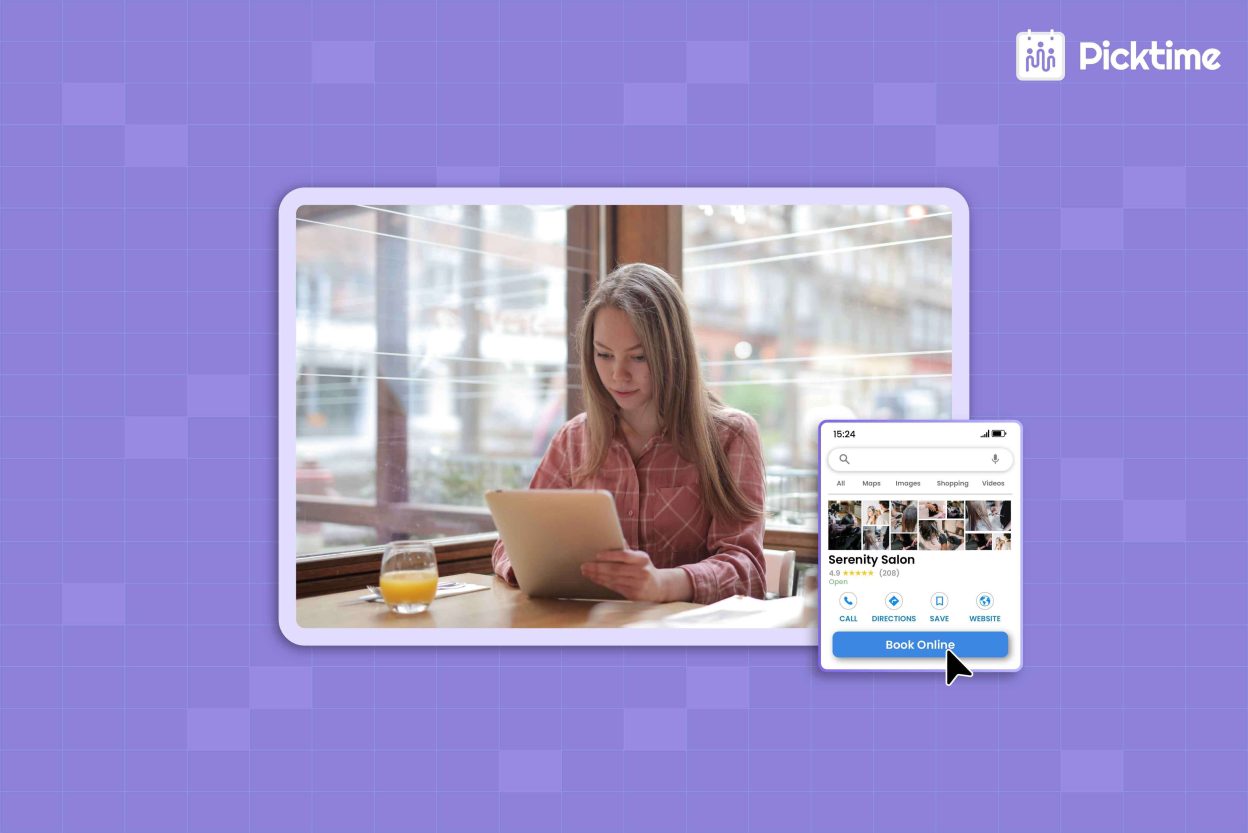
With Picktime, you can link your Picktime online booking page to your Google Business Profile. When local customers find your business on Google Search or Maps, they can use the ‘Book Now’ option to go directly to your Picktime booking page. From here, they can view available services and choose a suitable time without having to call or message your business first. When a customer books, the appointment is added to your Picktime calendar, where you can manage it alongside your other bookings. As a result, you can keep your schedule organized and reduce the risk of double bookings. This can be useful for appointment-based businesses like salons, fitness studios, consulting firms, and tutoring services.
Track What Drives More Bookings
You should keep an eye on how customers interact with your profile and look for changes over time. If you optimize your profile once and forget about it, your information can become outdated. Thus, pay attention to actions such as website visits, calls, direction requests, and appointment bookings. If your profile attracts more attention but bookings don’t increase, look at the next step in the customer journey. For example, your profile may attract customers, but a complicated booking process can still make them leave. Reviewing both profile activity and booking data can help you identify where improvements are needed.
Conclusion: Turn Local Searches Into Appointments
Getting more local bookings starts with a complete profile, accurate business details, helpful reviews, and an easy booking process. Once your Google Business Profile is optimized, focus on giving customers a clear reason to choose your business and a simple way to schedule. Picktime’s scheduling software can help you manage online bookings and give local customers an easier way to book an appointment. Now that you know how to optimize your Google listing for local bookings, you can focus on turning more searches into appointments.
Turn more local searches into bookings with Picktime and give customers an easy way to book with you.
FAQ’s
1. How long does it take for Picktime to sync with Google Business Profile?
Picktime states that the activation process can take 24–72 hours. After you submit your business name, address, and phone number through Setup > Integrations > Book from Google/Google Maps, Picktime verifies the business details and the request is then processed by Google
2. What happens after a customer books through my GBP listing?
The appointment is added to your Picktime calendar so you can manage it with your other bookings. If you have connected an external calendar, the appointment can also sync according to your calendar settings. Booking notifications and customer confirmation emails are sent based on the notification settings enabled in your Picktime account
3. Can a Google Business Profile help small businesses get more bookings?
Yes. A complete and accurate profile can help nearby customers find your business, learn about your services, and decide whether to book. With Picktime, you can give those customers an easy way to schedule an appointment after discovering your business.
4. How can I make it easier for customers to book from Google?
Keep your profile information accurate and add a direct booking option. Picktime lets you link your Picktime online booking page to your Google Business Profile, making it easier for customers to choose a service and an available time after finding your business on Google