Key Takeaways
- Both shared calendars and meeting room booking software can help businesses organize and manage meeting room reservations.
- Shared calendars can become difficult to manage when rooms, bookings, cancellations, and availability increase.
- A meeting room booking system gives businesses a more organized way to manage room availability, bookings, and usage.
- Picktime manages room availability and bookings, while the Picktime Rooms Display App connects to the calendar to show live room status and support check-ins.
Ever had that awkward situation when two teams arrived for the same meeting room?
A meeting room should be easy to book: You pick a space, check the time, and reserve it. That’s it, and you are done.
But when multiple people are booking rooms, meetings change, cancellations happen, and calendar updates can easily get missed. And soon you realize you can’t tell which rooms are actually available. And what’s even worse?
☑️ You have double-booked rooms.
☑️ Leave rooms empty because they still look booked.
☑️ Employees waste time looking for a room.
That’s where meeting room booking software steps in to help businesses manage reservations, availability, rules, and room usage in one place. JLL’s 2026 Report found that global office utilization reached 56%, while smaller shared spaces such as meeting rooms continue to grow. That makes it important to know which meeting rooms are available and when they’re actually in use. This guide will help you know whether a shared calendar is enough for your business and when you should consider upgrading. By the end, you will get a clear idea of the right one that fits with your workflow.
Table of Contents
- Shared Calendar vs. Meeting Room Booking Software: What’s the Difference?
- What Are the Limitations of a Shared Calendar for Meeting Rooms?
- When to Upgrade from a Shared Calendar to Room Booking Software
- Move Beyond a Shared Calendar With Picktime
- Conclusion: Choose the Right Way to Manage Your Rooms
Shared Calendar vs. Meeting Room Booking Software: What’s the Difference?
A shared calendar, such as Google Calendar or Outlook, allows your team to have one place to view and add events. Teams often use it to reserve rooms by creating calendar events. Whereas meeting room booking software is built specifically for room reservations. It can manage availability, avoid conflicts, apply booking rules, handle check-ins, and provide room usage information.
☑️A shared calendar is enough: You have one or two rooms, a small team, very few conflicts, and no need for booking rules or reports.
☑️Room booking software is pretty good: you manage multiple rooms, have more conflicts to deal with, or want a clearer view of how your rooms are being used.
What Are the Limitations of a Shared Calendar for Meeting Rooms?
A shared calendar is fine for keeping everyone in sync, but room management is a different job. It can’t handle everything that happens in your rooms.
- No-show control is limited: It cannot confirm whether someone used the room or free it when nobody arrives.
- Room details stay basic: A shared calendar can include notes about seating, resources, or other requirements. But it doesn’t give you a dedicated way to manage these details alongside room availability and bookings.
- Rules are limited: Approvals, buffers, booking limits, and similar controls may be missing.
- Usage reporting is missing: Getting useful data about room usage from calendars will take more time.
When to Upgrade from a Shared Calendar to Room Booking Software
- Double bookings occur often: When there’s any delay in calendar updates, a team member can book the same room twice.
- Teams forget to free cancelled rooms: A meeting gets cancelled, but the booking remains active and keeps the room blocked.
- Employees aren’t sure what’s available: They have to check with coworkers because the calendar isn’t always reliable to trust.
- Rooms need specific resources: Some meetings need more preparation than a basic event, including equipment, seating, or refreshments.
- You need room usage data: A basic calendar won’t show you which rooms are busy or rarely used.
If these problems keep popping up, that’s a sign that you are expected a lot from your shared calendar. And now it’s time for you to upgrade.
Move Beyond a Shared Calendar With Picktime
A shared calendar can tell you when a meeting room is occupied, but managing rooms involves more than blocking time. Picktime’s meeting room booking software gives you a more structured way to manage meeting rooms as bookable resources:
Set up rooms as resources.
Add each meeting room with its location, booking duration, pricing, and online booking settings. You can set its regular weekly availability and use Resource Schedule for specific-date changes, such as temporary closures, extended hours, or breaks.
See room status.
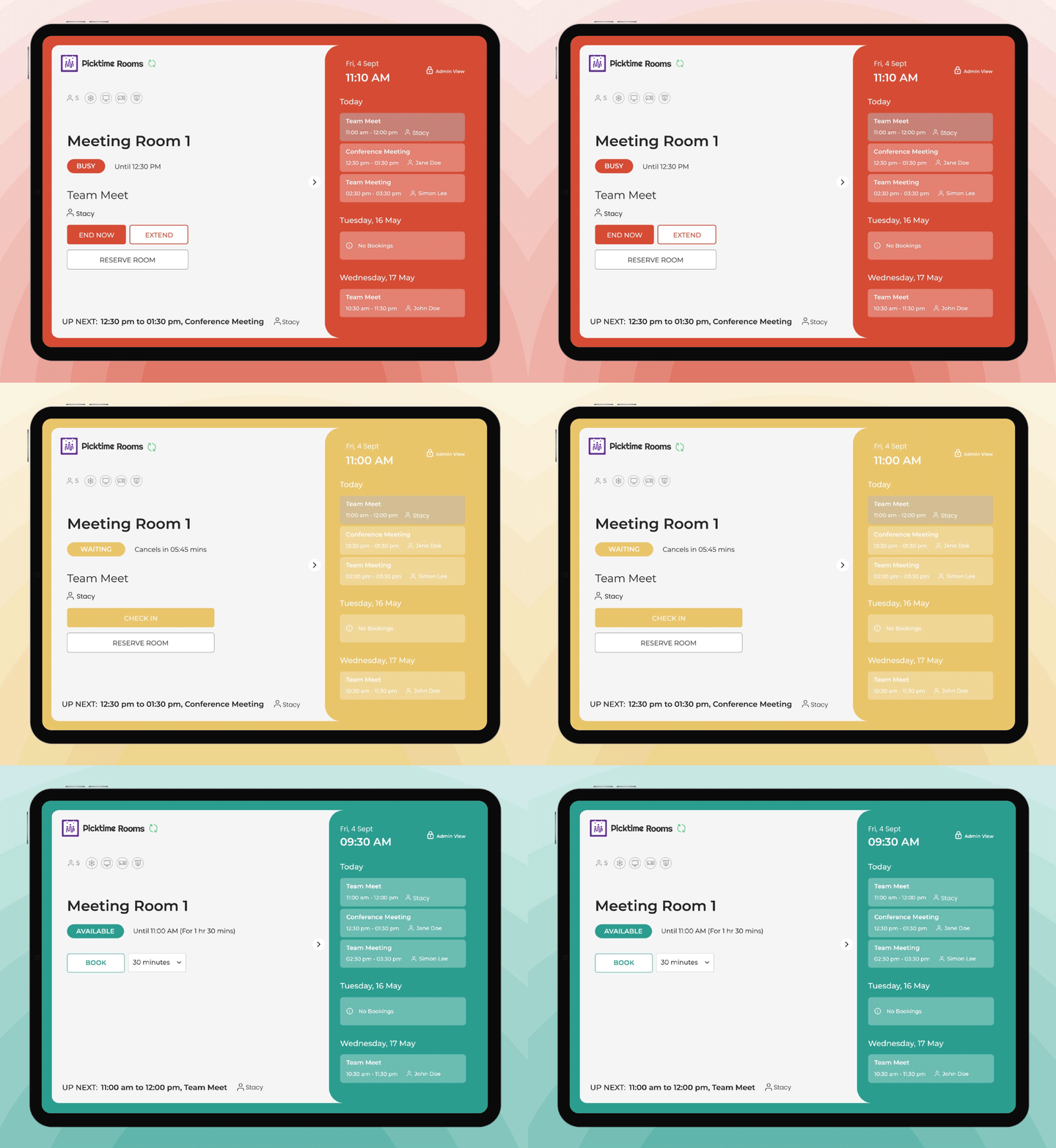
The Picktime Rooms Display app can show a room’s current status and upcoming booking. So employees can quickly see if the room is free or booked. Moreover, guests can quickly check the room’s current status and upcoming booking with simple color-coded indicators.
🟩 Green: The room is free to use.
🟨 Yellow: The booking is about to start.
🟥 Red: The room is occupied and unavailable.
Free up rooms when they’re not being used.
Participants can confirm their arrival using a check-in code on the room display. If no one checks in within the applicable time window, the room can be released and made available for another booking. Further, if a meeting ends early, a team member can check out from the room display. So the room becomes available sooner.
Make specific rooms easier to book.
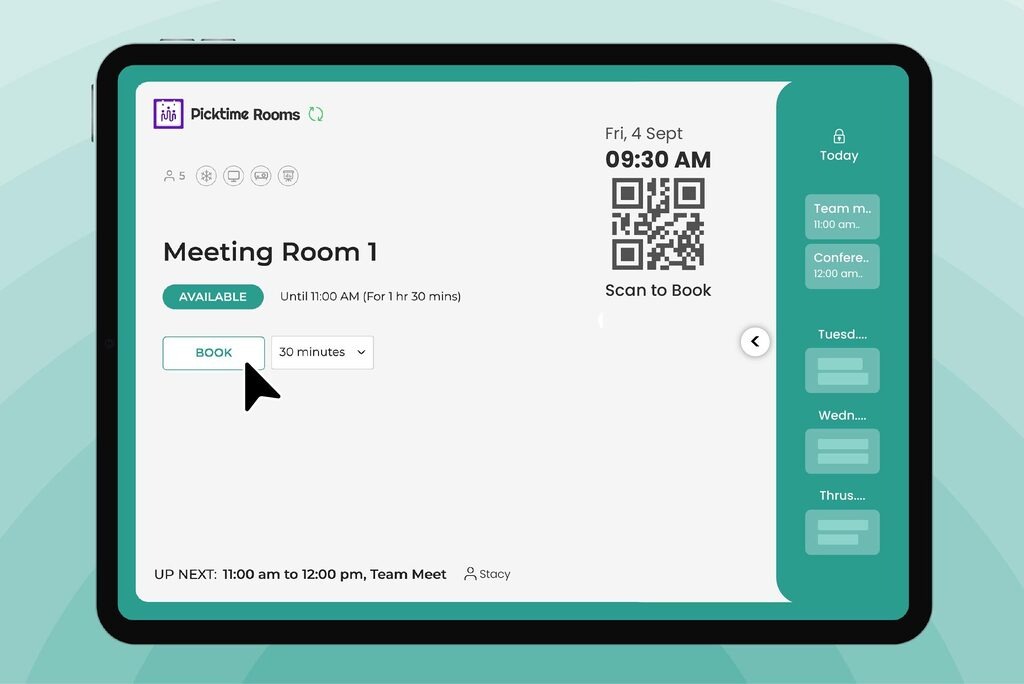
Use a resource-specific booking link to send people directly to a particular room’s booking page. With the Picktime Rooms Display App, a QR code shown on the room display can also direct people to that specific room’s booking page
Keep external calendars in sync.
Picktime supports two-way calendar sync with supported external calendars. Team members can connect their calendars so existing commitments are considered when managing their availability, helping reduce scheduling conflicts when staff schedules are involved in room bookings.
Keep everyone updated.
When someone books a meeting room, they can receive an email or SMS with the booking details. You can also send reminders before the meeting starts so hosts and attendees know when the room is booked and can plan ahead.
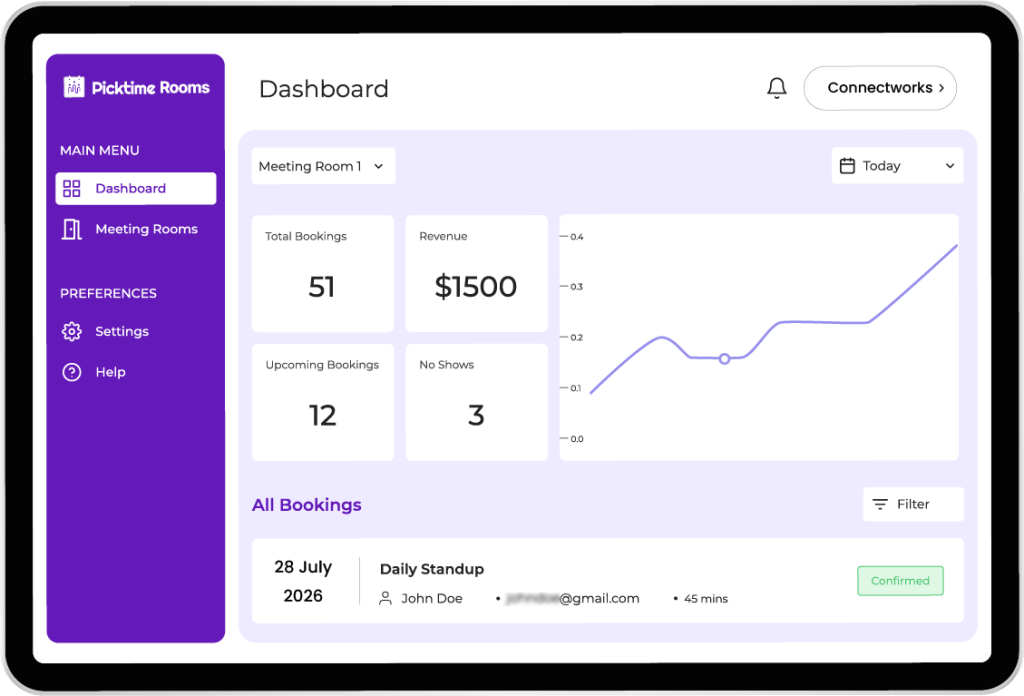
For a small office, the difference is simple: you are not just sharing a calendar; you are managing the rooms themselves. Picktime brings room availability and bookings together, while the connected Rooms Display app adds live room status and check-ins. This gives your team a clear way to see and manage room usage without relying only on shared calendars or manual coordination.
Conclusion: Choose the Right Way to Manage Your Rooms
For small businesses, both shared calendar and conference room booking software can help to manage reservations. However, they may differ in how much control you get over room availability, bookings, check-ins, and room usage. Well, the choice is yours because it depends on your daily business activity. It should align with how you manage your rooms, handle bookings, and keep your team organized.
✓ Shared calendars work well when you have a small team, one or two rooms.
✓ Meeting room booking software helps when you manage more rooms, no-shows, or frequent changes.
So, before you add another booking to your calendar, ask yourself: Do you know which room is actually free, and can your team book it without the back-and-forth? If not, it may be the right time to upgrade. Picktime can give you a structured way to manage room bookings and availability. While the Rooms Display App adds check-ins, live room status, and room analytics.
Start using Picktime and make room bookings easier, not another scheduling headache to look for.
FAQs
1. Is a shared calendar enough for meeting rooms?
A shared calendar can work well if you have one or two rooms, a small team, and very few booking conflicts. But as your team grows, frequent double-bookings, cancellations, no-shows, and room changes can make a shared calendar harder to manage. At that point, a dedicated meeting room booking system can give you more control over availability, bookings, and room usage.
2. What’s the difference between a shared calendar and a meeting room booking system?
A shared calendar, such as Google Calendar or Outlook, gives your team a common place to view and add events. Many businesses also use calendar events to reserve meeting rooms. A meeting room booking system is designed specifically for managing rooms. It can handle a room availability, booking rules, check-ins, room status, and usage information instead of simply blocking a time slot on a calendar.
3. Can Picktime work as a meeting room booking system?
Yes. Picktime lets you set up meeting rooms as bookable resources with their own availability, locations, booking durations, and online booking settings. You can also add details such as seating, equipment, and other amenities. Employees or visitors can then book specific rooms through booking links or QR codes, giving you a more structured way to manage meeting rooms.
4. How does Picktime help avoid double-booked rooms?
Picktime manages meeting rooms as bookable resources, so once a room is booked for a time slot, that period is blocked from new bookings. Picktime also supports calendar sync for team members, helping reduce scheduling conflicts when staff availability is part of the booking.
5. Can Picktime show which rooms are free right now?
Yes. The Picktime Rooms Display App shows a room’s current status and upcoming booking. Color-coded indicators make it easy to understand the room status at a glance: green means the room is free, yellow means a booking is about to start, and red means the room is occupied.