Key Takeaways:
- Make sure customers can reach your online booking page from your website, social profiles, and Google Business Profile.
- Add relevant service and location details where appropriate so customers understand what they can book.
- Keep the booking option visible instead of hiding it deep inside your website.
- Give customers enough information about services, pricing, duration, and booking policies. Test the booking experience on a phone to make sure it is quick and easy to complete.
Many businesses do not lose potential clients because their service is poor. Online booking services should make booking easier for both clients and customers. But when the setup isn’t handled properly, it creates new errors. On the other hand, the problem is that customers can not easily discover your online booking page or the booking process isn’t simple.
If you already have an online booking page but are still managing every appointment manually, there may be a gap in your scheduling. Especially for small businesses, because the same team is handling every other administrative task. And customers are asking multiple questions over the phone and sending DMs just to schedule appointments. Some may even leave and choose another business with a simpler booking process. Sometimes, improving visibility and reducing unwanted steps can boost the experience of using your online booking site. Here are a few areas worth checking.
Top Reasons Why Your Customers Aren’t Finding Your Booking Site
1. Booking Page May Be Difficult to Find on Google
If someone is looking for a service in their area, Google needs enough details about your business to decide whether your services are suitable for that audience. A booking page with very little context may not give search engines or customers enough information. For example, a page that simply says “Book Now” does not explain the service, business, or location. A few mistakes can make your booking page difficult for customers to discover online:
- Not optimizing for SEO visibility: You must add clear descriptions and titles and optimize for better SEO visibility. Also, you should include your city, service areas, and relevant service details where appropriate.
- Slow page performance: When your booking page takes too long to open, online visitors may leave before they even see your services.
- No connection to your Google Business Profile: If you don’t add your online booking page link to your Google Business Profile, your potential clients can not book your services the moment they find your business. By embedding your booking page link in your Google Business Profile, local customers and audiences can be redirected easily to your business booking page.
Where you control the website page, use a descriptive title such as “Book a [Service] in [City] | [Business Name]” rather than a generic “Book Now.” With an online scheduling tool like Picktime, you can easily optimize your booking page titles and descriptions to increase visibility, so potential customers can find your booking site more easily in search results. You can also add your booking page link to your Instagram bio and Google Business Profile.
2. Make Your Booking Link Easy to Find
Getting online visitors to your website is one of the very first steps. Once they see your offerings, booking an appointment with you should be the next step. When there’s no “call-to-action” button on your website or your booking link is tucked away in a menu, people may leave the page even before booking. Make the action button visible in the places your online visitors are most likely to look:
- Add a “Book Now” option to your main website navigation.
- Keep a booking button visible on important service pages.
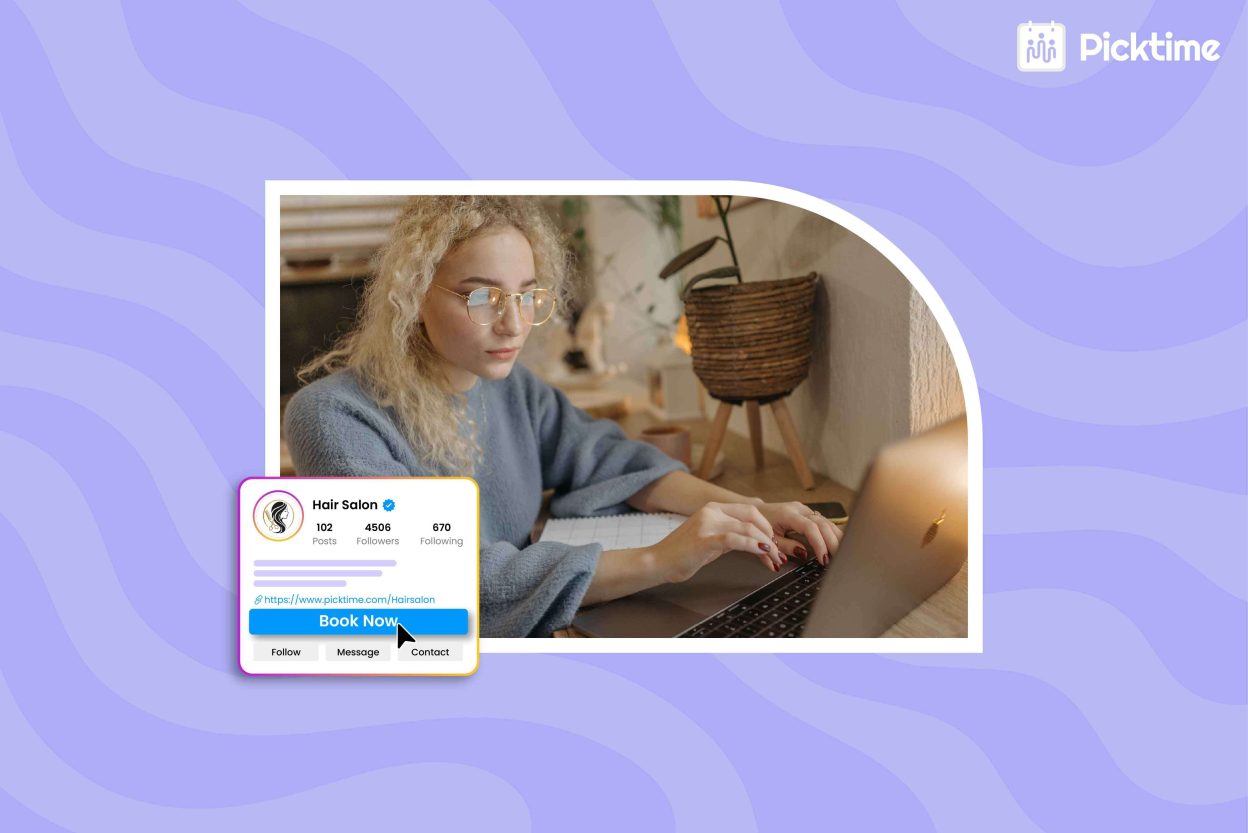
- Add the booking link to your Instagram bio and Facebook business page.
- Include it in your email signature.
- Add your booking page link to your Google Business Profile.
💡Pro Tip: The goal is simple: make it easy for someone who is ready to book to take the next step without searching through several pages. With the Picktime booking widget, you can easily add a “Book Now” button to your website, which redirects visitors to the online booking site.
3. Give Customers Enough Information to Book With Confidence
Sometimes customers find your booking page but are not able to complete the appointment. In that case, you should also prioritize the booking experience along with visibility. However, clients need particular information before making a decision. Think about the questions a new customer is likely to have:
- What service am I booking?
- How long will the appointment take?
- How much does it cost?
- What happens if I need to cancel or reschedule?
- Who will provide the service?
- What should I expect after booking?
Clear service descriptions, pricing information, appointment duration, cancellation terms, and other useful details can reduce uncertainty. Client reviews can also help build confidence when they are displayed appropriately on your website or booking experience. The easier it is for customers to understand what they are booking, the easier it becomes for them to complete the process.
4. Check the Booking Experience on Mobile
Many customers will open your booking link from Google, social media, an email, or a text message on their phone. That means your online booking page needs to be easy to use on a smaller screen. Check the entire process yourself. Can you quickly choose a service? Are the available times easy to see? Are the buttons easy to tap? Does the page load without unnecessary delays? A booking page can be easy to find, but you can still lose out if completing the appointment feels difficult.
How Picktime Can Help
Managing appointment requests through calls, texts, and emails can take up time that could be spent serving customers or running your business. With Picktime appointment scheduling software, you can create an online booking page where customers can view your services, check availability, and book a suitable time without contacting you first.
You can share your booking page through your website, social media profiles, and other channels your customers already use. Picktime also helps you manage appointments, staff availability, calendar synchronization, confirmations, and reminders from one place. Instead of handling every scheduling request manually, you can give customers a simpler way to book while keeping your calendar organized.
👉 Create your free Picktime account and make it easier for customers to book online.
FAQs
1. Why isn’t my online booking site showing up on Google?
Your booking page may not appear prominently if Google does not have enough information about your services, location, or business details. Strengthen your local SEO, keep your Google Business Profile complete, and add your booking link where customers can easily find it. If you use Picktime, you can share your Picktime booking page link on your Google Business Profile and website to give customers a direct path to book.
2. Where should I share my online booking page link?
You can share your booking link wherever customers already interact with your business. Add it to your website, service pages, Google Business Profile, Facebook page, Instagram bio, email signature, and customer messages. With Picktime, you can share your booking page link across these channels so customers can reach your schedule more easily.
3. What should I include on my online booking page?
Give customers the details they need before they book. Include clear service names, descriptions, appointment duration, pricing when relevant, available times, and cancellation or rescheduling information. Picktime lets you organize your services and availability on your booking page so customers can understand their options and book with less back-and-forth.
4. How does appointment scheduling software help small businesses?
Appointment scheduling software lets customers check availability and book without calling or emailing your team. It also helps you organize appointments, staff schedules, confirmations, reminders, and calendars in one place. Picktime brings these scheduling tools together so small businesses can spend less time managing bookings manually and more time serving customers.