Key Takeaways
- Managing bookings manually can lead to scheduling conflicts, missed appointments, and unnecessary administrative work.
- A photographer booking app simplifies online bookings, scheduling, payments, reminders, and client management in one streamlined workflow.
- Automating everyday studio tasks helps photographers stay organized, deliver a better client experience, and focus more on photography.
- Picktime combines online booking, studio management, and scheduling tools to help photographers save time and grow their business.
Have you ever checked how much of your time is actually spent taking photos? Photography means capturing the right moment, but most photographers are more busy managing their calendars than the studio. Let’s picture this: you are all packed with your camera and batteries. The moment you step out to reach your location for a nice photography evening, suddenly your phone rings. Your client wants to schedule a session for his newborn baby, another customer wants to have a photo album of their wedding, and so on. This creates frustrations, right?
That’s why photographers are now using a photographer booking app. This helps them manage their daily bookings, keep them updated with calendar scheduling, manage payments, and send reminders in one place. Now they do not need to worry about their clients either. They can book their photography sessions anytime, get their payments easily, and even remember their appointments without missing anything. Now photographers don’t need to step back to check their client’s query or take follow-ups before showing their creativity. In this blog, we will explore how a photography scheduling app manages bookings, organizes the studio, and keeps calendars running smoothly.
Table of Contents
Why Photographers Need More Than Just a Calendar
Photographers often start their work by checking their calendars and even plan their routine schedule based on that. When there are fewer shoots to manage, the work will not feel burdensome. Soon they notice that everything is becoming confusing with manual calendar management, and now they are totally lost with sheets, calls, messages, and emails. These workloads increase when clients grow and the studio becomes popular. Thus, it becomes difficult to manage inquiries and appointments together. The important thing that most studio assistants forget is that a calendar can only tell your availability. It will not manage the entire booking process and the studio, just like a photographer’s booking app.
Every new photography session comes with several steps that the photographer’s associates need to deal with. Clients ask about availability through social media, email, or your website. You reply with available dates, answer multiple questions, wait for confirmation, manage payment instructions, update your calendar, and send reminders before the shoot. Repeating this process for every booking consumes time that could otherwise be spent shooting, editing, or marketing your services.
Without photography studio software, errors can happen. You can accidentally double-book a time slot or lose track of important client information. With a photographer booking app, you can keep your schedules, online bookings, client management, reminders, and payments organized. Rather than manually trying to coordinate each appointment, automation will make your work simpler.
How a Photography Booking System Simplifies Your Daily Workflow
Every client booking follows the same process, from the first inquiry about the studio to the completed payment after the photoshoot. While each step may seem simple, managing them manually can quickly become overwhelming if things go wrong. But with photography studio software, managing the studio becomes easy as routine tasks are automated and your entire workflow stays uniform. Here are some everyday studio tasks that become easier once a photographer starts using the photographer booking system:
- It allows clients to book a photoshoot session on their own based on their recent availability.
- Keeps the calendar up to date, which helps in reducing the chance of double bookings.
- Send automatic booking confirmations, reminders, and other payment requests.
- Keep client details, booking history, and upcoming appointments in one place for future use.
- Assign photographers, reserve studio rooms, and manage equipment from a single platform.
The less time you spend managing bookings and maintaining calendars, the more time you have to create memorable experiences for your clients. With the right photography scheduling software, your studio stays organized, and you can plan for your next shoots more confidently.
Why Picktime Is the Ideal Photographer Booking App for Online Scheduling and Studio Management
Running a successful photography business means managing much more than photo sessions. Every booking involves one new question. Clients need clarity before accepting your service. As your business grows, the studio tasks can easily take up more time than the photography itself.
That’s where the photographer booking app changes the way you work. It won’t let you struggle with multiple tools and manual processes. Picktime online photographer booking software combines scheduling, bookings, payments, client management, and studio operations into one easy-to-use platform. Whether you’re a freelance photographer, run a portrait studio, or manage a team of photographers, Picktime helps streamline your entire workflow from booking to a completed session.
1. Accept Online Bookings Anytime
If clients need to wait hours just to schedule a shoot, they will move forward with another photographer whose service is more convenient. However, with Picktime’s customizable photographer booking page, clients schedule online 24/7, browse your photography packages, view your real-time availability, and book appointments whenever it’s convenient for them. Photographers can personalize the booking experience by sending a welcome message to their clients. They can also display package details, pricing, and session duration. Moreover, they can approve bookings as per their convenience with booking approvals. Now it’s easy for photographers to set rescheduling and cancellation rules to keep appointments organized. This seamless online photographer booking experience reduces back-and-forth communication and helps you convert inquiries into confirmed appointments around the clock.
2. Stay Organized With Photographer Booking App
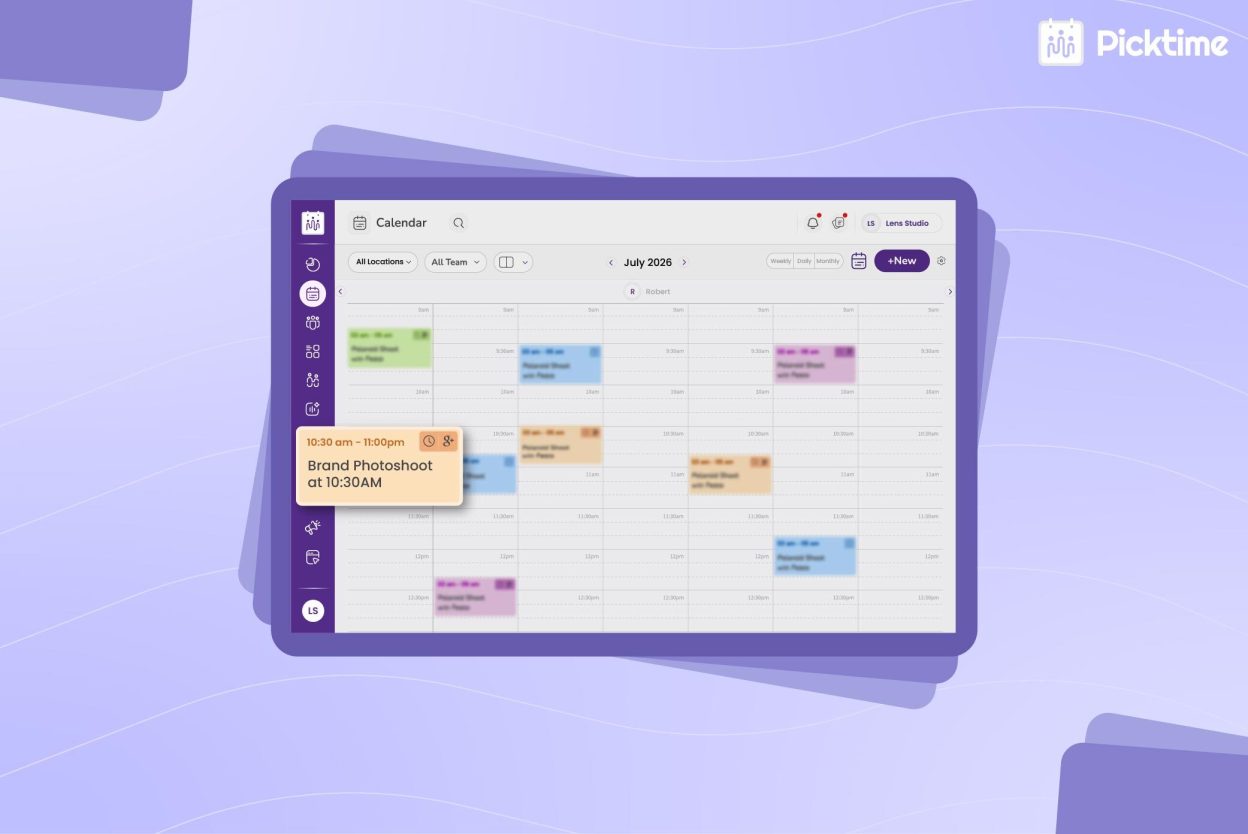
Managing outdoor shoots, studio sessions, consultations, and travel days becomes much easier with Picktime’s photography scheduling app. Real-time availability management, Google Calendar sync, and customizable buffer time between shoots help prevent scheduling conflicts and double bookings. If you offer virtual consultations, you can even connect Zoom or Google Meet links automatically with scheduled appointments.
3. Collect Payments and Send Automatic Reminders
A smooth booking process doesn’t end when an appointment is scheduled. Picktime’s payment integration gateway allows clients to pay deposits or partial payments while booking, helping secure appointments in advance. Automated invoices, reminders, email notifications, and SMS reminders keep clients informed throughout the process, reducing missed appointments and minimizing the need for constant follow-ups.
4. Manage Clients, Teams, and Studio Resources in One Place
As a complete photography studio management software, Picktime keeps customer records, booking history, and appointment details organized on one centralized platform. If you operate a studio or work with multiple photographers, you can assign appointments using round robin scheduling, manage staff availability, reserve shooting rooms or equipment, and coordinate every resource without switching between different systems. It also makes resource management easier by letting clients schedule shooting rooms, cameras, lighting equipment, backdrops, and props alongside appointments. This helps prevent scheduling conflicts and keeps your studio running smoothly from one platform.
5. Offer Multiple Photography Packages
Clients always expect something different when it comes to photography. It includes family portraits, graduation shoots, product photography, or studio rentals. Picktime’s photography booking app allows you to list all your services on a single booking page. You can mention your exact pricing, session duration, and service details. This helps clients understand the available options and choose from the package that suits their needs. As a result, they can book with confidence, without the need to contact photographers for every minute detail.
Whether you’re looking for online booking for photographers to simplify appointment scheduling or a photography booking system to manage your studio, Picktime brings everything together in one platform. From online bookings and calendar management to payments, customer records, team scheduling, and reporting, it gives photographers the tools they need to stay organized, save time, and grow their business.
Conclusion
A successful photographer is known for their creativity, mesmerizing shots, professionalism, and providing a pleasant experience for clients. But if he has to deal with client coordination and admin tasks more than capturing photos, then it’s a sign the studio needs a better system. Managing studio tasks manually seems manageable at first, but as soon as the shoots increase, tasks need a system that keeps everything organized.
The Picktime photographer booking system helps solve these problems by managing studio tasks together from a centralized system. When photographers can manage their routine tasks easily, they can spend more time on their portrait sessions, branding sessions, wedding shoots, and other studio sessions. This allows them to work more behind the camera while helping their studio grow. When the studio business is running smoothly, photographers can accept more bookings while delivering a better experience to their clients.
If you are spending more time managing your studio than impressing your clients with your perfect shots, then it’s the right time for you to try Picktime. It manages schedules, studio tasks, clients’ history, payments, and reminders together, so you can focus on creating exceptional photography.
FAQ’s
1. How does a photographer booking app help grow a photography business?
A photographer booking app reduces the time spent on scheduling, follow-ups, and administrative tasks by automating online bookings, reminders, payments, and client management. With Picktime, photographers can keep their schedules organized, reduce no-shows, and focus more on delivering great photography experiences while accepting more bookings.
2. Can clients book photography sessions online without contacting the photographer?
Yes. With Picktime, photographers can create a customizable photographer booking website where clients can view available services, check real-time availability, choose a convenient time, and book appointments 24/7. This eliminates lengthy scheduling conversations and provides a faster, more convenient booking experience.
3. Is Picktime suitable for photography studios with multiple photographers?
Absolutely. Picktime is designed for both independent photographers and growing studios. It supports multiple photographer scheduling, round-robin appointment assignment, customer management, and resource management, allowing you to coordinate photographers, studio rooms, cameras, lighting equipment, and other resources from one centralized dashboard.