Key Takeaways
- Managing bookings, client communication, payments, and schedules manually becomes increasingly difficult as your photography business grows.
- Keeping everything organized in one place helps reduce administrative work, prevents scheduling conflicts, and creates a smoother workflow from inquiry to final payment.
- Picktime’s photography scheduling software combines online booking, customer records, calendar management, payments, invoicing, and automated reminders into a single platform.
- With less time spent on admin tasks and more time behind the camera, you can deliver a better client experience while growing your photography business more efficiently.
A wedding photographer finishes a long day of shooting and finally gets some free time. After 12 hours of hectic work capturing every memorable moment of the couple, he thinks about editing, sending a preview gallery, and then resting. But before he does so, they realize there’s still a lot of pending work to deal with. Instagram is filled with inquiries, a portrait session still needs a confirmation, an invoice is yet to be sent, and another client asks to reschedule his shoot.
Managing these tasks manually is very challenging and creates conflicts. That’s why many photographers are now shifting to photography scheduling software. It organizes bookings and payments, manages the studio, stores client information, and updates the calendar from one place. For most photographers, clicking photos is only part of their job. Every appointment brings different tasks regarding consultations, contracts, editing timelines, reminders, and client communication. For a while, you can manage these tasks on your own, but when your studio grows, you will have more responsibilities to handle. Thus, it becomes confusing. In this blog, we are going to explore how a studio can manage shoots, clients, and payments without switching to different tools while managing their workflow more efficiently.
Table of Contents
Why Managing a Photography Business Gets More Complicated as You Grow
Without organized photographer scheduling software, it’s challenging to manage every administrative task. Everyone likes it when their business starts growing, but with every new client, there are more details to manage, such as contact information, session type, style preferences, payment status, and special requests. And when there is no photography studio management software, you will start spending more time on admin tasks rather than staying behind the camera to click and edit your pictures.
Every Shoot Creates More Admin Than You Think
A photography session rarely starts when you pick up your camera. It begins with answering inquiries, discussing packages, confirming availability, scheduling consultations, selecting locations, and collecting deposits. As the appointment approaches, reminders need to be sent, timelines adjusted, and any special requests recorded. Once the session is complete, there’s still editing, gallery delivery, final payments, invoices, and follow-up communication. Now think of the same process across weddings, family portraits, commercial shoots, newborn sessions, and seasonal mini sessions, and it’s easy to see how administrative work grows faster than your portfolio. Without structured photography scheduling software, these small tasks can quietly take hours out of every week.
When Client Information Lives Everywhere
For most photographers, client conversations are spread across multiple platforms rather than happening in one place. One client may DM on Instagram, another texts on WhatsApp, and someone asks about pricing in an email. Thus, each important note ends up inside calendars, notebooks, spreadsheets, or phone reminders. Over time, finding the latest conversation becomes difficult. Missing a location update or forgetting a requested photo style can affect the client experience before the shoot even begins. Keeping customer records together makes every interaction easier. Without online photographer booking, you can quickly access booking history, contact details, previous sessions, payments, and notes from one place.
Manual Scheduling Costs More Than Time
A growing photography business often deals with situations where manual scheduling starts creating unnecessary problems. Double bookings happen because calendars aren’t synced. A portrait consultation gets booked during the hours you reserved for editing a wedding gallery. Moreover, clients forget appointments because they didn’t receive any reminders. And sometimes reschedule requests can easily turn into endless back-and-forth conversations before a new time is confirmed. Using a scheduling platform with calendar sync, automatic reminders, booking notifications, and real-time availability reduces these everyday scheduling challenges while keeping your calendar accurate across devices.
How Photography Scheduling Software Keeps Everything in One Place
Without relying on several disconnected tools, photographers can now manage their daily studio work from a single platform. Picktime’s photography studio software combines scheduling, online booking, payments, customer management, reminders, and invoicing into one platform designed to simplify day-to-day operations for photographers. Rather than adding another app to your workflow, it replaces much of the manual work that happens before and after every shoot. Some of the ways Picktime’s photographer scheduling software will help your business stay organized. The areas are as follows:
Let Clients Book the Right Session
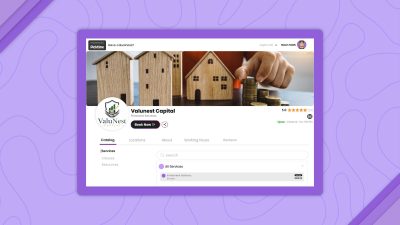
Many photography inquiries begin with simple questions about package pricing, availability, and session duration. Answering these repeatedly consumes time. With Picktime’s photography studio software, you can create a personalized online booking page where clients browse available photography services, compare packages, view pricing, select session durations, and book an available time without waiting for a reply. Whether you offer engagement shoots, family portraits, newborn photography, corporate headshots, or wedding consultations, clients can choose the service that matches their needs while only seeing available appointment slots. It lets you collect some necessary details before the session starts, such as the client’s preferred photography style or even location. Thus, this will reduce repetitive communication.
Keep Payments, Invoices, and Customer Booking Records Connected
Managing appointments separately from payments often creates extra follow-up work. Let’s say a client books today, the deposit arrives tomorrow, and then you will create the invoice. The final payment has yet to come after you deliver the image. Now imagine you are doing all this work from separate platforms. As a result, it’s easy to lose track of what’s been paid and what’s still pending.
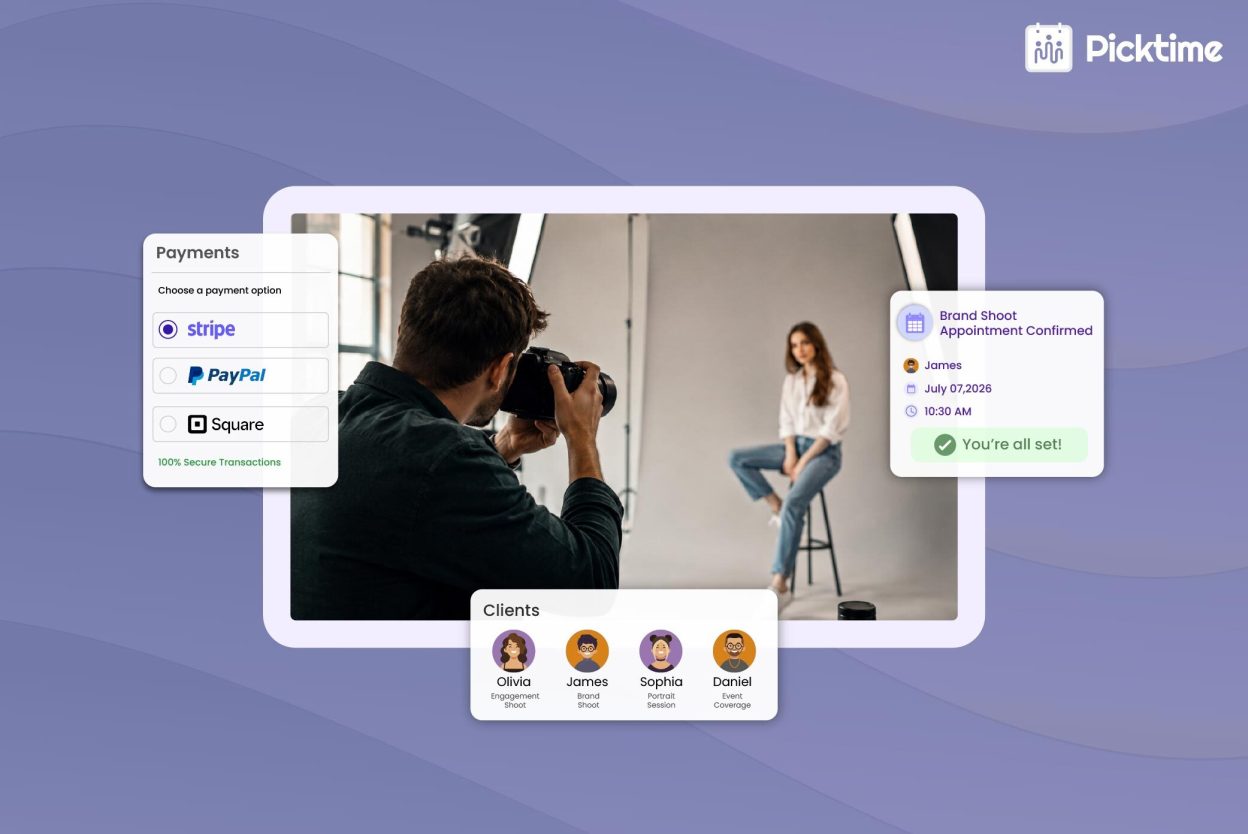
Picktime’s photography scheduling software keeps bookings, payments, and invoices connected in one workflow. Photographers can collect deposits during booking and accept online payments through supported payment gateways such as PayPal, Stripe, and Square. Then you generate customized invoices, check whether the payment is with cash or card, and track partial or full payments without switching between multiple tools. Because every payment remains linked to the original appointment, it’s much easier to monitor bookings without maintaining separate spreadsheets. Scheduling software like Picktime even stores customer records along with every appointment. It’s easy to recognize repeat clients instantly. Moreover, previous bookings remain accessible, and all important information stays connected to their profile.
Stay on Top of Your Schedule Wherever You’re on a Shoot
When there is a convenient way to manage shoots from anywhere and at anytime, then it helps to grow your clients. Photographers have outdoor shoots, travel photography, wildlife shoots, and commercial photography. During this time, there’s a chance that they miss some appointments while working. Picktime’s photographer scheduling software has easy mobile access through which you can keep your calendar updated, review customer information, monitor appointments, and manage bookings from anywhere. This helps you not to miss any upcoming appointments.
Photographers who work with their assistants, those who have many members in their team, can stay on the same page by using a shared scheduling system. Photography scheduling software like Picktime has two-way calendar sync with Google Calendar, Outlook Calendar, Apple Calendar, and other supported calendars. Whenever a booking gets cancelled or a new appointment is booked, scheduling software reflects the same changes across other connected devices. It also allows you to check your appointments from your phone, desktop, or laptop. So, you have the latest update of your schedule without manually updating each calendar.
Create a Better Client Experience Without Extra Work
Every interaction matters with the client because it builds trust and confidence in them. Confirmation after every booking, timely reminders before their appointments, and clear updates throughout the process will assure them that their work is going smoothly and in an organized manner. After the appointment, requesting reviews helps strengthen your online reputation without adding another manual task to your day. Rather than individually managing every email or reminder, an appointment scheduling app like Picktime automates much of the communication while keeping every client informed throughout their booking journey. The result feels more professional for clients while requiring less administrative effort from you.
Conclusion
Whenever a photographer finishes a photography shoot, he wants to prepare for the next session so as not to struggle with the studio admin tasks. And a successful photography business is one that not only captures the perfect shot but also easily manages daily operations. Every booking needs some sort of editing, post-production, assistance, back-ups, payments, and delivering sneak peeks. This takes longer if handled manually.
Rather than struggling with multiple tools to complete tasks and keep things up to date, it is better to use photography scheduling software. Picktime’s photographer scheduling app helps you manage your calendar and keep track of payments and invoices; it helps you with team management and manages resources and equipment that are required for your business.
Want to grow your photography studio without juggling separate tools while managing your administrative work more smoothly? Try Picktime and see how it simplifies your daily studio routine and keeps your work organized.
FAQ’s
1. What is photography scheduling software?
Photography scheduling software helps photographers manage appointments, online bookings, client information, payments, invoices, and reminders from a single platform. Instead of relying on multiple calendars and communication tools, solutions like Picktime streamline your entire booking workflow, making it easier to organize shoots and serve clients efficiently.
2. Can clients book photography sessions online?
Yes. Most modern photography scheduling software allows clients to book appointments through a personalized online booking page. With Picktime, clients can browse your photography packages, check real-time availability, choose a suitable time slot, and even make online payments without contacting you first.
3. How can photography scheduling software help reduce no-shows?
Photography scheduling software minimizes missed appointments by sending automatic booking confirmations, reminders, and schedule updates to clients. Picktime also supports SMS and email reminders, helping photographers reduce no-shows while keeping clients informed throughout the booking process.