Key Takeaways:
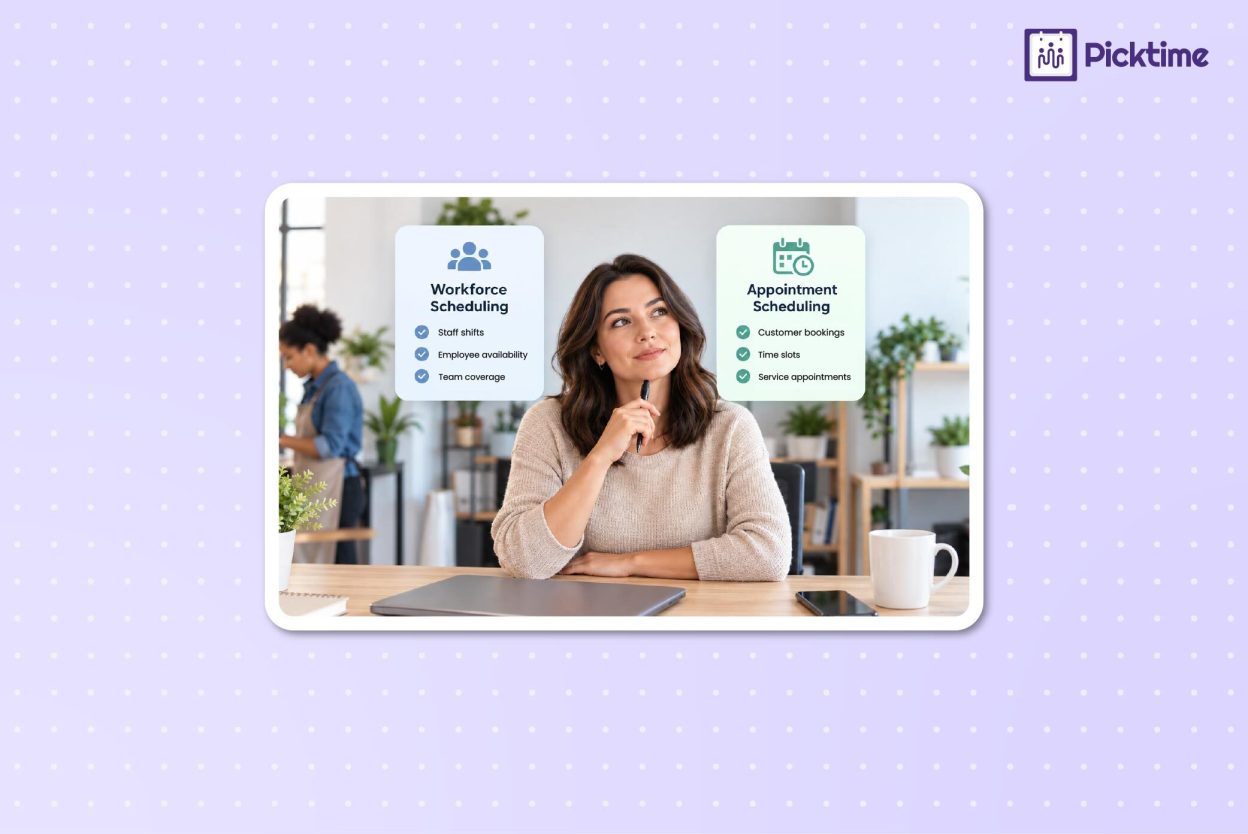
- Workforce scheduling focuses on your team. It helps manage employee shifts, availability, staffing coverage, and schedule changes.
- Appointment scheduling focuses on your customers: It helps clients book services, appointments, classes, or consultations based on the availability you set.
- Both solve different scheduling problems: Workforce scheduling helps organize internal staff schedules, while appointment scheduling makes customer bookings easier to manage.
- Some businesses may need both: If staff schedules affect when customers can book, using both systems can help keep employee availability and customer appointments aligned.
Well, managing a small business is hardly about doing one job. As a business owner, you might be handling employee schedules, helping customers, checking bookings, and fixing scheduling gaps. Scheduling is one part of the work, but you might consistently find mistakes, sometimes all in the same hour. As a result, team members miss a shift, schedules overlap, or you spend half the day manually organizing schedules.
Using manual scheduling methods is much more difficult than they need to be. Using the right scheduling system can make your everyday operations much easier. But the first question is: “ So how do you choose the right software? Should one tool manage both employee schedules and customer bookings? Or does it make more sense to use separate software?
In this blog, we’ll understand why small business owners need workforce scheduling and seamless appointment management. Also, we’ll learn how to choose the right option for your business.
Table of Contents
- What Is Workforce Scheduling?
- When Do Small Businesses Need Efficient Workforce Planning?
- What Is an Appointment Scheduling System?
- When Do Small Businesses Need an Appointment Scheduling System?
- Workforce Scheduling vs. Appointment Scheduling: What’s the Difference?
- Do You Need Workforce Management or Appointment Scheduling?
- Make Scheduling Fit the Way Your Business Works
- FAQs
What Is Workforce Scheduling?
Workforce management is the process that improves the organization of staff schedules, productivity, and team morale. Many business owners and managers use workforce management scheduling software to set employee rosters, assign shifts, track availability, and maintain adequate coverage throughout the day or week.
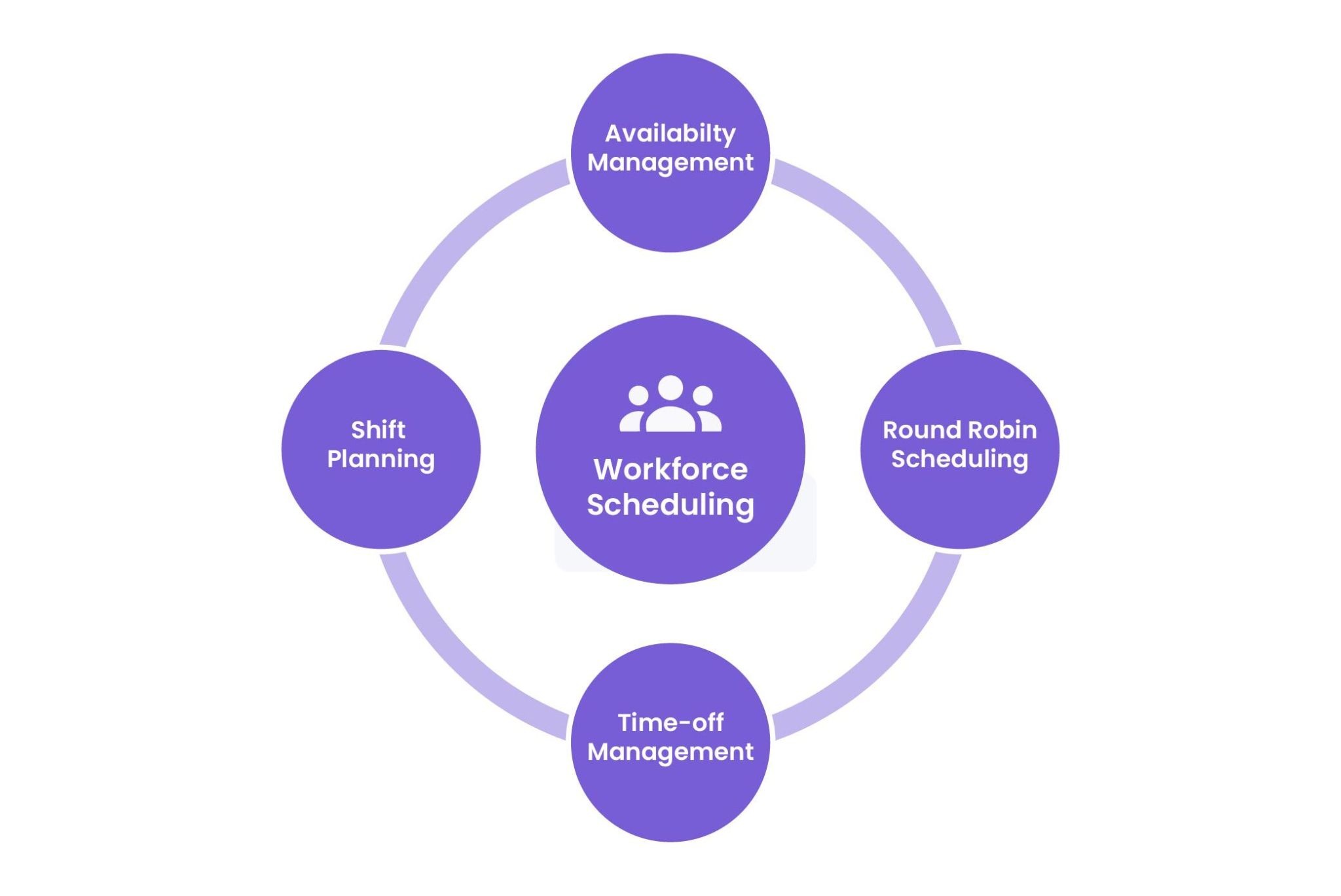
Workforce scheduling software brings these tasks into one system rather than relying on spreadsheets, printed schedules, group chats, or individual messages. Common workforce management features include:
- Shift planning: Create and assign working hours, roles, permissions, breaks, and week-offs.
- Availability management: Know who is available and when, so you can avoid scheduling conflicts.
- Round Robin Scheduling: Distribute tasks among team members and ensure everyone has a fair share of appointments throughout the entire day.
- Time-off management: Review employee leave and availability changes in one place.
The main goal is to make internal staff scheduling easier to manage.
When Do Small Businesses Need Efficient Workforce Planning?
Businesses need employee scheduling software when admins manage different shifts, sudden scheduling changes, and overlaps. For example, a restaurant may need different employees for breakfast, lunch, and dinner shifts. A retail business may need more staff during weekends or busy shopping periods.
Without a scheduling system, managers may spend significant time managing administrative tasks with manual scheduling methods. It involves employee availability, filling open shifts, updating spreadsheets, and informing staff whenever the schedule changes. Workforce management becomes especially useful when your business needs to:
- Manage rotating or variable shifts
- Fill staffing gaps
- Track employee availability
- Control overtime
- Coordinate schedules across departments or locations
- Keep staffing levels aligned with demand
A simple way to identify the need is to ask: Is your main scheduling problem deciding who should be working and when? If the answer is yes, workforce scheduling software is likely the better fit.
What Is an Appointment Scheduling System?
An appointment scheduling system helps customers book appointments, services, classes, consultations, or meetings with your business. Rather than calling, emailing, or waiting for someone to confirm an available time, customers can view open appointment slots and schedule themselves online.
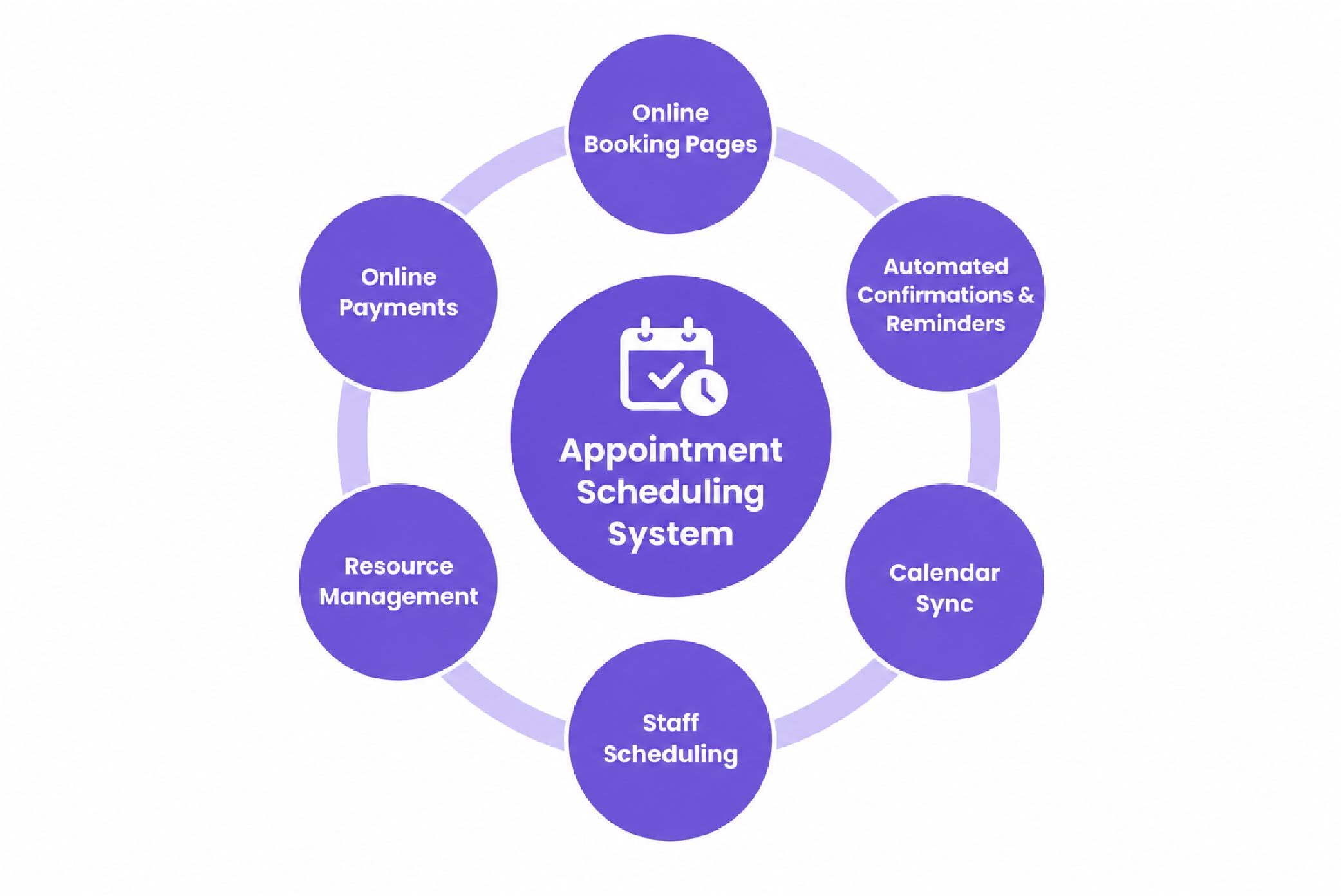
An online booking system such as Picktime can connect the booking process with your business calendar, staff availability, services, and resources. When someone books an appointment, the system automatically updates your current appointment schedule in your business calendar. Common appointment scheduling features include:
- Online booking pages: Give customers a more convenient way to schedule appointments anywhere, anytime.
- Automated confirmations and reminders: Using appointment scheduling software, your team members, and clients get email and SMS reminders for their upcoming appointments. It ensures everyone stays on the same page.
- Calendar sync: Keep appointment calendars coordinated across connected calendar platforms.
- Staff scheduling: Show appointments based on the availability of the team members providing the service.
- Resource management: Reserve rooms, equipment, or other resources required for an appointment.
- Online payments: Allow businesses to collect full or partial payments during the booking process when supported.
The main purpose is to simplify customer-facing scheduling.
When Do Small Businesses Need an Appointment Scheduling System?
Appointment scheduling software is useful when customers regularly need to reserve time with your business. This applies to businesses offering consultations, appointments, classes, sessions, meetings, or other time-based services. Consider a salon where customers book hair appointments, a consultant handles multiple client calls, or a fitness studio accepts class reservations. Every booking requires an available time, the appropriate staff member, and sometimes a room or equipment.
When businesses manage these bookings manually, employees often spend time answering calls, checking calendars, confirming availability, and sending reminders. An appointment scheduling system can reduce that administrative work by allowing customers to book from the times you make available. It is particularly useful when you want to:
- Offer online self-booking
- Reduce scheduling calls and emails
- Prevent overlapping appointments
- Send booking confirmations and reminders
- Coordinate appointments across staff members
- Manage services, rooms, or equipment
- Give customers more control over when they book
Ask yourself: Are your customers finding it difficult to reserve an appointment of their own?
If yes, appointment scheduling software is specifically designed to make your customer booking experience simple and effortless.
Workforce Scheduling vs. Appointment Scheduling: What’s the Difference?
Although both systems deal with time and availability, they solve different scheduling problems.
| Workforce Management | Appointment Scheduling | |
| Primary users | Managers and employees | Businesses and customers |
| Main purpose | Organize employee shifts and working hours | Allow customers to book services or appointments |
| Manages | Staff availability, shifts, coverage, and labor hours | Appointments, services, customers, staff availability, and booking times |
| Common problems solved | Staffing gaps, shift conflicts, overtime, and schedule changes | Manual booking, appointment conflicts, missed bookings, and scheduling admin |
| Best suited for | Shift-based businesses | Appointment and service-based businesses |
| Common examples | Restaurants, retail stores, warehouses | Salons, clinics, consultants, tutors, fitness businesses |
The simplest distinction is this:
Workforce management organizes overall employee schedules, assigns different tasks based on priority, and ensures your workload stays balanced.
The two can also work together. For example, a med spa may use employee scheduling software to decide when estheticians are working. It may also use appointment scheduling software so customers can book treatments only when the appropriate employee and resources are available.
Do You Need Workforce Management or Appointment Scheduling?
Your streamlined operations depend on which software you consider for your business. Choose employee scheduling software when your main concerns involve employee shifts, staffing coverage, overtime, or changing work schedules. You can not avoid scheduling challenges until you’ve fixed employee scheduling issues. Choose an appointment scheduling system when customers need to reserve services, consultations, classes, or appointments, which your team currently manages through calls, messages, spreadsheets, or manual calendars. If you only need one system right now, identify which scheduling process requires the most manual work.
Ask yourself:
- Are managers spending more time building employee schedules?
- Are employees frequently swapping or changing shifts?
- Are customers calling because they cannot see available appointment times?
- Is your team spending too much time scheduling and confirming bookings?
- Are appointment conflicts or missed bookings becoming common?
Some businesses eventually need both systems because employee schedules and customer bookings affect each other. That’s where Picktime’s online appointment scheduling software comes in, which is tailored to manage both employee and scheduling tasks. It offers all the capabilities for handling schedules, calendars, team rosters, and more in one platform. You don’t have to switch between multiple apps just to manage your important operations. If you only need one system right now, identify which scheduling process requires the most manual work.
Make Scheduling Fit the Way Your Business Works
Scheduling software works best when it solves a clear operational problem. For shift-based businesses, that may mean making workforce scheduling easier to manage. For service businesses, it may also mean giving customers a convenient way to book while reducing the amount of administrative work handled by staff.
Picktime is designed for businesses that manage appointments, classes, services, staff availability, and resources. Customers can book through an online booking page, while businesses can manage schedules, reminders, calendars, team members, and booking availability from one place. If customer bookings are taking too much time to manage manually, an online scheduling system can make the process easier for both your team and your customers.
👉 Try Picktime for free and see how online scheduling fits your business.
FAQs
1. What is the difference between workforce scheduling and appointment scheduling?
Workforce scheduling focuses on organizing when employees work, including shifts, availability, staffing coverage, and schedule changes. Appointment scheduling focuses on when customers can book services, consultations, classes, or appointments with a business.
2. Do small businesses need both workforce and appointment scheduling systems?
Some businesses do. For example, a service business may need to know when employees are working before allowing customers to book appointments with them. Businesses should consider online scheduling tools like Picktime that support both employee schedule management and customer bookings.
3. Can Picktime handle both workforce management and appointment scheduling in one place?
Picktime combines appointment scheduling with team and availability management in one place. Businesses can manage customer bookings, staff availability, calendars, services, classes, and resources from a single platform. However, Picktime is primarily an appointment scheduling solution, not a complete workforce management system for advanced shift planning or workforce operations.
4. Can Picktime help prevent double bookings?
Picktime can help businesses coordinate appointment availability across staff, services, calendars, and resources. By making only configured available times bookable, businesses can reduce appointment conflicts and avoid manually checking multiple schedules before confirming a booking.