Key Takeaways
- Managing staff schedules manually becomes more difficult as your team and appointments grow.
- The best staff scheduling software helps businesses organize employee schedules, manage availability, and reduce scheduling conflicts.
- Automating staff scheduling saves time, improves team coordination, and reduces manual administrative work.
- Picktime combines staff scheduling, appointment management, online booking, and reporting in one platform to help small businesses manage their teams more efficiently.
You might think it’s manageable to adjust staff schedules manually. But in reality, it’s slightly different. When you run a small business, it may work. However, it becomes difficult when your team and bookings increase. Business owners need to handle team availability, customer appointments, and last-minute schedule changes. Manual scheduling can lead to missed shifts, overlapping appointments, and constant back-and-forth communication.
That’s why many businesses are switching to the best staff scheduling software. It helps them organize team schedules, reduce manual work, and help everyone follow the latest schedule. In this blog, we will walk you through how staff scheduling software can help you manage your team while saving you time and keeping your business running smoothly.
Table of Contents
What Is Staff Scheduling Software?
Scheduling software is a tool that helps businesses create, manage, and update employee schedules from one place. Rather than using spreadsheets, paper schedules, or messages, managers can see when team members are available and assign appointments accordingly. For small businesses, this makes daily scheduling easier. With appointment scheduling software, managers can assign shifts, check availability, avoid conflicts, and notify employees about schedule changes. Whether you run a salon, fitness studio, healthcare practice, consulting business, or service-based company, scheduling software helps your team stay organized while reducing administrative tasks.
Why the Best Staff Scheduling Software Matters for Small Businesses
When you have a small team, managing everyone’s schedules properly becomes even more important. Manual scheduling can lead to double bookings, missed appointments, and employee conflicts, and it takes more time. Indeed, it notes that scheduling conflicts can lead to productivity loss and additional administrative work, highlighting the importance of keeping staff availability and schedules organized. With online appointment scheduling software, businesses can allow customers to book available time slots while keeping staff schedules updated and organized. This creates a smoother experience for both customers and employees. Moreover, automated scheduling reduces repetitive administrative tasks. Now, managers do not need to adjust the calendars as often. They just have to focus on improving client service and their business growth.
How Picktime Makes Staff Scheduling Easier
Picktime is an appointment scheduling software that helps small businesses manage staff schedules, appointments, and customer bookings from one platform. Moreover, it lets teams stay aligned with clearer schedules, easier availability tracking, and faster updates. Here’s how Picktime helps businesses manage staff scheduling:
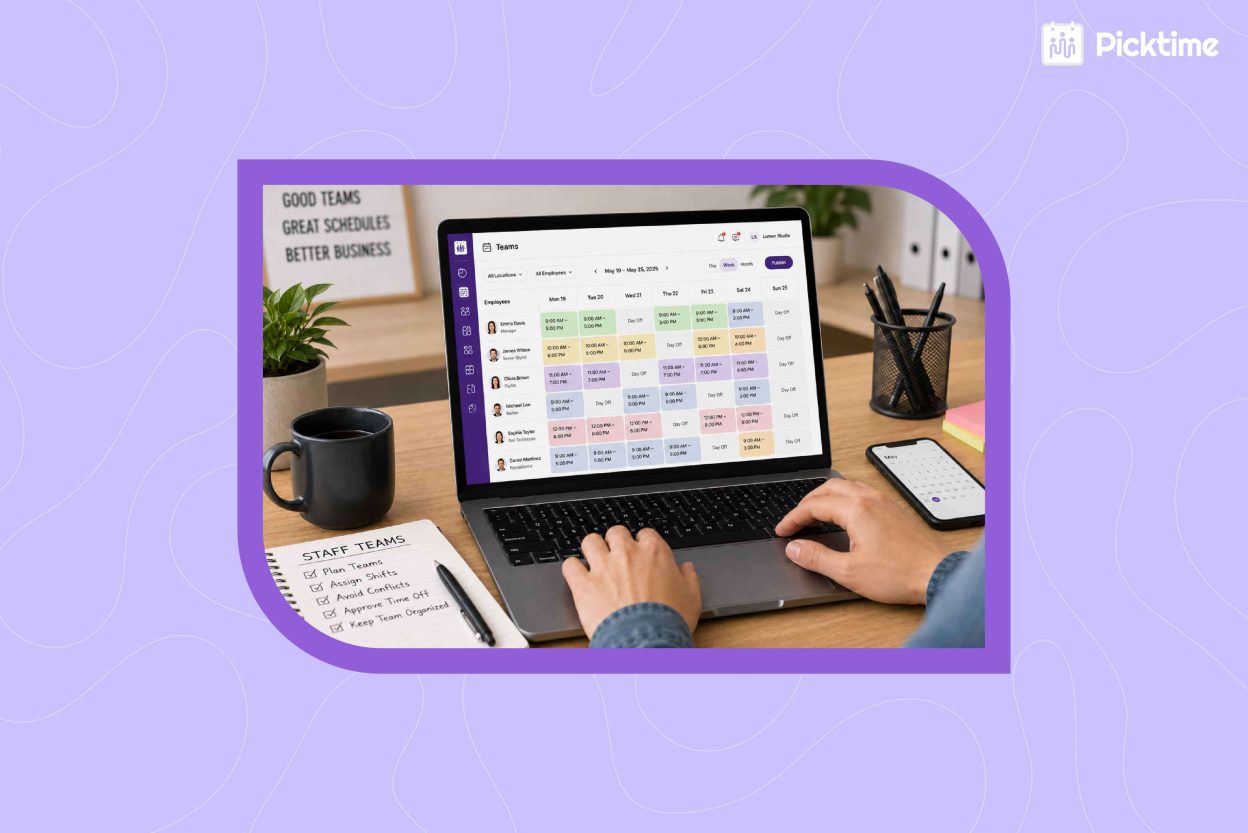
- Team Management and Team Roster: It helps businesses organize staff shifts, working hours, breaks, and days off in one place. So you can see team availability and assign the right team members without manual tracking.
- Round Robin Assignment: Picktime can automatically distribute appointments among available team members based on your round-robin settings, helping balance workloads and manage appointment assignments more efficiently.
- Two-Way Calendar Sync: Picktime’s two-way calendar sync keeps staff calendars updated across platforms, reduces scheduling conflicts, and makes real-time availability easier to manage.
- Online Booking and Appointment Scheduling: The best staff scheduling software lets customers choose convenient time slots while making sure appointments are assigned based on staff availability.
- Appointment Reminders and Scheduling Notifications: Keep customers and team members informed about upcoming appointments, cancellations, and schedule updates.
- Booking Approvals: With the staff scheduler, it’s easy to review and approve appointments before confirmation, giving businesses more control over their schedules.
- Track team performance and booking activity: It helps track which staff members handle more appointments, how many bookings each team member manages, and overall team activity.
- Roles and Permissions: Set different access levels for team members based on their responsibilities, giving them control over relevant schedules and appointments without full account access.
For example, a salon can assign appointments to employees based on their availability, while a fitness studio can manage trainers, classes, and customer bookings from one dashboard. With software appointment scheduling like Picktime, businesses can keep staff schedules organized. As a result, it reduces conflicts and helps businesses deliver great service to their clients.
Conclusion
Managing a growing team doesn’t mean that you have to spend hours fixing daily schedules. The best staff scheduling software can help small businesses organize teams, avoid scheduling mistakes, and spend less time managing shifts. Rather than juggling multiple schedules and updates, businesses can use automation to create smoother scheduling processes.
Want to spend less time managing schedules and more time running your business? Try Picktime; it combines staff scheduling, online booking, calendar sync, reminders, and customer management in a single dashboard. Further, it helps small businesses manage daily operations more efficiently as they grow.
FAQ’s
1. How can staff scheduling software improve day-to-day business operations?
Staff scheduling software helps businesses organize employee schedules, track availability, assign appointments, and reduce scheduling conflicts. With Picktime, businesses can also manage online bookings, calendar sync, appointment reminders, and team schedules from one platform, making daily operations easier to manage.
2. What features should I look for in the best staff scheduling software?
Look for features such as team management, team rosters, calendar synchronization, online booking, appointment reminders, scheduling notifications, and reporting. Picktime includes these features to help small businesses manage employee schedules while keeping customer bookings organized.
3. Can staff scheduling software support businesses with multiple employees?
Yes. As your team grows, staff scheduling software makes it easier to assign appointments, manage employee availability, and coordinate schedules. Picktime also offers round-robin assignment, team management, and two-way calendar sync to help businesses manage multiple team members efficiently.
4. Can staff scheduling software grow with my business?
Yes. As you hire more employees or expand to multiple locations, Picktime makes it easy to manage larger teams, organize schedules, and keep appointments running smoothly without changing your workflow.