Key Takeaways
- Free booking software works well for businesses with simple scheduling needs, while paid plans offer more automation and flexibility as you grow.
- The right booking solution depends on your appointment volume, team size, and the features your business needs.
- Paid booking software can help reduce manual work with features like reminders, payments, calendar sync, and reporting.
- Picktime offers free and paid plans, allowing businesses to start with basic scheduling features and upgrade as their needs grow.
Every dollar matters when you are running a small business. Thus, it’s important to choose the right software tools for your business. When it comes to booking software for small businesses, many owners start with a free plan. Mostly, the free plan handles the basic appointments, notifications, and payments. But when your business increases, managing daily business operations becomes difficult. Soon you realize free plans no longer meet your needs. However, paid plans offer more features, but are they worth the investment? The answer depends on how your business works, how many appointments you manage, and whether manual work is slowing you down. This guide compares free and paid booking software to help you decide which option fits your business best.
Table of Contents
When Free Booking Software for Small Businesses Is Enough
Free booking software for small businesses is often a good starting point for businesses with simple scheduling needs. For solo business owners with one service and only a few appointments each week, the basic plan is enough. Online appointment scheduling software with a free plan may give you everything your business needs. Most free tools include:
- A basic online booking page
- Calendar Sync
- Appointment confirmations
- Limited reminder options
- Basic customer management
For new businesses, these features reduce manual scheduling and help clients to book appointments online. However, many appointment scheduling software free plans limit the number of staff members, calendars, integrations, or automated notifications. As your business grows, these restrictions can create additional manual work.
When Paid Booking Software Becomes Worth It
As your business gets busier, managing appointments becomes more than just filling your calendar. You also need to manage cancellations, reminders, staff schedules, payments, and customer communication. Paid booking software for small businesses often includes the following:
- Advanced scheduling rules with buffer times
- Automated email and SMS reminders
- Multiple staff and location management
- Online payments and deposits
- Business reports and performance tracking
- Customer records and booking history
- Third-party integrations
- Time zone management
These features help reduce manual work while improving the customer experience. Rather than spending time confirming appointments or updating calendars, your team can focus on serving customers. As a result, many businesses upgrade from basic tools to online appointment scheduling software that offers greater flexibility and automation. In many cases, the cost of one missed appointment or double booking can exceed the monthly subscription fee for a paid platform.
Free vs. Paid: Which Option Is Right for You?
The best option depends on how you manage appointments, your team size, and your growth plans. Online appointment scheduling software can be a better fit when you need more automation and flexibility.
Choose a free plan if you:
- Work alone or have a very small team.
- Manage a low number of appointments.
- Offer only one or two services.
- Don’t mind handling reminders and schedule changes manually.
Consider a paid plan if you:
- Need more team members or locations than your free plan allows.
- Frequently reschedule appointments.
- Want customers to pay online while booking.
- Need automated reminders to reduce no-shows.
- Want reports to track bookings and business performance.
- Plan to grow your business over time.
Rather than choosing based only on price, think about the time you spend managing appointments each week. If managing schedules takes too much time away from customers, a paid booking system for small businesses can help you save time and work more efficiently.
How Picktime Fits Both Free and Growing Businesses
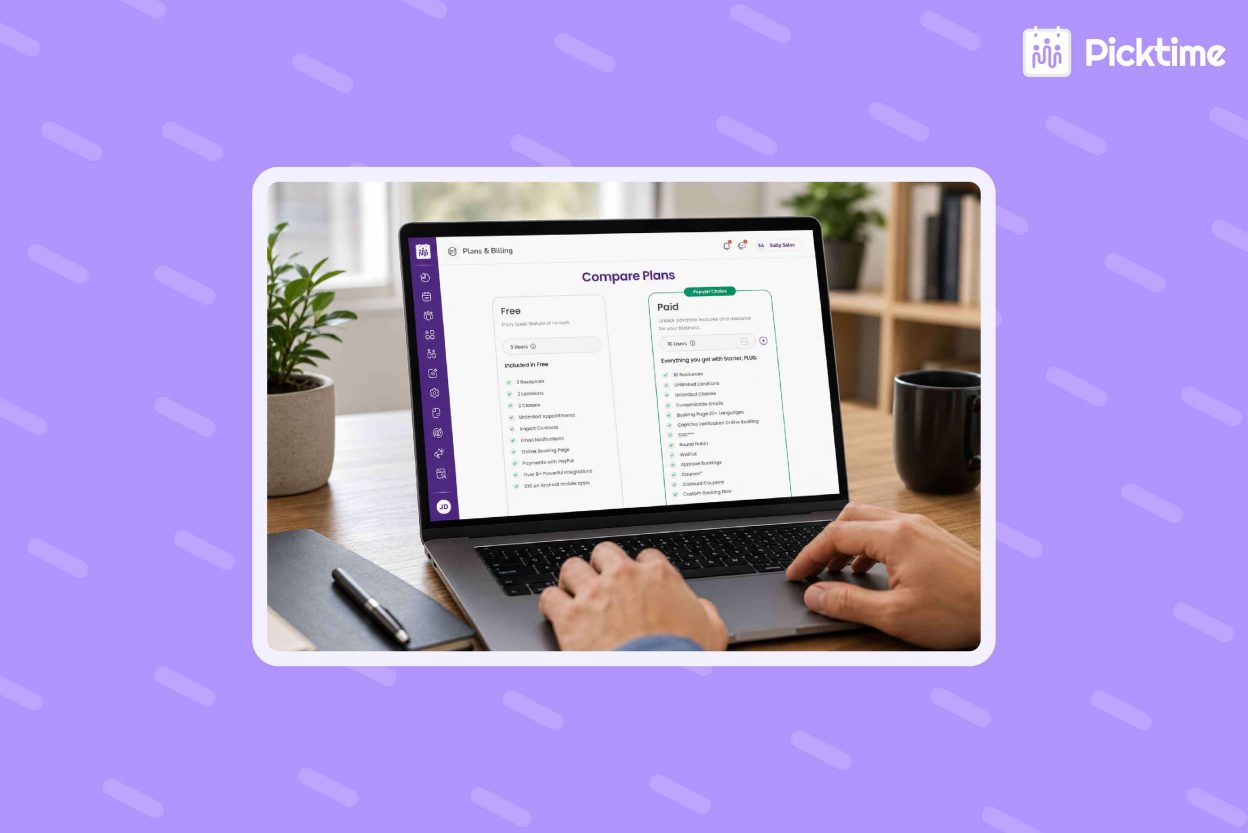
Whether you’re just starting or managing a growing business, appointment scheduling software Picktime offers plans that help you grow. The Free plan includes unlimited appointments, an online booking page, email notifications, PayPal payments, mobile apps, and support for up to three team members, making it a practical option for businesses with basic scheduling needs.
As your business grows, you can upgrade to the Starter plan (starting at $3 per user/month, billed annually) to unlock features such as recurring bookings, two-way calendar sync, SMS reminders, automatic time zone conversion, and additional integrations. SMS messages use the credits included with your plan, and you can purchase additional credits if needed. For larger teams, the Pro plan (starting at $2.25 per user/month, billed annually) adds advanced features like waitlists, booking approvals, customizable booking flows, and support for more team members and locations. This allows businesses to start with a free plan and upgrade only when they need more automation and scheduling capabilities, without switching to a different platform. Not sure which plan is right for you? Look for Picktime’s pricing options and find the features that align with your current scheduling needs.
Conclusion
Price matters, but finding the right booking software for small businesses is more important than just saving money. Free plans work well for businesses that deal with simple scheduling needs. However, paid plans become useful when you need to go beyond bookings. It allows you access to staff management, reminders, and resources. Before deciding between free and paid booking software, think about how much time you spend managing bookings each week. If it’s taking time away from your customers, it may be time to automate.
Whether you’re starting with a free plan or ready for more advanced scheduling features. Sign up with Picktime; it combines online booking, reminders, payments, calendar sync, and customer management in one easy-to-use platform. Moreover, it lets you start for free and unlock more features when your business needs them.
FAQs
1. Do small businesses need paid booking software from the beginning?
Not necessarily. If you manage only a few appointments and have simple scheduling needs, a free plan may be enough to get started. However, as your bookings increase, a paid Picktime plan can add features such as automated reminders, two-way calendar sync, recurring bookings, additional payment options, and higher limits for certain scheduling needs.
2. What is the biggest difference between free and paid booking software?
Free booking software usually covers basic needs like online booking and calendar management. Paid plans provide advanced features such as recurring bookings, SMS reminders, two-way calendar sync, reporting, payment options, and tools to manage growing teams. With Picktime, you can start with a free plan and upgrade when your business needs more features.
3. When should a small business upgrade from free to paid booking software?
You should consider upgrading when manual scheduling starts taking too much time, you need features beyond the free-plan limits, or you want capabilities such as automated reminders, two-way calendar sync, recurring bookings, additional payment gateways, or more advanced scheduling tools. Picktime makes it easy to upgrade as your business grows without changing platforms.
4. Can I try Picktime before choosing a paid plan?
Yes. Picktime offers a free plan with features like unlimited appointments, an online booking page, email notifications, PayPal payments, and mobile apps. You can explore the platform and upgrade later when you need additional scheduling features.